11

中国传统水墨彩画
Enlarge

Example images

中国传统水墨彩画

Prompt
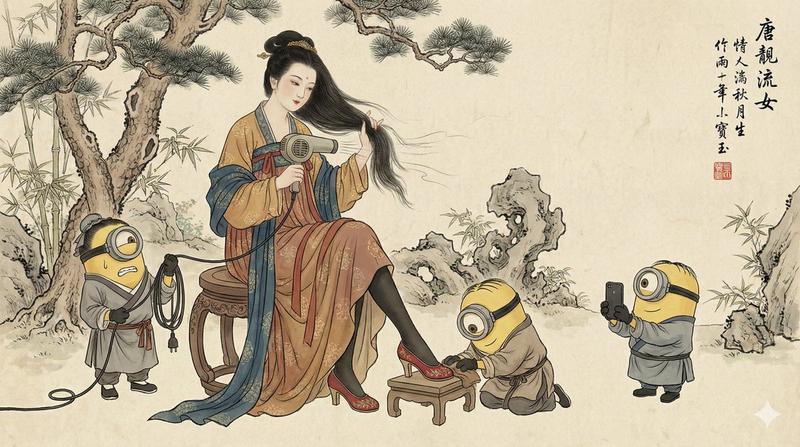
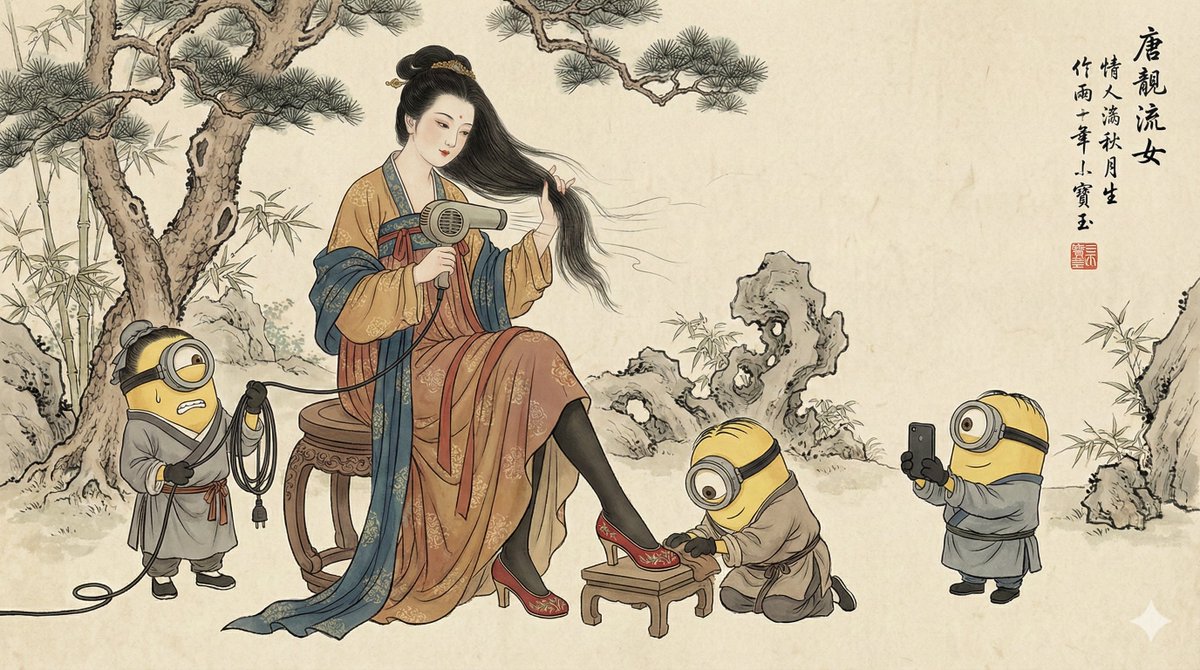
A traditional Chinese ink and color painting in Gongbi style on aged rice paper texture. A noblewoman in elaborate Tang Dynasty Hanfu robes sits on a wooden stool, holding a modern hairdryer to dry her long flowing hair. She is wearing black stockings, red high heels on one foot, resting on a small stool.

Three Minions dressed in ancient Chinese servant robes and hats attend to her: one on the left looks stressed holding the hairdryer's power cord, one center kneels polishing her red shoe with a cloth, and one on the right holds up a smartphone taking a photo for her. The background features classical gnarled pine trees, bamboo groves, and Taihu rocks.

Traditional Chinese calligraphy written in the top right corner, accompanied by a red artist chop seal (寶玉). The color palette is muted mineral pigments. Humorous, anachronistic fusion. --ar 16:9
Category
创意图片
Model
Nano Banana Pro
Creator
@dotey
Views6
Source ID
8847941b-b870-4697-b797-718d4143dc2a
Published
Dec 27, 2025

Guide

About "中国传统水墨彩画"

What is this prompt for?

"中国传统水墨彩画" AI image prompt for Nano Banana Pro (创意图片). 创意图片 Copy it on Picva and recreate the look in one click.

The full copyable prompt and example visuals above are ready for AI image generation or one-click recreate in Picva.

How to use this prompt

  1. Step 1

    Open the prompt detail

    Review the example visuals, category, and full prompt text for "中国传统水墨彩画".

  2. Step 2

    Copy the prompt

    Copy the prompt body from this page, or load it directly in Studio.

  3. Step 3

    Pick a model (Nano Banana Pro)

    Prefer Nano Banana Pro. If you switch models, keep subject and composition and tweak style terms.

  4. Step 4

    Generate and export

    Recreate the look in Picva, or export into your workflow for editing and publishing.

FAQ

What is the "中国传统水墨彩画" prompt?
It is an AI image-generation prompt for Nano Banana Pro in the 创意图片 category. This page includes the full prompt text, example visuals, and a one-click recreate path in Picva.
How do I use this prompt to generate an image?
Copy the prompt from this page, or use Generate / Studio. Paste it into a compatible image model, or recreate the look in Picva with optional reference images.
Which model is this prompt for?
This page lists Nano Banana Pro. Most descriptive prompts also transfer to nearby image models such as GPT Image, Flux, or Midjourney with light style tweaks.
Can I use the result commercially?
You can usually copy the prompt for creation, but commercial use of the final image depends on the model terms, reference-image rights, and the generated content. Follow the source author and platform rules.