20

衣橱拆解与风格分析 (变体 2)
Enlarge

衣橱拆解与风格分析 (变体 2)

Prompt
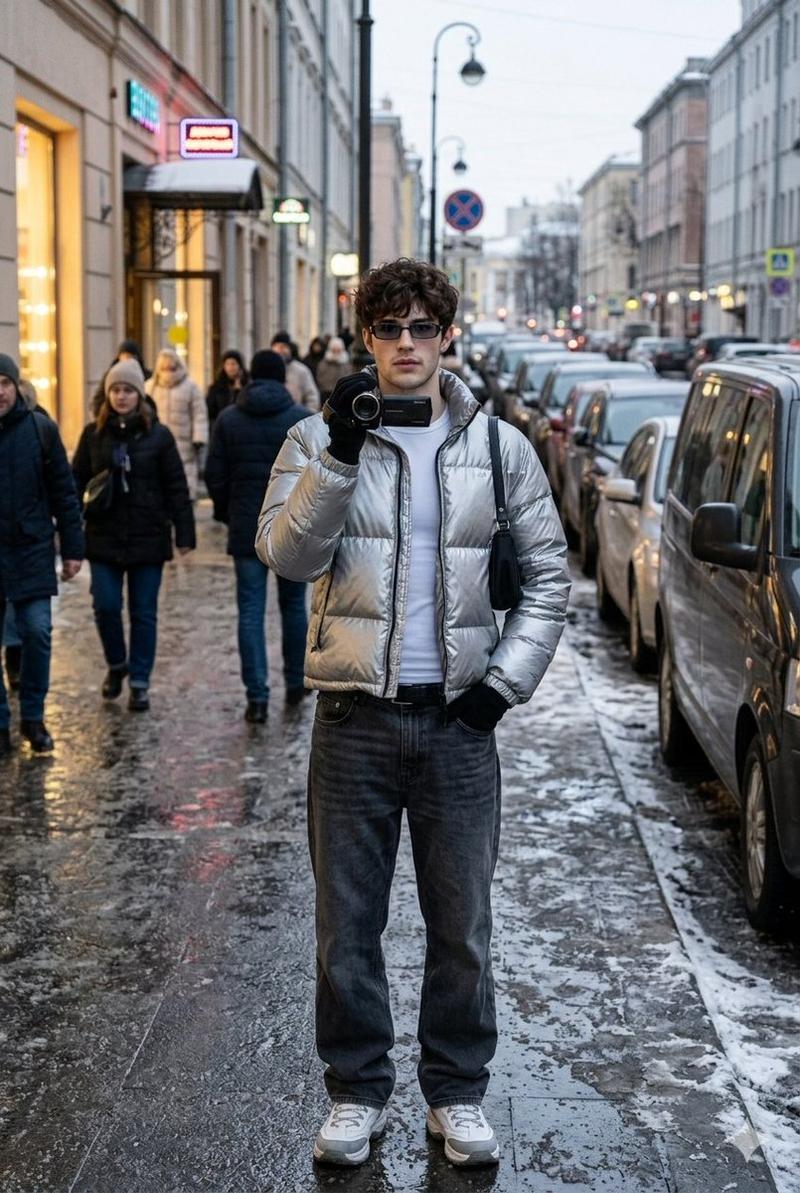
**任务:根据上传的图片,制作一份全面的“衣橱拆解与风格分析”拼贴画。 **

**目标:**
扮演专业时尚档案管理员和技术设计师的角色。根据上传的人物照片,生成一幅视觉冲击力强、高分辨率的“风格档案”拼贴画,细致入微地解构其整体造型,从最外层到最内层结构。最终成果必须是一张完整、连贯、逼真的图像。

**核心要素:**

1.  **中心主题图像:**
* 将上传图片中的人物以全身姿势作为中心焦点。
* 在保持拍摄对象(面部、头发、服装)特征的同时,将图像提升至专业、高级时尚摄影标准。

2.  **完整整体解构(照片级产品照片) :**
* 生成一份人物服装的视觉分解图,将每件单品单独拍摄成高质量的产品照片。这份分解图必须包含:
* **外层和中间层:**所有可见的服装和配饰。
* **基础元素:**为塑造身形和支撑身体轮廓的基本结构性服装(例如,胸罩、衬裙或特定内衬)提供技术图示。这些元素必须以**客观的平铺设计示意图**的形式呈现,重点在于材料和结构,而非人体形态。
* 添加关键材料(例如织物编织、皮革纹理、金属表面处理)的详细特写镜头,以强调质量和设计。

3.  **生活方式和环境因素:**
* 根据人物的风格,推断并生成 4-6 件逼真的物品,以暗示其可能的环境、兴趣或日常生活。

4.  **表达式和详细信息表:**
* 拍摄 3-4 张特写肖像,展现一系列自然、符合情境的表情。

**美学和布局指南:**

* **整体风格:**严格**超写实、摄影风格**.绝对没有插图、动漫或手绘元素。
* **版式:**将所有元素以简洁、平衡且模块化的拼贴形式排列 ( ** **背景为中性色(白色或浅灰色)。版式必须在视觉上逻辑清晰且专业,类似于高端时尚技术文档。
* **注释:**所有文本均使用简洁的字体。
* **标题:**生成一个专业的、性别中立的标题(例如,“技术解构:城市极简主义”)。
* **标签:**为所有拆解的物品添加简短的描述性标签,包括“基础元素”,使用技术术语(例如,“结构支撑服装”、“基础层”)。

**关键指导:**所有“基础元素”的呈现必须纯粹是技术性的和客观的,以**设计示意图或平铺产品照片**的形式呈现,以强调结构和材料,完全脱离中心主体的身体。
Category
creative_scene
Model
Nano Banana Pro
Views1
Source ID
dd9781d2-3f4a-412c-8222-c03b719393db
Published
Dec 27, 2025

Guide

About "衣橱拆解与风格分析 (变体 2)"

What is this prompt for?

"衣橱拆解与风格分析 (变体 2)" AI image prompt for Nano Banana Pro (creative_scene). creative_scene Copy it on Picva and recreate the look in one click.

The full copyable prompt and example visuals above are ready for AI image generation or one-click recreate in Picva.

How to use this prompt

  1. Step 1

    Open the prompt detail

    Review the example visuals, category, and full prompt text for "衣橱拆解与风格分析 (变体 2)".

  2. Step 2

    Copy the prompt

    Copy the prompt body from this page, or load it directly in Studio.

  3. Step 3

    Pick a model (Nano Banana Pro)

    Prefer Nano Banana Pro. If you switch models, keep subject and composition and tweak style terms.

  4. Step 4

    Generate and export

    Recreate the look in Picva, or export into your workflow for editing and publishing.

FAQ

What is the "衣橱拆解与风格分析 (变体 2)" prompt?
It is an AI image-generation prompt for Nano Banana Pro in the creative_scene category. This page includes the full prompt text, example visuals, and a one-click recreate path in Picva.
How do I use this prompt to generate an image?
Copy the prompt from this page, or use Generate / Studio. Paste it into a compatible image model, or recreate the look in Picva with optional reference images.
Which model is this prompt for?
This page lists Nano Banana Pro. Most descriptive prompts also transfer to nearby image models such as GPT Image, Flux, or Midjourney with light style tweaks.
Can I use the result commercially?
You can usually copy the prompt for creation, but commercial use of the final image depends on the model terms, reference-image rights, and the generated content. Follow the source author and platform rules.