12

现实世界传送门动漫角色跨界场景
Enlarge

Example images

现实世界传送门动漫角色跨界场景

Prompt
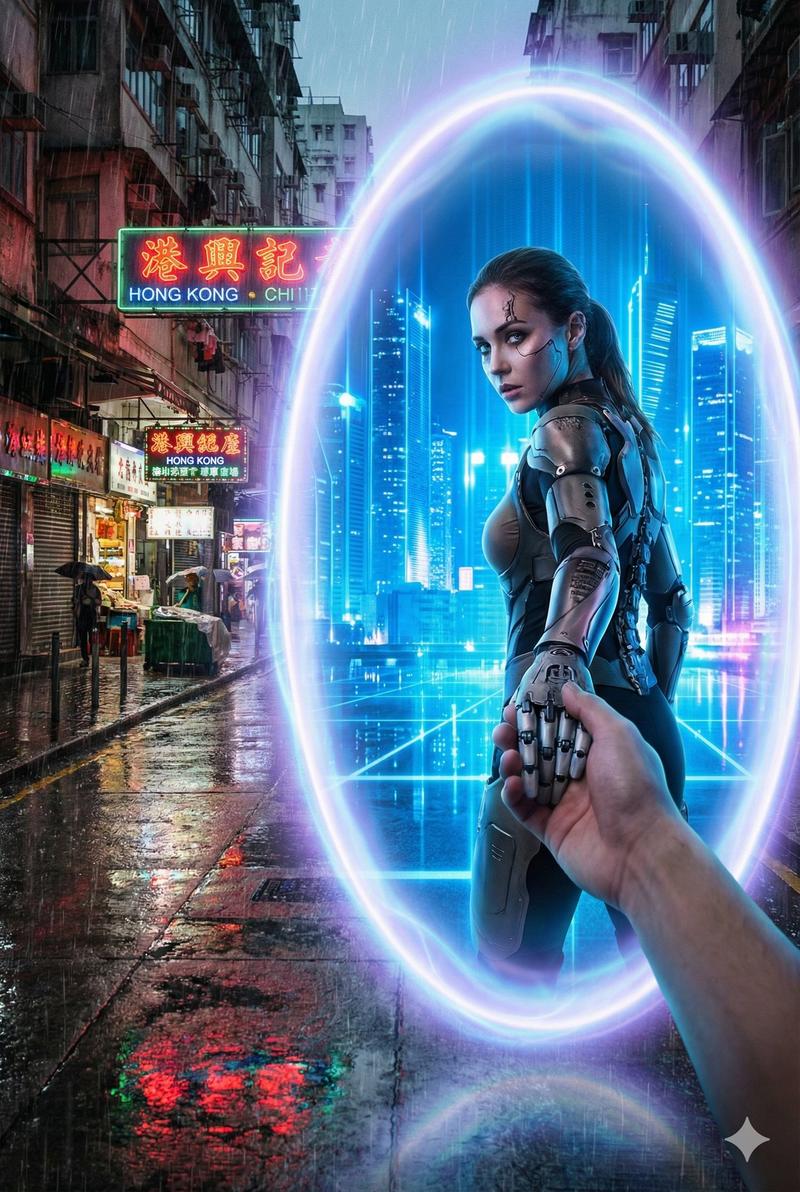
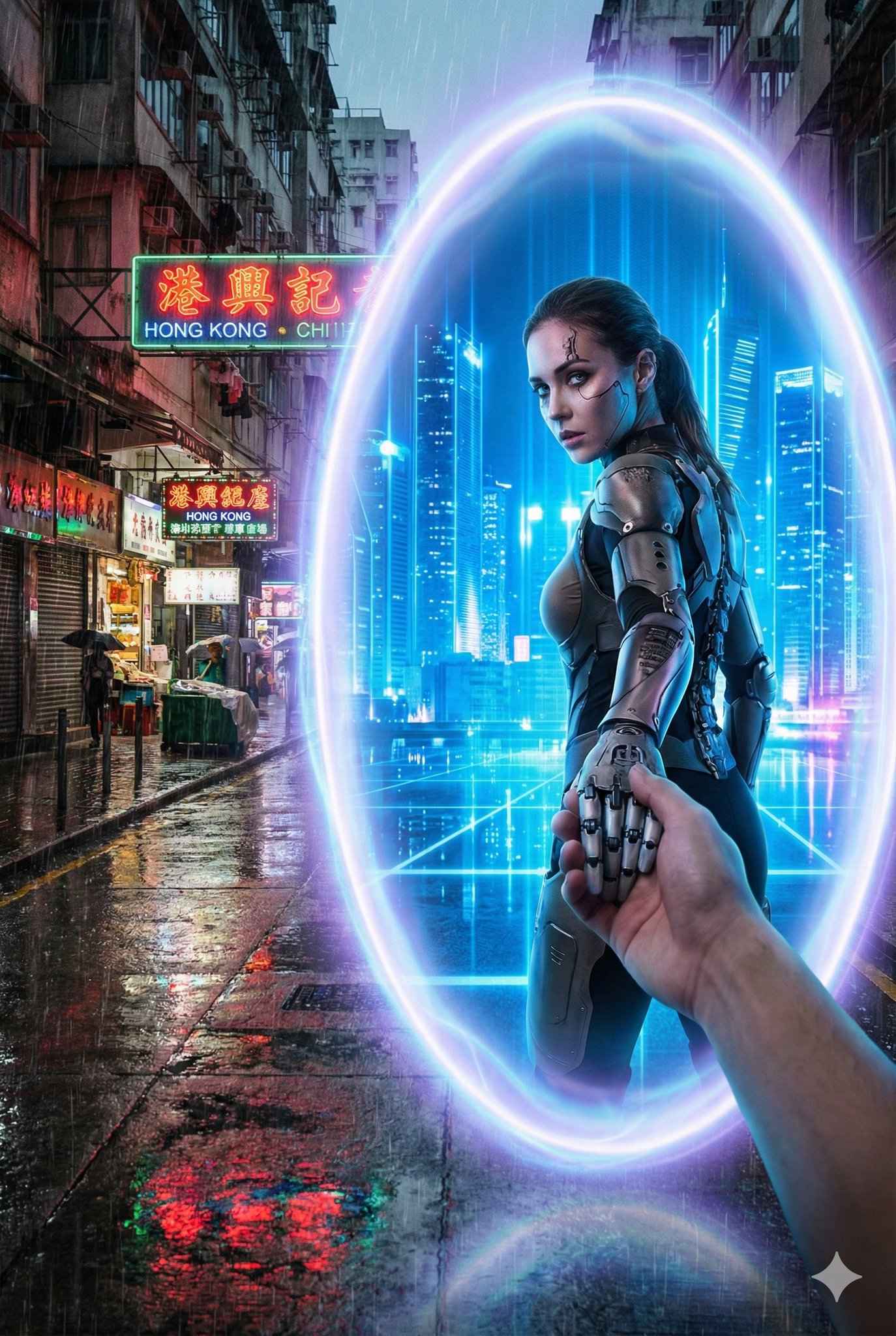
A glowing oval portal stands between {Real_World_Scene} and {Portal_Inner_Scene}.

Outside the portal, the real-world environment is {Real_World_Scene}, depicted with realistic textures, grounded atmosphere, and gritty or natural tones.

Inside the portal lies {Portal_Inner_Scene}, vibrant, imaginative, and contrasting sharply with the real world.

{Portal_Inner_Character} is stepping through the portal, turning back with a dynamic glance while holding the viewer’s hand, as if guiding them into the other world.

The portal emits mystical blue-purple light, drawn with clean outlines and soft shading consistent with the character’s style.

Optional overall visual style: {Art_Style} (defaults to a bold contrast between anime and reality).

Camera angle: third-person perspective, clearly showing the viewer’s hand being pulled into the new world.
No blur; sharp visual distinction between the two worlds.
Aspect ratio: 2:3.

----
Real_World_Scene: A winter street in Tokyo, low-saturation neon lights with a faint snowy haze
Portal_Inner_Scene:  A futuristic city street glowing with blue holograms, neon refracting through the air
Portal_Inner_Character: A cyborg girl with mechanical limbs wearing a semi-armored exosuit
Category
creative_scene
Model
Nano Banana Pro
Creator
@dotey
Views7
Source ID
461f02fc-d336-4d84-9995-70319e9bc199
Published
Dec 27, 2025

Guide

About "现实世界传送门动漫角色跨界场景"

What is this prompt for?

"现实世界传送门动漫角色跨界场景" AI image prompt for Nano Banana Pro (creative_scene). creative_scene Copy it on Picva and recreate the look in one click.

The full copyable prompt and example visuals above are ready for AI image generation or one-click recreate in Picva.

How to use this prompt

  1. Step 1

    Open the prompt detail

    Review the example visuals, category, and full prompt text for "现实世界传送门动漫角色跨界场景".

  2. Step 2

    Copy the prompt

    Copy the prompt body from this page, or load it directly in Studio.

  3. Step 3

    Pick a model (Nano Banana Pro)

    Prefer Nano Banana Pro. If you switch models, keep subject and composition and tweak style terms.

  4. Step 4

    Generate and export

    Recreate the look in Picva, or export into your workflow for editing and publishing.

FAQ

What is the "现实世界传送门动漫角色跨界场景" prompt?
It is an AI image-generation prompt for Nano Banana Pro in the creative_scene category. This page includes the full prompt text, example visuals, and a one-click recreate path in Picva.
How do I use this prompt to generate an image?
Copy the prompt from this page, or use Generate / Studio. Paste it into a compatible image model, or recreate the look in Picva with optional reference images.
Which model is this prompt for?
This page lists Nano Banana Pro. Most descriptive prompts also transfer to nearby image models such as GPT Image, Flux, or Midjourney with light style tweaks.
Can I use the result commercially?
You can usually copy the prompt for creation, but commercial use of the final image depends on the model terms, reference-image rights, and the generated content. Follow the source author and platform rules.