20

品牌解锁童年回忆
Enlarge

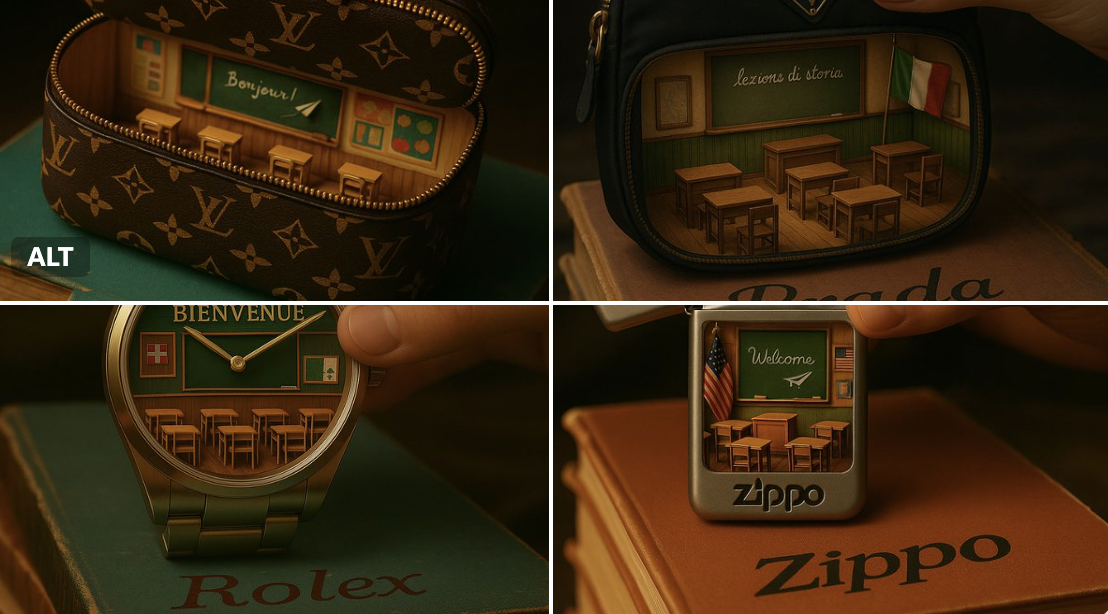
Example images

品牌解锁童年回忆

Prompt
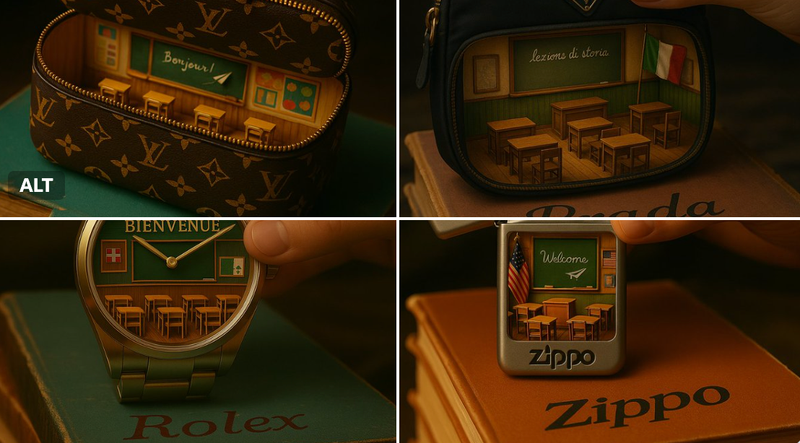
A realistic, cinematic photograph of a vintage [BRAND NAME] item being gently lifted from a dusty stack of old children's books in a dimly lit attic. The item is designed in classic [BRAND NAME] style—featuring authentic patterns, textures, or logos (e.g. monograms, embossing, or signature motifs relevant to the brand). It is partially opened to reveal a miniature, warmly lit classroom inspired by [COUNTRY] school interiors, complete with small regional-style desks, a chalkboard with delicate handwriting in [LANGUAGE], and traditional local details like shoes, posters, or flags. A paper airplane hovers mid-air. The lighting is moody and nostalgic, with soft shadows and golden highlights suggesting afternoon light filtering through attic beams. On the top book cover at the bottom of the image, the [BRAND NAME] logo is written in an elegant, fountain-pen calligraphy style—subtle, integrated into the scene, and not obscuring the main subject.
Category
创意图片
Model
Nano Banana Pro
Views5
Source ID
65feb92b-4466-40be-bfc5-79c60f7cd5e6
Published
Dec 27, 2025

Guide

About "品牌解锁童年回忆"

What is this prompt for?

"品牌解锁童年回忆" AI image prompt for Nano Banana Pro (创意图片). 创意图片 Copy it on Picva and recreate the look in one click.

The full copyable prompt and example visuals above are ready for AI image generation or one-click recreate in Picva.

How to use this prompt

  1. Step 1

    Open the prompt detail

    Review the example visuals, category, and full prompt text for "品牌解锁童年回忆".

  2. Step 2

    Copy the prompt

    Copy the prompt body from this page, or load it directly in Studio.

  3. Step 3

    Pick a model (Nano Banana Pro)

    Prefer Nano Banana Pro. If you switch models, keep subject and composition and tweak style terms.

  4. Step 4

    Generate and export

    Recreate the look in Picva, or export into your workflow for editing and publishing.

FAQ

What is the "品牌解锁童年回忆" prompt?
It is an AI image-generation prompt for Nano Banana Pro in the 创意图片 category. This page includes the full prompt text, example visuals, and a one-click recreate path in Picva.
How do I use this prompt to generate an image?
Copy the prompt from this page, or use Generate / Studio. Paste it into a compatible image model, or recreate the look in Picva with optional reference images.
Which model is this prompt for?
This page lists Nano Banana Pro. Most descriptive prompts also transfer to nearby image models such as GPT Image, Flux, or Midjourney with light style tweaks.
Can I use the result commercially?
You can usually copy the prompt for creation, but commercial use of the final image depends on the model terms, reference-image rights, and the generated content. Follow the source author and platform rules.