20

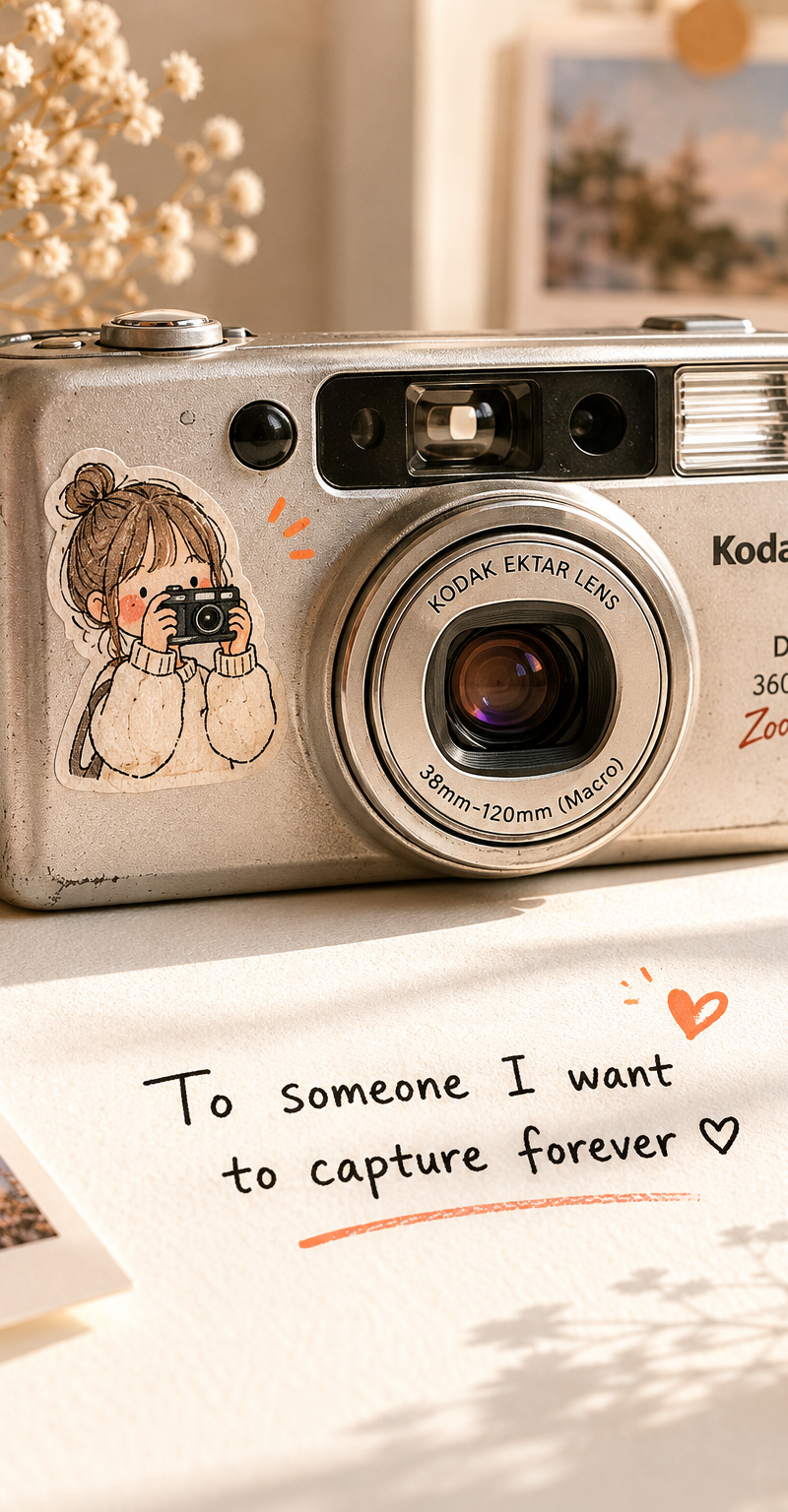
Ultra-realistic close-up product photography of a vintage silver compact Kodak p
Click to enlarge

Example images

Posters & TypographyPromptsref图片posters-typography海报与排版

Ultra-realistic close-up product photography of a vintage silver compact Kodak p

Prompt
Ultra-realistic close-up product photography of a vintage silver compact Kodak point-and-shoot camera placed on a clean white surface, soft warm beige lighting, minimalist Korean-inspired aesthetic, shallow depth of field, creamy background blur, subtle film grain texture, camera positioned slightly angled to the right, visible lens details and retro typography, tiny imperfections and realistic wear on the camera body, delicate hand-drawn sticker of a cute little girl holding a miniature camera attached to the left side of the camera, doodle-style illustration with black sketch lines, soft blush cheeks, tiny orange accent marks beside sticker, soft natural shadows, cozy nostalgic mood, muted ivory and warm gray color palette, editorial lifestyle photography, soft morning window light, realistic reflections on lens glass, premium Pinterest aesthetic composition.
Bottom area includes handwritten-style black text reading:
“To someone I want to capture forever ♡”
small orange heart accent, centered typography, casual notebook-style font.
Camera settings aesthetic:
50mm lens look, f/2.0 shallow focus, cinematic soft contrast, matte highlights, natural exposure, high-detail realism, soft white background with subtle warm gradients.
Category
Posters & Typography
Model
GPT Image 2
Creator
xie underwood
Source language
en
Views74
Source ID
10180
Published
May 25, 2026
Studio

Guide

About "Ultra-realistic close-up product photography of a vintage silver compact Kodak p"

What is this prompt for?

"Ultra-realistic close-up product photography of a vintage silver compact Kodak p" AI image prompt for GPT Image 2 (Posters & Typography). Ultra-realistic clos…

The full copyable prompt and example visuals above are ready for AI image generation or one-click recreate in Picva.

How to use this prompt

  1. Step 1

    Open the prompt detail

    Review the example visuals, category, and full prompt text for "Ultra-realistic close-up product photography of a vintage silver compact Kodak p".

  2. Step 2

    Copy the prompt

    Copy the prompt body from this page, or load it directly in Studio.

  3. Step 3

    Pick a model (GPT Image 2)

    Prefer GPT Image 2. If you switch models, keep subject and composition and tweak style terms.

  4. Step 4

    Generate and export

    Recreate the look in Picva, or export into your workflow for editing and publishing.

FAQ

What is the "Ultra-realistic close-up product photography of a vintage silver compact Kodak p" prompt?
It is an AI image-generation prompt for GPT Image 2 in the Posters & Typography category. This page includes the full prompt text, example visuals, and a one-click recreate path in Picva.
How do I use this prompt to generate an image?
Copy the prompt from this page, or use Generate / Studio. Paste it into a compatible image model, or recreate the look in Picva with optional reference images.
Which model is this prompt for?
This page lists GPT Image 2. Most descriptive prompts also transfer to nearby image models such as GPT Image, Flux, or Midjourney with light style tweaks.
Can I use the result commercially?
You can usually copy the prompt for creation, but commercial use of the final image depends on the model terms, reference-image rights, and the generated content. Follow the source author and platform rules.