17

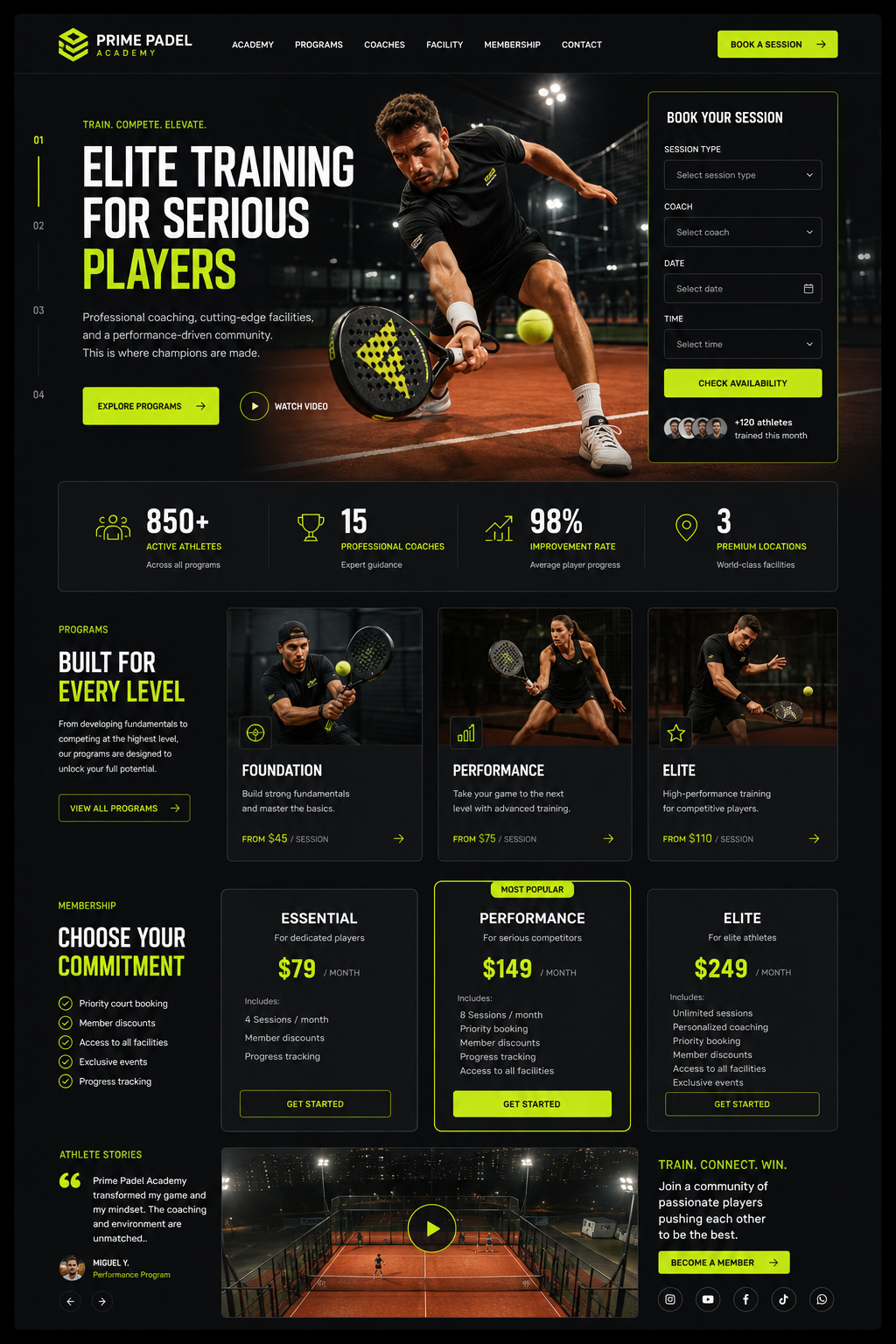
A high-fidelity landing page UI design for a premium padel training academy, cha
Enlarge

A high-fidelity landing page UI design for a premium padel training academy, cha

Prompt
A high-fidelity landing page UI design for a premium padel training academy, characterized by a sophisticated dark mode aesthetic with deep charcoal backgrounds and vibrant electric lime accents. The layout utilizes a clean, modular grid system featuring high-impact hero photography of athletes in dynamic mid-motion on terracotta-colored courts. Typography is crisp and sans-serif, emphasizing hierarchy through bold weights and strategic negative space. UI elements include interactive booking forms, membership pricing tiers with distinct call-to-action buttons, and data-driven stats counters. The overall visual language is sleek, athletic, and professional, balancing high-contrast color blocks with refined graphical overlays to create a modern, immersive digital experience tailored for elite sports enthusiasts.

* **Style:** UI/UX Web Design, Modern Minimalist, Dark Mode
* **Key elements:** Padel court photography, electric lime UI accents, modular grid cards, call-to-action buttons, data visualization
* **Lighting:** High-contrast studio lighting, soft diffused ambient glow, neon-toned highlights
* **Camera:** Flat lay UI mockup, 2D isometric perspective, sharp focus
Category
UI & Interfaces
Model
GPT Image 2
Views93
Source ID
14977
Published
Jun 3, 2026

Guide

About "A high-fidelity landing page UI design for a premium padel training academy, cha"

What is this prompt for?

"A high-fidelity landing page UI design for a premium padel training academy, cha" AI image prompt for GPT Image 2 (UI & Interfaces). A high-fidelity landing p…

The full copyable prompt and example visuals above are ready for AI image generation or one-click recreate in Picva.

How to use this prompt

  1. Step 1

    Open the prompt detail

    Review the example visuals, category, and full prompt text for "A high-fidelity landing page UI design for a premium padel training academy, cha".

  2. Step 2

    Copy the prompt

    Copy the prompt body from this page, or load it directly in Studio.

  3. Step 3

    Pick a model (GPT Image 2)

    Prefer GPT Image 2. If you switch models, keep subject and composition and tweak style terms.

  4. Step 4

    Generate and export

    Recreate the look in Picva, or export into your workflow for editing and publishing.

FAQ

What is the "A high-fidelity landing page UI design for a premium padel training academy, cha" prompt?
It is an AI image-generation prompt for GPT Image 2 in the UI & Interfaces category. This page includes the full prompt text, example visuals, and a one-click recreate path in Picva.
How do I use this prompt to generate an image?
Copy the prompt from this page, or use Generate / Studio. Paste it into a compatible image model, or recreate the look in Picva with optional reference images.
Which model is this prompt for?
This page lists GPT Image 2. Most descriptive prompts also transfer to nearby image models such as GPT Image, Flux, or Midjourney with light style tweaks.
Can I use the result commercially?
You can usually copy the prompt for creation, but commercial use of the final image depends on the model terms, reference-image rights, and the generated content. Follow the source author and platform rules.