19

Prompt Goblin Intern card, Prompt Goblins faction, Unit, Common, cost 2, top rig
Enlarge

Prompt Goblin Intern card, Prompt Goblins faction, Unit, Common, cost 2, top rig

Prompt
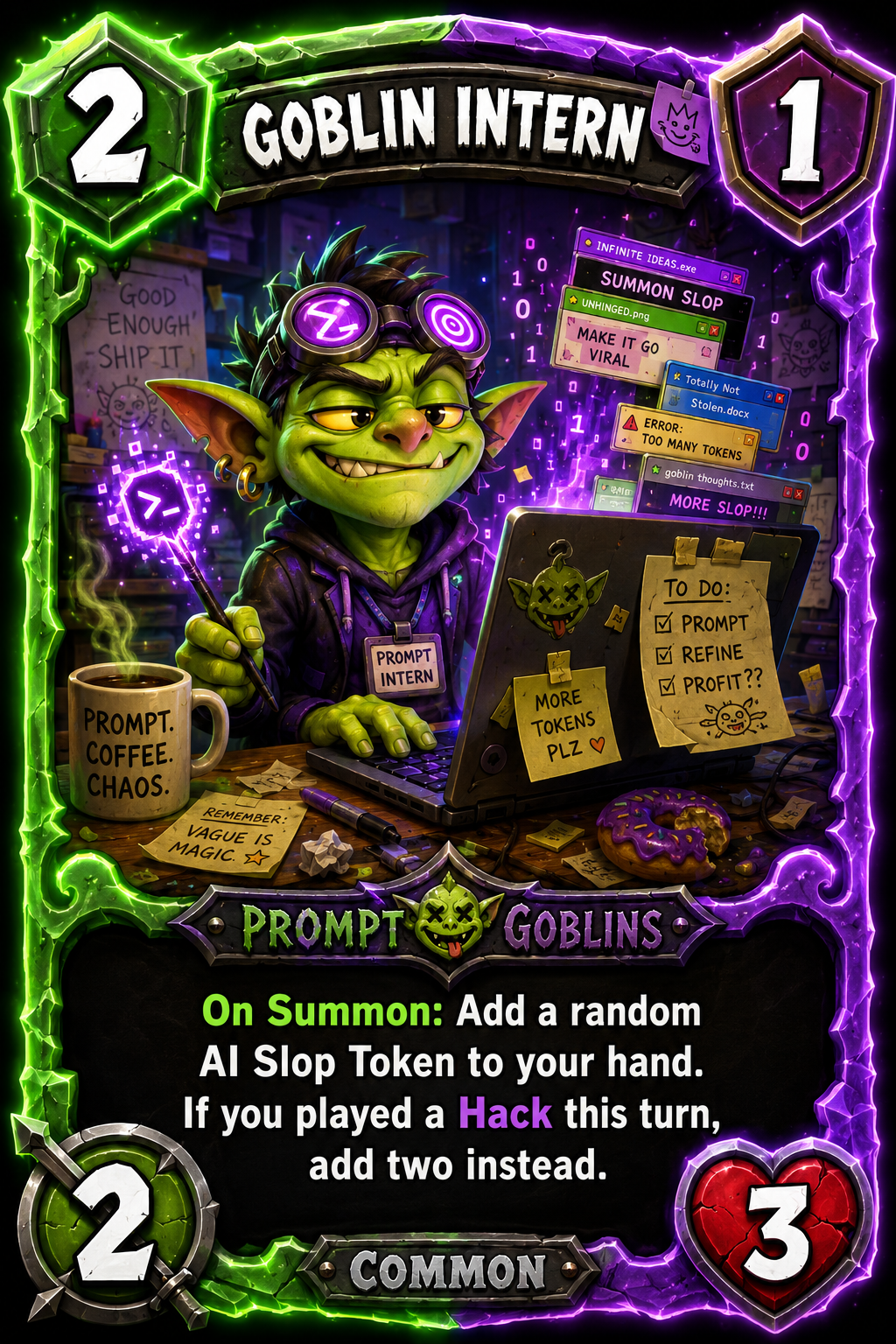
Prompt Goblin Intern card, Prompt Goblins faction, Unit, Common, cost 2, top right stat 1, attack 2, health 3. Green and purple glowing border. Art: small smug green goblin intern at a messy laptop with chaotic tabs, prompt magic, purple terminal wand, coffee mug, sticky notes, goofy confident expression. Rules text: "On Summon: Add a random AI Slop Token to your hand. If you played a Hack this turn, add two instead." SLOP WARS card reference style. Polished digital TCG mockup: chunky fantasy card UI, bold title bar, large top left cost gem, top right shield stat, bottom left attack, bottom right health, black rules text box, faction strip, rarity tag, glowing faction colored border, saturated neon colors, expressive cartoon art, high contrast, glossy mobile TCG presentation, chaotic internet satire comedy, clean 4K UI. No real brands, logos, celebrities, or watermarks.
Category
UI & Interfaces
Model
GPT Image 2
Views59
Source ID
18777
Published
Jun 10, 2026

Guide

About "Prompt Goblin Intern card, Prompt Goblins faction, Unit, Common, cost 2, top rig"

What is this prompt for?

"Prompt Goblin Intern card, Prompt Goblins faction, Unit, Common, cost 2, top rig" AI image prompt for GPT Image 2 (UI & Interfaces). Prompt Goblin Intern card…

The full copyable prompt and example visuals above are ready for AI image generation or one-click recreate in Picva.

How to use this prompt

  1. Step 1

    Open the prompt detail

    Review the example visuals, category, and full prompt text for "Prompt Goblin Intern card, Prompt Goblins faction, Unit, Common, cost 2, top rig".

  2. Step 2

    Copy the prompt

    Copy the prompt body from this page, or load it directly in Studio.

  3. Step 3

    Pick a model (GPT Image 2)

    Prefer GPT Image 2. If you switch models, keep subject and composition and tweak style terms.

  4. Step 4

    Generate and export

    Recreate the look in Picva, or export into your workflow for editing and publishing.

FAQ

What is the "Prompt Goblin Intern card, Prompt Goblins faction, Unit, Common, cost 2, top rig" prompt?
It is an AI image-generation prompt for GPT Image 2 in the UI & Interfaces category. This page includes the full prompt text, example visuals, and a one-click recreate path in Picva.
How do I use this prompt to generate an image?
Copy the prompt from this page, or use Generate / Studio. Paste it into a compatible image model, or recreate the look in Picva with optional reference images.
Which model is this prompt for?
This page lists GPT Image 2. Most descriptive prompts also transfer to nearby image models such as GPT Image, Flux, or Midjourney with light style tweaks.
Can I use the result commercially?
You can usually copy the prompt for creation, but commercial use of the final image depends on the model terms, reference-image rights, and the generated content. Follow the source author and platform rules.