18

{ "image_id": 1, "actress_identity": "Natalia Dyer" "image_metadata": { "is_ai_g
Enlarge

{ "image_id": 1, "actress_identity": "Natalia Dyer" "image_metadata": { "is_ai_g

Prompt
{
 "image_id": 1,
 "actress_identity": "Natalia Dyer"
 "image_metadata": {
 "is_ai_generated": true
 "watermark": "Hacbet83664" 
 "visual_style": "High-fashion parody photography"
 }
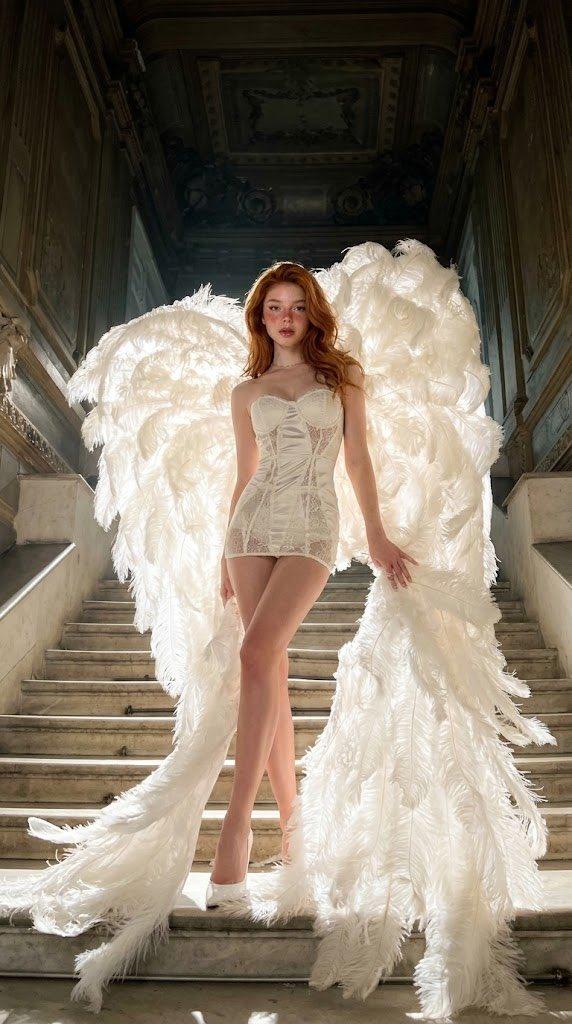
 "detailed_wardrobe": {
 "corset": "Yellow lace-up corset with intricate floral embroidery and boning",
 "outerwear": "Oversized white formal blazer worn open over the shoulders"
 "bottoms": "Sheer white high-waisted nylon tights"
 "footwear": "Classic white pointed-toe stiletto pumps with high heels"
 }
 "visual_elements": {
 "accessories": "Large tan leather Birkin style designer handbag and dark aviator sunglasses"
 "companion": "Demogorgon creature from Stranger Things walking on a black leather leash"
 "creature_state": "Aggressive posture with petal-like mouth fully expanded and teeth visible"
 "background": "Grand neoclassical mansion facade with marble stairs and stone balustrades"
 }
 },
Category
Brand & Logos
Model
Nano Banana 2
Views50
Source ID
488
Published
Mar 1, 2026

Guide

About "{ "image_id": 1, "actress_identity": "Natalia Dyer" "image_metadata": { "is_ai_g"

What is this prompt for?

"{ "image_id": 1, "actress_identity": "Natalia Dyer" "image_metadata": { "is_ai_g" AI image prompt for Nano Banana 2 (Brand & Logos). { "image_id": 1, "actress…

The full copyable prompt and example visuals above are ready for AI image generation or one-click recreate in Picva.

How to use this prompt

  1. Step 1

    Open the prompt detail

    Review the example visuals, category, and full prompt text for "{ "image_id": 1, "actress_identity": "Natalia Dyer" "image_metadata": { "is_ai_g".

  2. Step 2

    Copy the prompt

    Copy the prompt body from this page, or load it directly in Studio.

  3. Step 3

    Pick a model (Nano Banana 2)

    Prefer Nano Banana 2. If you switch models, keep subject and composition and tweak style terms.

  4. Step 4

    Generate and export

    Recreate the look in Picva, or export into your workflow for editing and publishing.

FAQ

What is the "{ "image_id": 1, "actress_identity": "Natalia Dyer" "image_metadata": { "is_ai_g" prompt?
It is an AI image-generation prompt for Nano Banana 2 in the Brand & Logos category. This page includes the full prompt text, example visuals, and a one-click recreate path in Picva.
How do I use this prompt to generate an image?
Copy the prompt from this page, or use Generate / Studio. Paste it into a compatible image model, or recreate the look in Picva with optional reference images.
Which model is this prompt for?
This page lists Nano Banana 2. Most descriptive prompts also transfer to nearby image models such as GPT Image, Flux, or Midjourney with light style tweaks.
Can I use the result commercially?
You can usually copy the prompt for creation, but commercial use of the final image depends on the model terms, reference-image rights, and the generated content. Follow the source author and platform rules.