20

Input: chicken wing Analysis: Extract key ingredients, cooking techniques, and c
Enlarge

Example images

Input: chicken wing Analysis: Extract key ingredients, cooking techniques, and c

Prompt
Input: chicken wing
Analysis: Extract key ingredients, cooking techniques, and cultural food elements
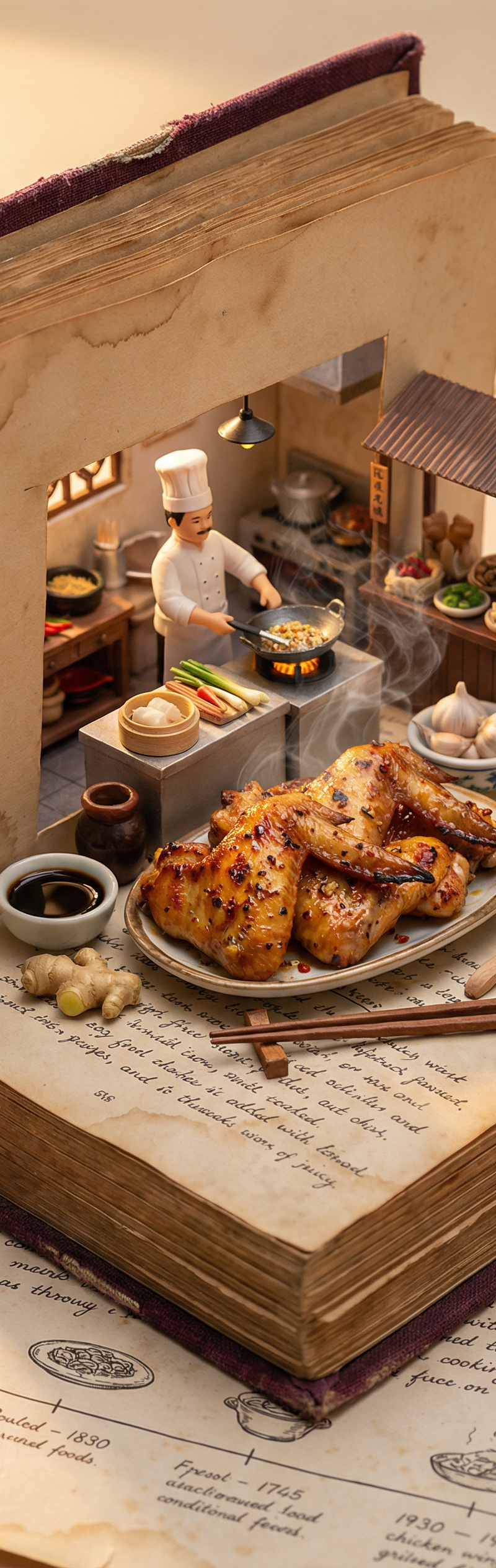
Goal: A cookbook where ingredients and dishes emerge in delicious detail
Rules:
Base: A vintage cookbook with stained pages and fabric cover, historical timeline of food
Scene: 3D Miniature kitchen or market scene with chef & ingredients
Details: Detailed food textures, steam effects, cooking implements
Lighting: Warm kitchen lighting with golden hour quality
Output: Single 4:5 image with appetizing details
Category
Charts & Infographics
Model
Nano Banana Pro
Creator
xie underwood
Source language
en
Views70
Source ID
62
Published
Dec 26, 2025
Studio

Guide

About "Input: chicken wing Analysis: Extract key ingredients, cooking techniques, and c"

What is this prompt for?

"Input: chicken wing Analysis: Extract key ingredients, cooking techniques, and c" AI image prompt for Nano Banana Pro (Charts & Infographics). Input: chicken…

The full copyable prompt and example visuals above are ready for AI image generation or one-click recreate in Picva.

How to use this prompt

  1. Step 1

    Open the prompt detail

    Review the example visuals, category, and full prompt text for "Input: chicken wing Analysis: Extract key ingredients, cooking techniques, and c".

  2. Step 2

    Copy the prompt

    Copy the prompt body from this page, or load it directly in Studio.

  3. Step 3

    Pick a model (Nano Banana Pro)

    Prefer Nano Banana Pro. If you switch models, keep subject and composition and tweak style terms.

  4. Step 4

    Generate and export

    Recreate the look in Picva, or export into your workflow for editing and publishing.

FAQ

What is the "Input: chicken wing Analysis: Extract key ingredients, cooking techniques, and c" prompt?
It is an AI image-generation prompt for Nano Banana Pro in the Charts & Infographics category. This page includes the full prompt text, example visuals, and a one-click recreate path in Picva.
How do I use this prompt to generate an image?
Copy the prompt from this page, or use Generate / Studio. Paste it into a compatible image model, or recreate the look in Picva with optional reference images.
Which model is this prompt for?
This page lists Nano Banana Pro. Most descriptive prompts also transfer to nearby image models such as GPT Image, Flux, or Midjourney with light style tweaks.
Can I use the result commercially?
You can usually copy the prompt for creation, but commercial use of the final image depends on the model terms, reference-image rights, and the generated content. Follow the source author and platform rules.