19

GPT Image 2 on ChatGPT 提示 一位年轻成年女性模特站在现代城市建筑广场中央,正面朝向镜头,几乎全身入镜,位于画面正中,采用...
Enlarge

Example images

GPT Image 2 on ChatGPT 提示 一位年轻成年女性模特站在现代城市建筑广场中央,正面朝向镜头,几乎全身入镜,位于画面正中,采用...

Prompt
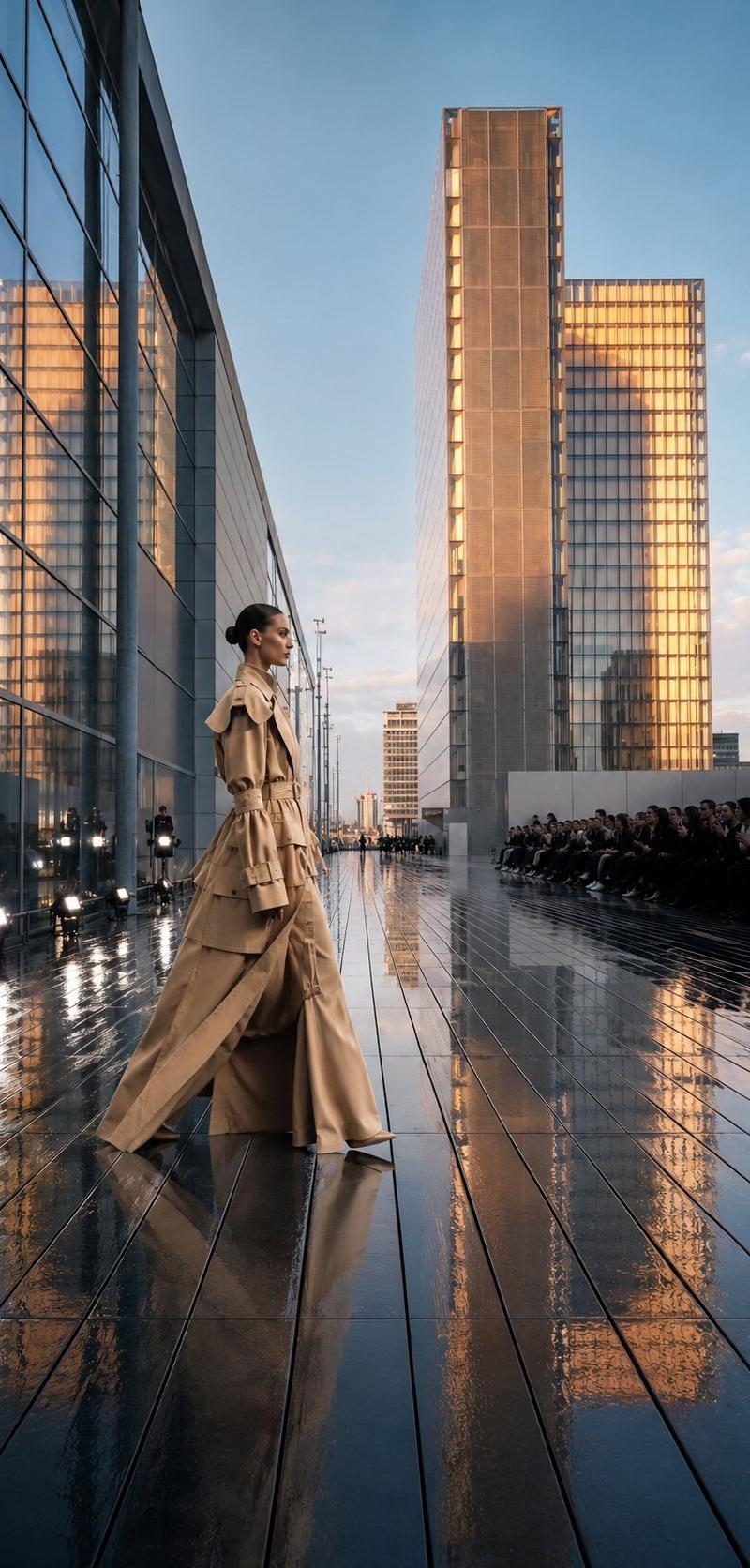
GPT Image 2 on ChatGPT 提示 一位年轻成年女性模特站在现代城市建筑广场中央,正面朝向镜头,几乎全身入镜,位于画面正中,采用严格中轴对称构图。她站在一条雨后湿润的深色木质步道上,地面有明显反光和建筑倒影。两侧是高大现代玻璃建筑,中央远处是一组矩形高层塔楼,线条冷峻、极简、具有未来感。天空为厚重阴天,灰蓝色云层密布,没有阳光,整体冷调、低饱和、低对比。 模特身材高挑纤细,姿态端正克制,双臂自然下垂,表情冷静、疏离、时尚感强。发型为贴头的低扎或后梳造型,面部精致,妆容极简。她穿一套高级白色时装:高领不对称上衣或斗篷式长披肩,自左肩垂下长长拖尾;下身为带复杂提花或刺绣纹理的高腰阔腿长裤与立体裙摆结构,整体像高级定制礼服与现代极简时装结合。服装面料带细腻织纹和微弱光泽,但整体保持克制的纯白与冷白色层次。 摄影风格:全身时尚 editorial,建筑空间感强,85mm 镜头或略长焦效果,视角平视,深景深到中等景深,人物清晰,建筑也清晰,真实光学透视。强调雨后空气感、湿润木板纹理、玻璃幕墙反射、天空层次、服装拖尾与地面倒影。照片级真实感,真实皮肤纹理,轻微胶片颗粒。 避免: 卡通、CG感、过度磨皮、暖色夕阳、杂乱人群、夸张动作、彩色服装、畸形手脚、建筑变形、文字、水印、Logo。
Category
创意图片
Model
GPT Image 2
Creator
@ToroJushiAi
Source language
zh-CN
Views2
Source ID
2080382446294429842
Published
Jul 26, 2026
Studio

Guide

About "GPT Image 2 on ChatGPT 提示 一位年轻成年女性模特站在现代城市建筑广场中央,正面朝向镜头,几乎全身入镜,位于画面正中,采用..."

What is this prompt for?

"GPT Image 2 on ChatGPT 提示 一位年轻成年女性模特站在现代城市建筑广场中央,正面朝向镜头,几乎全身入镜,位于画面正中,采用..." AI image prompt for GPT Image 2 (创意图片). Saved from X post by @ToroJushiAi. GPT Im…

The full copyable prompt and example visuals above are ready for AI image generation or one-click recreate in Picva.

How to use this prompt

  1. Step 1

    Open the prompt detail

    Review the example visuals, category, and full prompt text for "GPT Image 2 on ChatGPT 提示 一位年轻成年女性模特站在现代城市建筑广场中央,正面朝向镜头,几乎全身入镜,位于画面正中,采用...".

  2. Step 2

    Copy the prompt

    Copy the prompt body from this page, or load it directly in Studio.

  3. Step 3

    Pick a model (GPT Image 2)

    Prefer GPT Image 2. If you switch models, keep subject and composition and tweak style terms.

  4. Step 4

    Generate and export

    Recreate the look in Picva, or export into your workflow for editing and publishing.

FAQ

What is the "GPT Image 2 on ChatGPT 提示 一位年轻成年女性模特站在现代城市建筑广场中央,正面朝向镜头,几乎全身入镜,位于画面正中,采用..." prompt?
It is an AI image-generation prompt for GPT Image 2 in the 创意图片 category. This page includes the full prompt text, example visuals, and a one-click recreate path in Picva.
How do I use this prompt to generate an image?
Copy the prompt from this page, or use Generate / Studio. Paste it into a compatible image model, or recreate the look in Picva with optional reference images.
Which model is this prompt for?
This page lists GPT Image 2. Most descriptive prompts also transfer to nearby image models such as GPT Image, Flux, or Midjourney with light style tweaks.
Can I use the result commercially?
You can usually copy the prompt for creation, but commercial use of the final image depends on the model terms, reference-image rights, and the generated content. Follow the source author and platform rules.