20

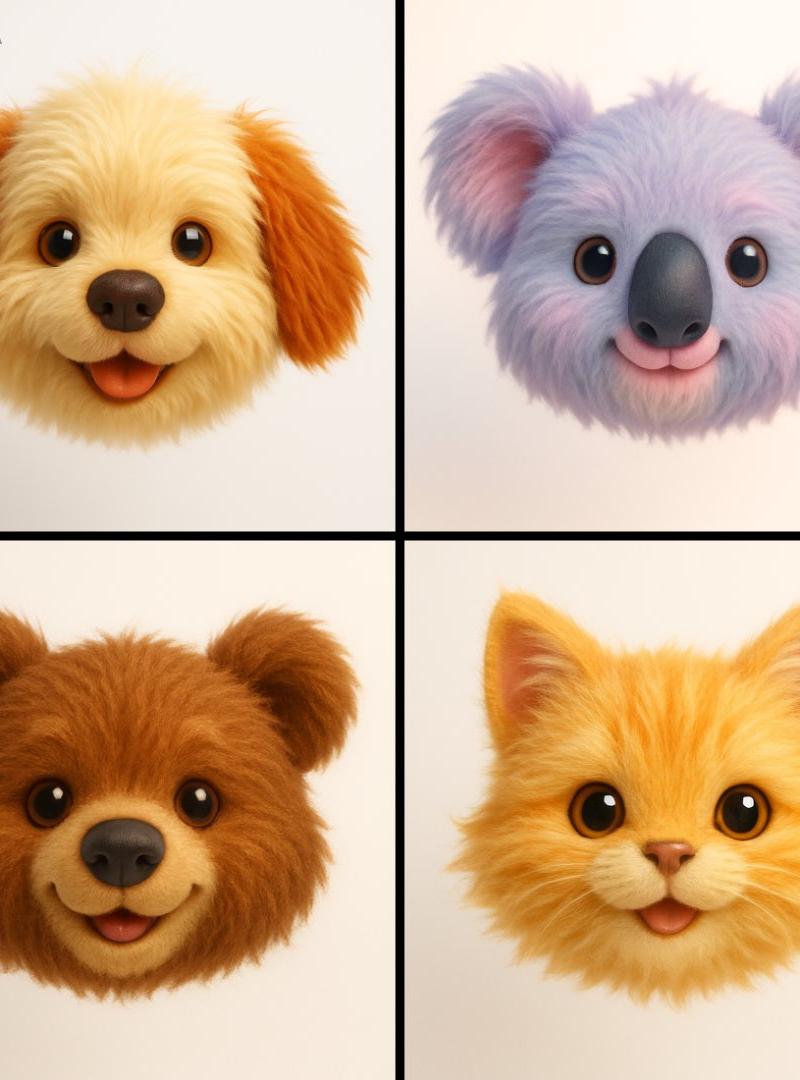
3D表情符号头部
Click to enlarge

Example images

Photography & RealismXCbotaiart.picsUnknown图片

3D表情符号头部

Prompt
Generate a hyper-realistic 3D render of a [EMOJI🐱] as a floating animal head with plush toy aesthetics. The design should emphasize ultra-soft, long fur, playful cuteness, and a childlike charm. Use a straight-on camera angle with soft, diffused lighting to create a warm and inviting glow. Keep the background pure white for a clean, modern look. The color palette should be vibrant yet soothing, enhancing the toy-like appeal. Style: Ultra-detailed, whimsical, and hyper-cute, blending realism with a soft, plush texture for maximum visual impact.
生成一个超逼真的 3D 渲染效果,将[表情符号 🐱 ]设计成一个漂浮的动物头部,具有毛绒玩具的美学风格。设计应强调超柔软的长毛、俏皮可爱和童真魅力。使用正面直视的相机角度,搭配柔和的漫射光线,营造出温暖诱人的光泽。保持背景纯白色,以呈现干净现代的外观。色彩搭配应鲜明而舒缓,增强玩具般的吸引力。风格:超精细、奇幻、超可爱,将现实主义与柔软的毛绒质感相结合,以达到最大的视觉冲击力。
Category
Photography & Realism
Model
Unknown
Creator
TechieSA
Source language
zh-CN
Views0
Source ID
3d-emoji-head
Studio

Guide

About "3D表情符号头部"

What is this prompt for?

"3D表情符号头部" AI image prompt for Unknown (Photography & Realism). Generate a hyper-realistic 3D render of a [EMOJI🐱] as a floating animal head with plush toy ae…

The full copyable prompt and example visuals above are ready for AI image generation or one-click recreate in Picva.

How to use this prompt

  1. Step 1

    Open the prompt detail

    Review the example visuals, category, and full prompt text for "3D表情符号头部".

  2. Step 2

    Copy the prompt

    Copy the prompt body from this page, or load it directly in Studio.

  3. Step 3

    Pick a model (Unknown)

    Prefer Unknown. If you switch models, keep subject and composition and tweak style terms.

  4. Step 4

    Generate and export

    Recreate the look in Picva, or export into your workflow for editing and publishing.

FAQ

What is the "3D表情符号头部" prompt?
It is an AI image-generation prompt for Unknown in the Photography & Realism category. This page includes the full prompt text, example visuals, and a one-click recreate path in Picva.
How do I use this prompt to generate an image?
Copy the prompt from this page, or use Generate / Studio. Paste it into a compatible image model, or recreate the look in Picva with optional reference images.
Which model is this prompt for?
This page lists Unknown. Most descriptive prompts also transfer to nearby image models such as GPT Image, Flux, or Midjourney with light style tweaks.
Can I use the result commercially?
You can usually copy the prompt for creation, but commercial use of the final image depends on the model terms, reference-image rights, and the generated content. Follow the source author and platform rules.