20

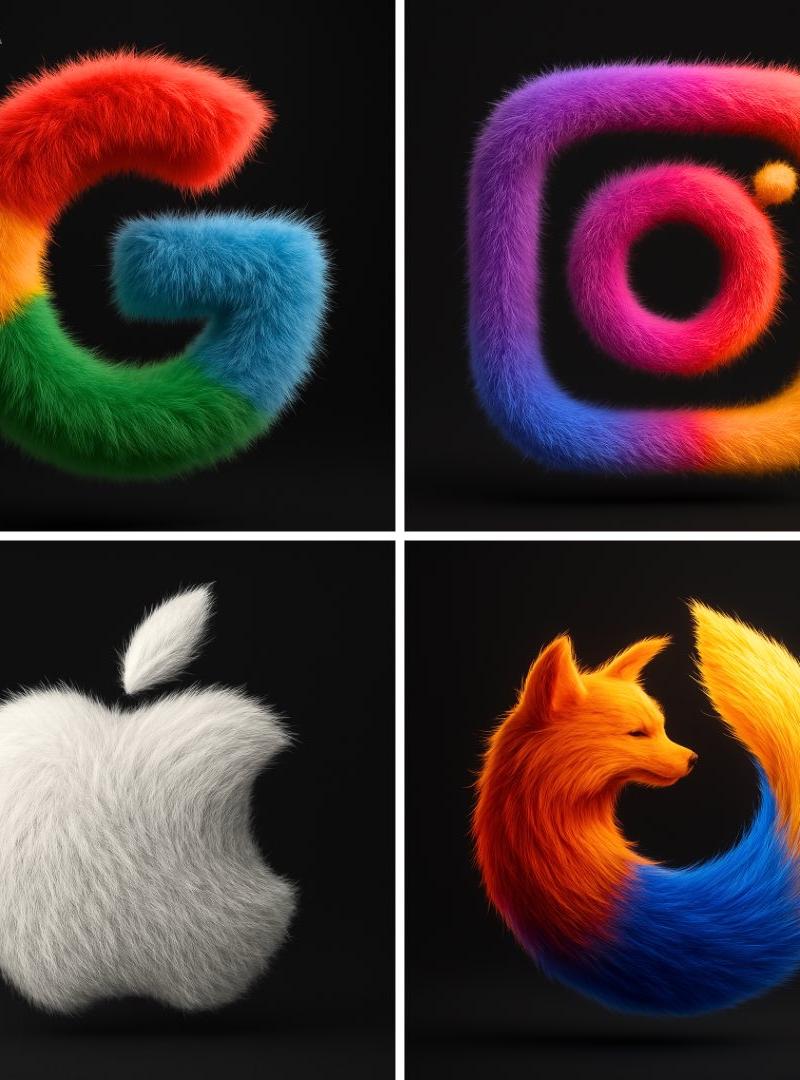
3D蓬松的物体
Click to enlarge

Example images

Photography & RealismXCbotaiart.picsUnknown图片

3D蓬松的物体

Prompt
Transform the [BRAND NAME] logo into a hyper-realistic, 3D fluffy object. Keep the original shape and exact brand colors. Cover the entire surface in soft, detailed fur with a realistic hair texture. Use cinematic lighting to create subtle backlighting and soft shadows, making the logo appear tactile and surreal. Place the logo in the center of a clean black background, floating gently with a modern, stylish look. The style should feel cozy, playful, and visually striking. Render in ultra-high 4K resolution with photorealistic quality.
将[品牌名称]标志转化为超逼真、3D 蓬松的物体。保持原始形状和品牌的确切颜色。用柔软、细节丰富的毛皮覆盖整个表面,具有逼真的毛发纹理。使用电影感光效创造微妙的后光和柔和的阴影,使标志看起来有触感和超现实。将标志放在干净黑色背景的中心,轻轻漂浮,具有现代时尚感。风格应感觉温馨、俏皮、视觉上引人注目。以超高清 4K 分辨率渲染,具有照片级真实质量。
Category
Photography & Realism
Model
Unknown
Creator
TechieSA
Source language
zh-CN
Views0
Source ID
3d-fluffy-object
Studio

Guide

About "3D蓬松的物体"

What is this prompt for?

"3D蓬松的物体" AI image prompt for Unknown (Photography & Realism). Transform the [BRAND NAME] logo into a hyper-realistic, 3D fluffy object. Keep the original shap…

The full copyable prompt and example visuals above are ready for AI image generation or one-click recreate in Picva.

How to use this prompt

  1. Step 1

    Open the prompt detail

    Review the example visuals, category, and full prompt text for "3D蓬松的物体".

  2. Step 2

    Copy the prompt

    Copy the prompt body from this page, or load it directly in Studio.

  3. Step 3

    Pick a model (Unknown)

    Prefer Unknown. If you switch models, keep subject and composition and tweak style terms.

  4. Step 4

    Generate and export

    Recreate the look in Picva, or export into your workflow for editing and publishing.

FAQ

What is the "3D蓬松的物体" prompt?
It is an AI image-generation prompt for Unknown in the Photography & Realism category. This page includes the full prompt text, example visuals, and a one-click recreate path in Picva.
How do I use this prompt to generate an image?
Copy the prompt from this page, or use Generate / Studio. Paste it into a compatible image model, or recreate the look in Picva with optional reference images.
Which model is this prompt for?
This page lists Unknown. Most descriptive prompts also transfer to nearby image models such as GPT Image, Flux, or Midjourney with light style tweaks.
Can I use the result commercially?
You can usually copy the prompt for creation, but commercial use of the final image depends on the model terms, reference-image rights, and the generated content. Follow the source author and platform rules.