18

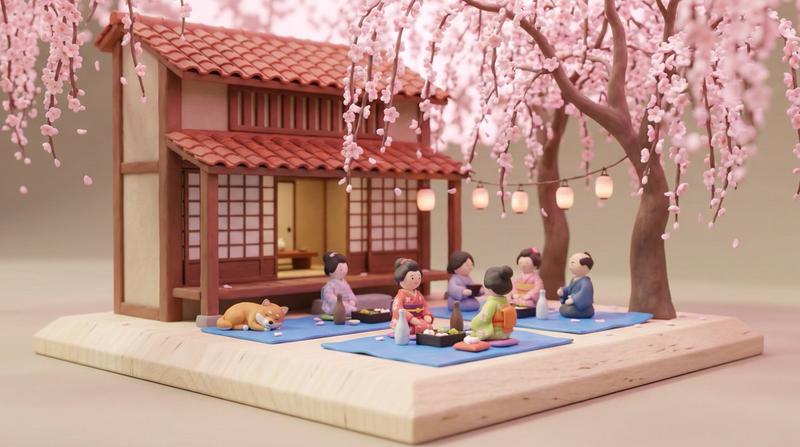
3D日本風景微缩模型
Enlarge

3D日本風景微缩模型

Prompt
Create 3D Japanese Diorama with Gemini Nano Banana pro 3.0
Prompt
{
 "image_description": {
 "subject": "A whimsical 3D isometric diorama of a Japanese landscape miniature",
 "composition": {
 "viewpoint": "Isometric high-angle",
 "layout": "Set on a square wooden base platform with a soft mint-green background",
 "elements": [
 "A low-poly, snow-capped Mount Fuji in the center",
 "A bright pink cherry blossom tree (Sakura) in full bloom on the right",
 "A traditional red Torii gate on the left",
 "Assorted oversized Japanese food items: sushi rolls (maki), nigiri, and a bowl of ramen with chopsticks",
 "Small decorative accessories: a pink ceramic teapot and a traditional wooden sign"
 ]
 },
 "style": {
 "art_style": "Stylized 3D render / Digital claymation",
 "shading": "Soft, diffused global illumination with gentle ambient occlusion",
 "geometry": "Low-poly facets on the mountain; smooth, rounded shapes for the food and tree",
 "color_palette": {
 "primary": [
 "Pastel Pink",
 "Mint Green",
 "Soft Cyan"
 ],
 "accents": [
 "Vermillion Red",
 "Nori Green",
 "Salmon Orange"
 ]
 }
 },
 "technical_details": {
 "lighting": "Studio lighting, soft shadows, matte finish",
 "depth_of_field": "Shallow, focusing on the center food items with a soft-focus background",
 "material_properties": "Subsurface scattering on the cherry blossoms, matte plastic/clay texture for the mountain"
 },
 "mood": "Calm, cute (Kawaii), serene, and meticulously crafted"
 }
}
Category
Illustration & Art
Model
Nano Banana Pro
Creator
Sharon Riley
Source language
zh-CN
Views0
Source ID
3d-japanese-diorama
Studio

Guide

About "3D日本風景微缩模型"

What is this prompt for?

"3D日本風景微缩模型" AI image prompt for Nano Banana Pro (Illustration & Art). Create 3D Japanese Diorama with Gemini Nano Banana pro 3.0 Prompt { "image_description":…

The full copyable prompt and example visuals above are ready for AI image generation or one-click recreate in Picva.

How to use this prompt

  1. Step 1

    Open the prompt detail

    Review the example visuals, category, and full prompt text for "3D日本風景微缩模型".

  2. Step 2

    Copy the prompt

    Copy the prompt body from this page, or load it directly in Studio.

  3. Step 3

    Pick a model (Nano Banana Pro)

    Prefer Nano Banana Pro. If you switch models, keep subject and composition and tweak style terms.

  4. Step 4

    Generate and export

    Recreate the look in Picva, or export into your workflow for editing and publishing.

FAQ

What is the "3D日本風景微缩模型" prompt?
It is an AI image-generation prompt for Nano Banana Pro in the Illustration & Art category. This page includes the full prompt text, example visuals, and a one-click recreate path in Picva.
How do I use this prompt to generate an image?
Copy the prompt from this page, or use Generate / Studio. Paste it into a compatible image model, or recreate the look in Picva with optional reference images.
Which model is this prompt for?
This page lists Nano Banana Pro. Most descriptive prompts also transfer to nearby image models such as GPT Image, Flux, or Midjourney with light style tweaks.
Can I use the result commercially?
You can usually copy the prompt for creation, but commercial use of the final image depends on the model terms, reference-image rights, and the generated content. Follow the source author and platform rules.