20

装饰艺术未来主义
Enlarge

装饰艺术未来主义

Prompt
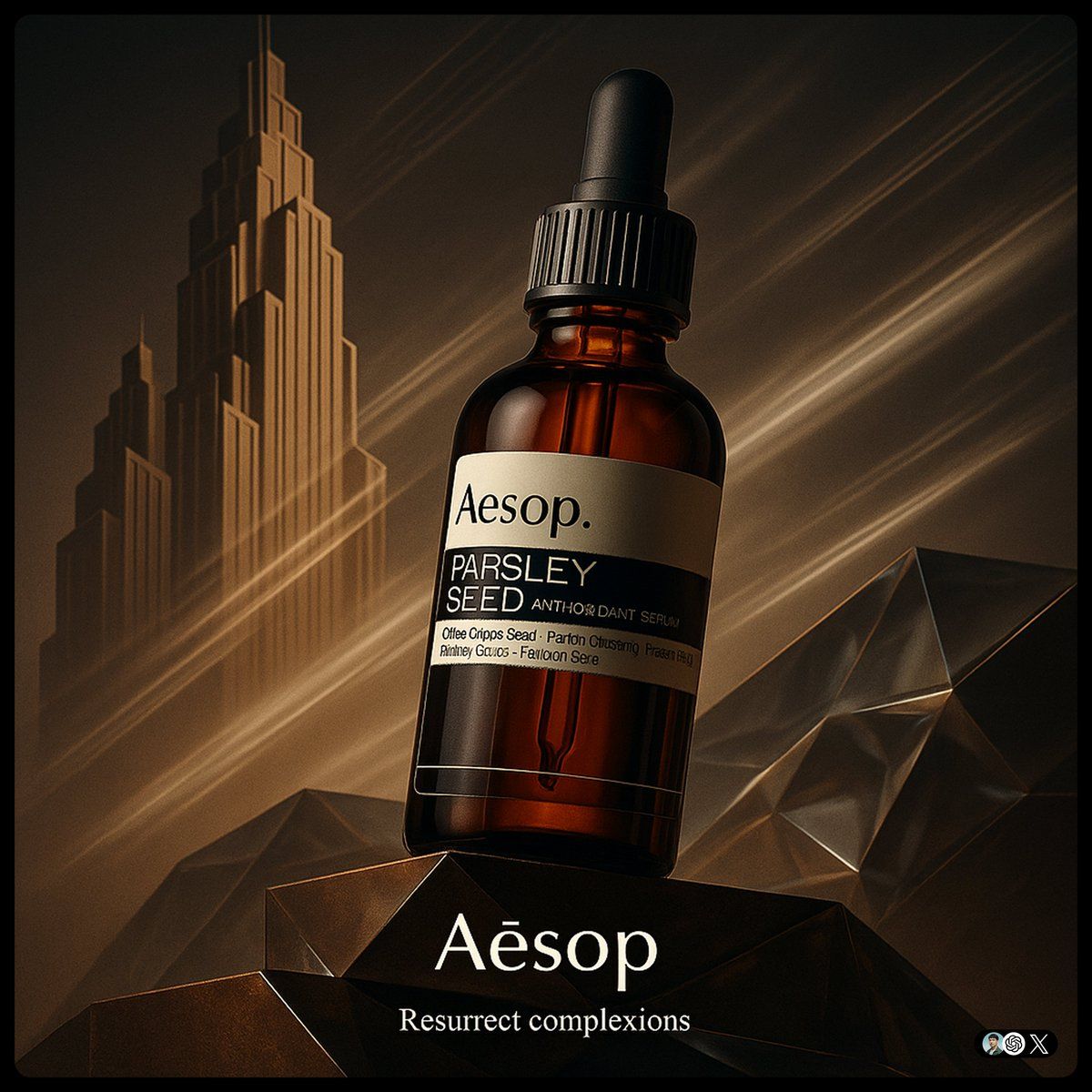
create image with 1:1 ratio \n[Brand] ad. Ultra-high-detail product photo in a fusion of Art Deco and Futurism. The product rest on platforms. Background features stylized Art Deco skyscraper silhouettes morphing into Futurist speed lines, forming a diagonal left-to-right composition. Surfaces use brand Core Material and faceted glass with ambient lighting in Brand Color theme. The product evoking motion and kinetic optimism. Dramatic low-angle lighting enhances reflections, with subtle vapor trails in the background. Small logo on the bottom, and a tiny slogan beneath
以 1:1 的比例创建图像\n[品牌] 广告。融合了装饰艺术和未来主义的超高细节产品照片。该产品位于平台上。 背景以风格化的装饰艺术摩天大楼剪影转变为未来主义的速度线条,形成从左到右的对角线构图。表面使用品牌核心材料和多面玻璃,并在品牌颜色主题中使用环境照明。 该产品唤起了动感和动感的乐观主义。戏剧性的低角度照明增强了反射,背景中带有微妙的蒸汽痕迹。 底部有小标志,下面有一个小标语
Category
Photography & Realism
Model
Unknown
Creator
hc_dsn
Views0
Source ID
art-deco-futurism

Guide

About "装饰艺术未来主义"

What is this prompt for?

"装饰艺术未来主义" AI image prompt for Unknown (Photography & Realism). create image with 1:1 ratio \n[Brand] ad. Ultra-high-detail product photo in a fusion of Art De…

The full copyable prompt and example visuals above are ready for AI image generation or one-click recreate in Picva.

How to use this prompt

  1. Step 1

    Open the prompt detail

    Review the example visuals, category, and full prompt text for "装饰艺术未来主义".

  2. Step 2

    Copy the prompt

    Copy the prompt body from this page, or load it directly in Studio.

  3. Step 3

    Pick a model (Unknown)

    Prefer Unknown. If you switch models, keep subject and composition and tweak style terms.

  4. Step 4

    Generate and export

    Recreate the look in Picva, or export into your workflow for editing and publishing.

FAQ

What is the "装饰艺术未来主义" prompt?
It is an AI image-generation prompt for Unknown in the Photography & Realism category. This page includes the full prompt text, example visuals, and a one-click recreate path in Picva.
How do I use this prompt to generate an image?
Copy the prompt from this page, or use Generate / Studio. Paste it into a compatible image model, or recreate the look in Picva with optional reference images.
Which model is this prompt for?
This page lists Unknown. Most descriptive prompts also transfer to nearby image models such as GPT Image, Flux, or Midjourney with light style tweaks.
Can I use the result commercially?
You can usually copy the prompt for creation, but commercial use of the final image depends on the model terms, reference-image rights, and the generated content. Follow the source author and platform rules.