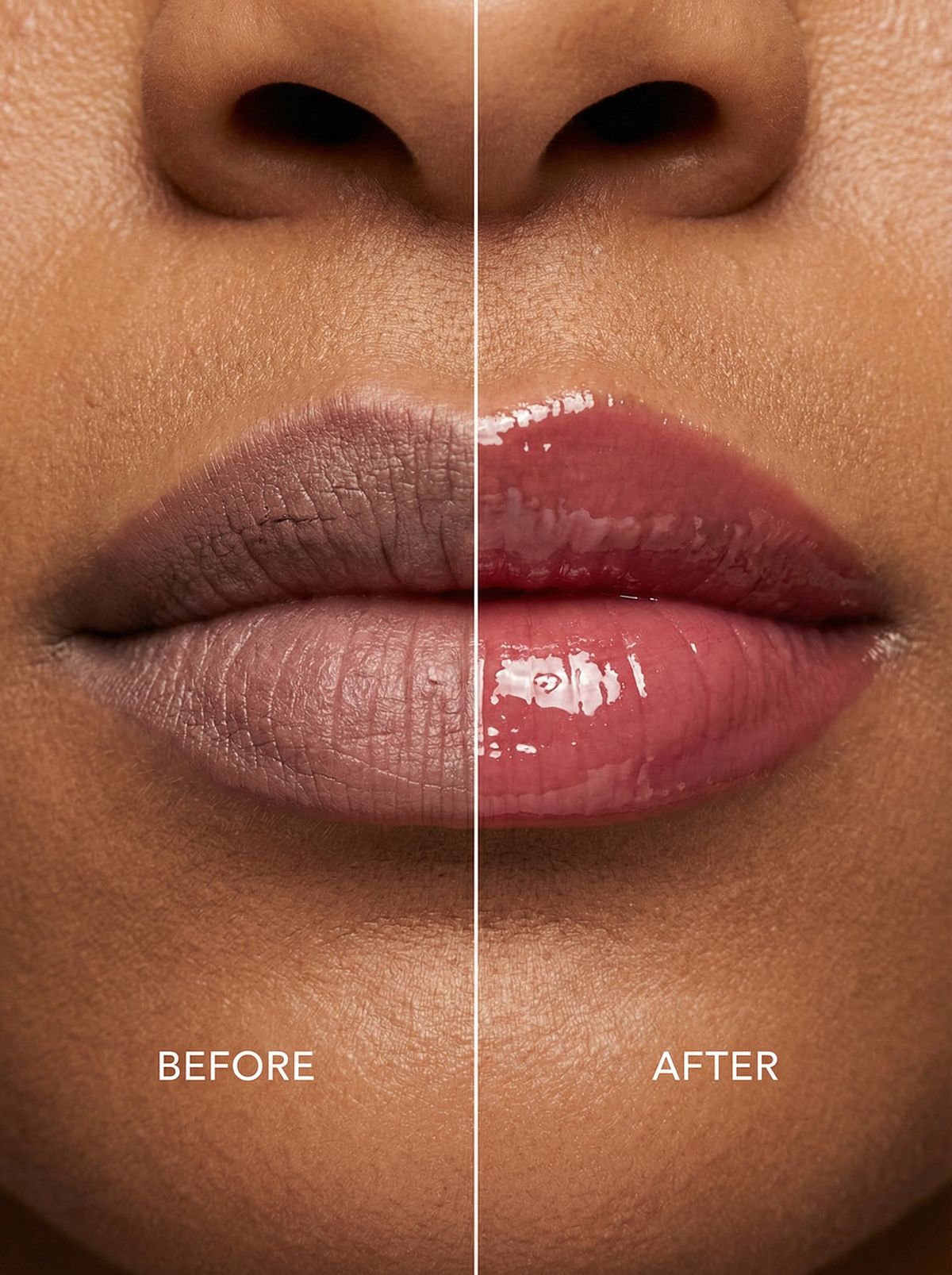
唇彩前后对比
Prompt
Glossy
{
 "subject": "before and after lip gloss comparison",
 "composition": {
 "layout": "vertical split-screen",
 "framing": "tight macro crop focusing on lips, philtrum, and surrounding skin",
 "camera_angle": "straight-on macro",
 "scale": "1:1 macro magnification",
 "focus": "razor-sharp focus on lip texture and skin pores",
 "depth_of_field": "very shallow depth of field with minimal falloff"
 },
 "anatomy": {
 "skin": {
 "tone": "medium to deep warm skin tone",
 "texture": "highly detailed pores, natural micro-texture, visible skin grain",
 "finish": "natural skin sheen, no smoothing"
 },
 "lips_before": {
 "color": "muted dusty mauve-brown",
 "texture": "dry, matte finish with visible lip lines and fine cracks",
 "hydration": "low hydration, natural dryness",
 "imperfections": "uneven tone, natural asymmetry"
 },
 "lips_after": {
 "color": "rich rosy pink",
 "texture": "smooth but realistic lip surface with preserved fine lines",
 "hydration": "high hydration appearance",
 "finish": "high-gloss wet shine with clear specular highlights",
 "product_effect": "visible lip gloss layer enhancing volume and saturation"
 }
 },
 "lighting": {
 "type": "soft diffused studio lighting",
 "direction": "front-facing with subtle top light",
 "contrast": "balanced contrast emphasizing micro-texture",
 "highlights": "strong specular highlights on glossy lips, soft highlights on skin"
 },
 "color_grading": {
 "palette": "warm natural skin tones with enhanced lip color contrast",
 "saturation": "realistic, controlled",
 "white_balance": "neutral-warm"
 },
 "render_quality": {
 "photorealism": "extreme",
 "skin_detail_enhancement": "enabled",
 "micro_texture_clarity": "ultra-crisp",
 "resolution": "ultra high resolution, 8K detail fidelity",
 "noise": "natural micro-grain only"
 },
 "style_constraints": {
 "no_over_smoothing": true,
 "no_beauty_filter": true,
 "no_ai_plastic_skin": true,
 "no_stylization": true,
 "no_exaggerated_volume": true
 }
}- Category
- Photography & Realism
- Model
- Unknown
- Creator
- Ege
- Source ID
- before-and-after-lip-gloss-comparison
Views0