20

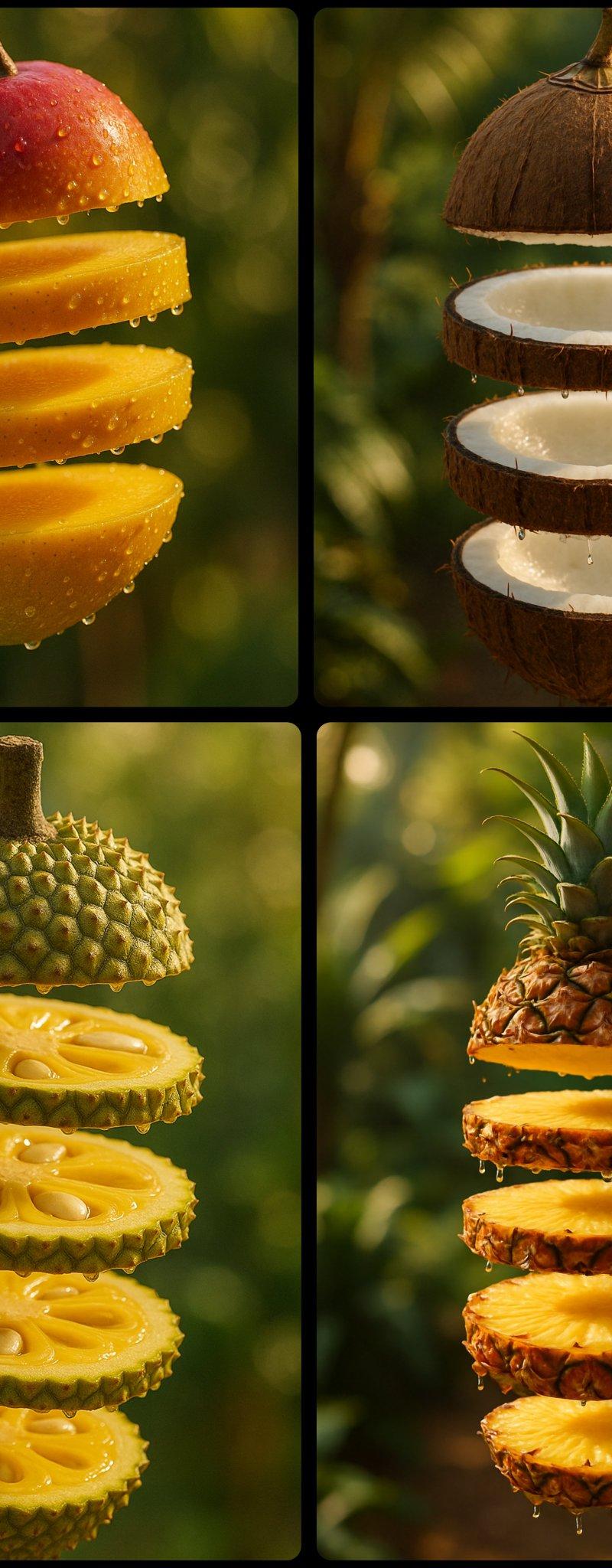
创建悬浮切片水果
Click to enlarge

Example images

Photography & RealismXCbotaiart.picsUnknown图片

创建悬浮切片水果

Prompt
A hyper-realistic photograph of a [FRUIT] sliced into five glossy layers, each slice floating vertically in mid-air with glistening juice droplets at the edges. The slices cast soft, natural shadows on each other. The [FRUIT] has a vibrant skin with appropriate interior details .Set against a softly blurred tropical garden background with hints of lush green leaves and dappled sunlight, the scene is lit with warm, directional golden-hour lighting, enhancing the vivid colors and depth
一张 [FRUIT] 的超写实照片,被切成五个光滑的层,每个切片垂直漂浮在半空中,边缘有闪闪发光的汁液滴。切片彼此之间投射柔和、自然的阴影。[FRUIT] 拥有充满活力的皮肤和适当的内部细节。在柔和模糊的热带花园背景下,郁郁葱葱的绿叶和斑驳的阳光,场景由温暖、定向的金色小时照明照亮,增强了鲜艳的色彩和深度
Category
Photography & Realism
Model
Unknown
Creator
Umesh
Source language
zh-CN
Views0
Source ID
create-floating-sliced-fruit
Studio

Guide

About "创建悬浮切片水果"

What is this prompt for?

"创建悬浮切片水果" AI image prompt for Unknown (Photography & Realism). A hyper-realistic photograph of a [FRUIT] sliced into five glossy layers, each slice floating v…

The full copyable prompt and example visuals above are ready for AI image generation or one-click recreate in Picva.

How to use this prompt

  1. Step 1

    Open the prompt detail

    Review the example visuals, category, and full prompt text for "创建悬浮切片水果".

  2. Step 2

    Copy the prompt

    Copy the prompt body from this page, or load it directly in Studio.

  3. Step 3

    Pick a model (Unknown)

    Prefer Unknown. If you switch models, keep subject and composition and tweak style terms.

  4. Step 4

    Generate and export

    Recreate the look in Picva, or export into your workflow for editing and publishing.

FAQ

What is the "创建悬浮切片水果" prompt?
It is an AI image-generation prompt for Unknown in the Photography & Realism category. This page includes the full prompt text, example visuals, and a one-click recreate path in Picva.
How do I use this prompt to generate an image?
Copy the prompt from this page, or use Generate / Studio. Paste it into a compatible image model, or recreate the look in Picva with optional reference images.
Which model is this prompt for?
This page lists Unknown. Most descriptive prompts also transfer to nearby image models such as GPT Image, Flux, or Midjourney with light style tweaks.
Can I use the result commercially?
You can usually copy the prompt for creation, but commercial use of the final image depends on the model terms, reference-image rights, and the generated content. Follow the source author and platform rules.