16

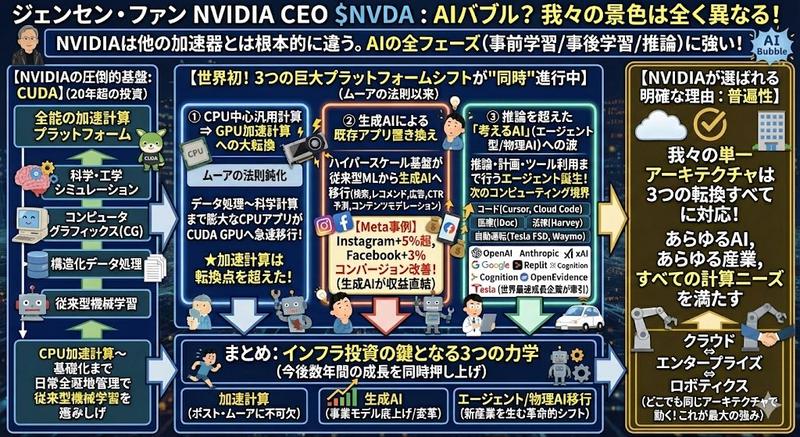
根据所提供的内容制作信息图
Enlarge

根据所提供的内容制作信息图

Prompt
Please create an infographic based on the input content, highlighting key themes and essential points:\n\n- Simplify information, emphasizing keywords and core concepts, leaving ample whitespace for clarity.\n\n- Include minimalistic cartoon elements, icons, or simple portraits of famous figures to enhance engagement and visual recall.\n\n- All text and images should strictly use colored chalk style without realistic illustrations.\n\n- Unless specifically requested, maintain the original language of the input content.\n\n- Use a horizontal layout (16:9) with a black chalkboard background and colorful chalk drawing style.\n\nUse "Nano Banana Pro" for drawing based on the provided content.
请根据所提供的内容制作信息图,突出关键主题和要点:\n\n- 简化信息,强调关键词和核心概念,留出足够的空白以求清晰明了。\n\n- 加入极简的卡通元素、图标或名人肖像,以增强参与度和视觉记忆。\n\n所有文字和图片均应严格采用彩色粉笔风格,不得使用写实插图。\n\n- 除非另有要求,否则请保持输入内容的原始语言。\n\n- 使用横向布局(16:9),黑色黑板背景,彩色粉笔画风格。\n请根据输入的内容使用 Nano Banana Pro 画图:
Category
Photography & Realism
Model
Nano Banana Pro
Creator
宝玉
Source language
zh-CN
Views0
Source ID
create-infographic-from-provided-content
Studio

Guide

About "根据所提供的内容制作信息图"

What is this prompt for?

"根据所提供的内容制作信息图" AI image prompt for Nano Banana Pro (Photography & Realism). Please create an infographic based on the input content, highlighting key themes a…

The full copyable prompt and example visuals above are ready for AI image generation or one-click recreate in Picva.

How to use this prompt

  1. Step 1

    Open the prompt detail

    Review the example visuals, category, and full prompt text for "根据所提供的内容制作信息图".

  2. Step 2

    Copy the prompt

    Copy the prompt body from this page, or load it directly in Studio.

  3. Step 3

    Pick a model (Nano Banana Pro)

    Prefer Nano Banana Pro. If you switch models, keep subject and composition and tweak style terms.

  4. Step 4

    Generate and export

    Recreate the look in Picva, or export into your workflow for editing and publishing.

FAQ

What is the "根据所提供的内容制作信息图" prompt?
It is an AI image-generation prompt for Nano Banana Pro in the Photography & Realism category. This page includes the full prompt text, example visuals, and a one-click recreate path in Picva.
How do I use this prompt to generate an image?
Copy the prompt from this page, or use Generate / Studio. Paste it into a compatible image model, or recreate the look in Picva with optional reference images.
Which model is this prompt for?
This page lists Nano Banana Pro. Most descriptive prompts also transfer to nearby image models such as GPT Image, Flux, or Midjourney with light style tweaks.
Can I use the result commercially?
You can usually copy the prompt for creation, but commercial use of the final image depends on the model terms, reference-image rights, and the generated content. Follow the source author and platform rules.