20

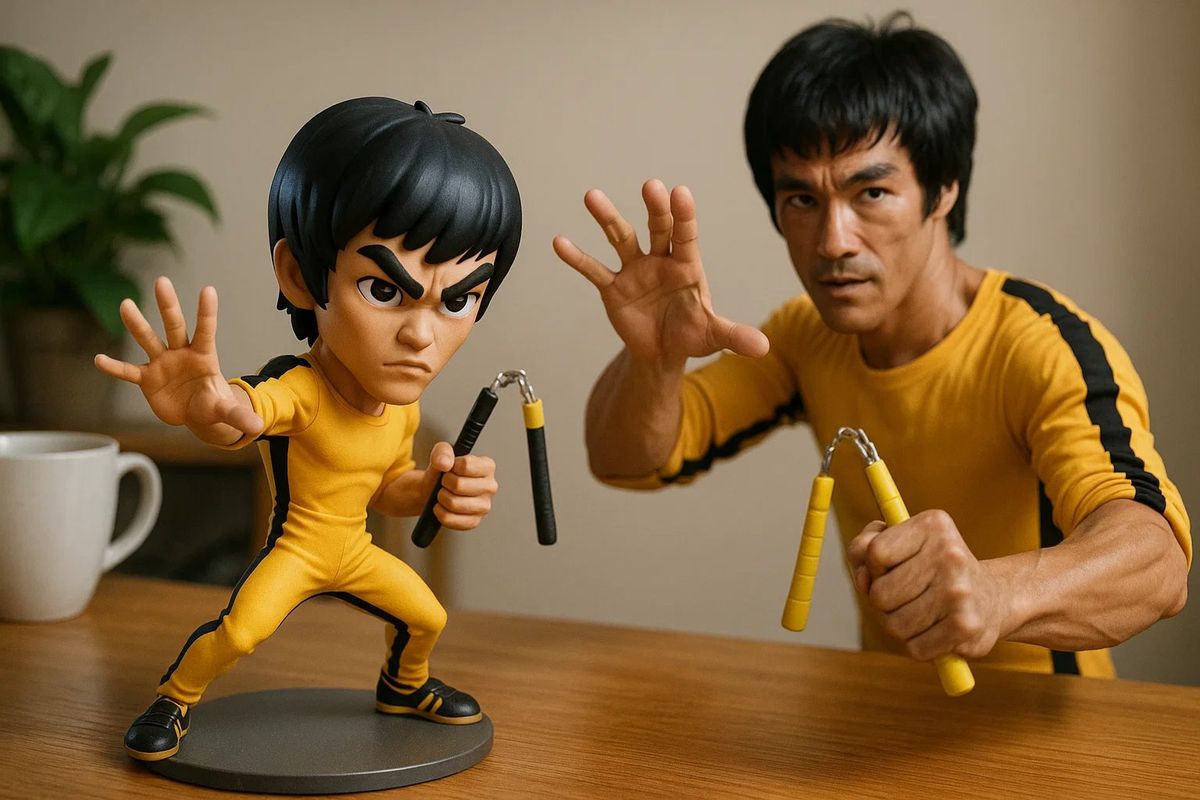
手办与真人同框
Enlarge

手办与真人同框

Prompt
让手办和真人同框
提示词:
以手机随手拍摄的日常风格,桌面上摆放着一款 【李小龙】动漫手办,动作夸张帅气,装备齐全。同时,真实世界的对应人物也出现在镜头中,与手办摆出相似的姿势,形成手办与真实人物同框的有趣对比效果。整体构图和谐自然,传递温暖且富有生活气息的视觉体验。 https://t.co/ZHza9zoKsp
Category
Characters & People
Model
Unknown
Creator
宝玉
Views0
Source ID
figure-and-real-person-in-frame

Guide

About "手办与真人同框"

What is this prompt for?

"手办与真人同框" AI image prompt for Unknown (Characters & People). 让手办和真人同框 提示词: 以手机随手拍摄的日常风格,桌面上摆放着一款 【李小龙】动漫手办,动作夸张帅气,装备齐全。同时,真实世界的对应人物也出现在镜头中,与手办摆出相似的姿势,形成手办与真实人物…

The full copyable prompt and example visuals above are ready for AI image generation or one-click recreate in Picva.

How to use this prompt

  1. Step 1

    Open the prompt detail

    Review the example visuals, category, and full prompt text for "手办与真人同框".

  2. Step 2

    Copy the prompt

    Copy the prompt body from this page, or load it directly in Studio.

  3. Step 3

    Pick a model (Unknown)

    Prefer Unknown. If you switch models, keep subject and composition and tweak style terms.

  4. Step 4

    Generate and export

    Recreate the look in Picva, or export into your workflow for editing and publishing.

FAQ

What is the "手办与真人同框" prompt?
It is an AI image-generation prompt for Unknown in the Characters & People category. This page includes the full prompt text, example visuals, and a one-click recreate path in Picva.
How do I use this prompt to generate an image?
Copy the prompt from this page, or use Generate / Studio. Paste it into a compatible image model, or recreate the look in Picva with optional reference images.
Which model is this prompt for?
This page lists Unknown. Most descriptive prompts also transfer to nearby image models such as GPT Image, Flux, or Midjourney with light style tweaks.
Can I use the result commercially?
You can usually copy the prompt for creation, but commercial use of the final image depends on the model terms, reference-image rights, and the generated content. Follow the source author and platform rules.