20

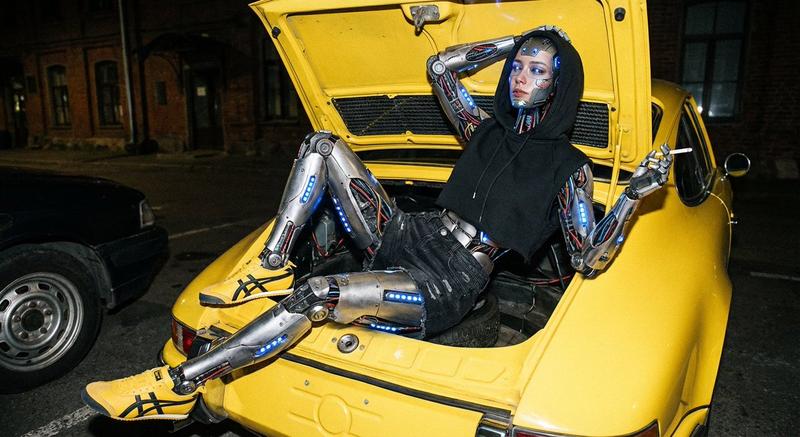
Gemini Nano Banana 3.0 Pro - 独特造型摄影
Enlarge

Gemini Nano Banana 3.0 Pro - 独特造型摄影

Prompt
Gemini Nano Banana 3.0 Pro
Prompt:
{
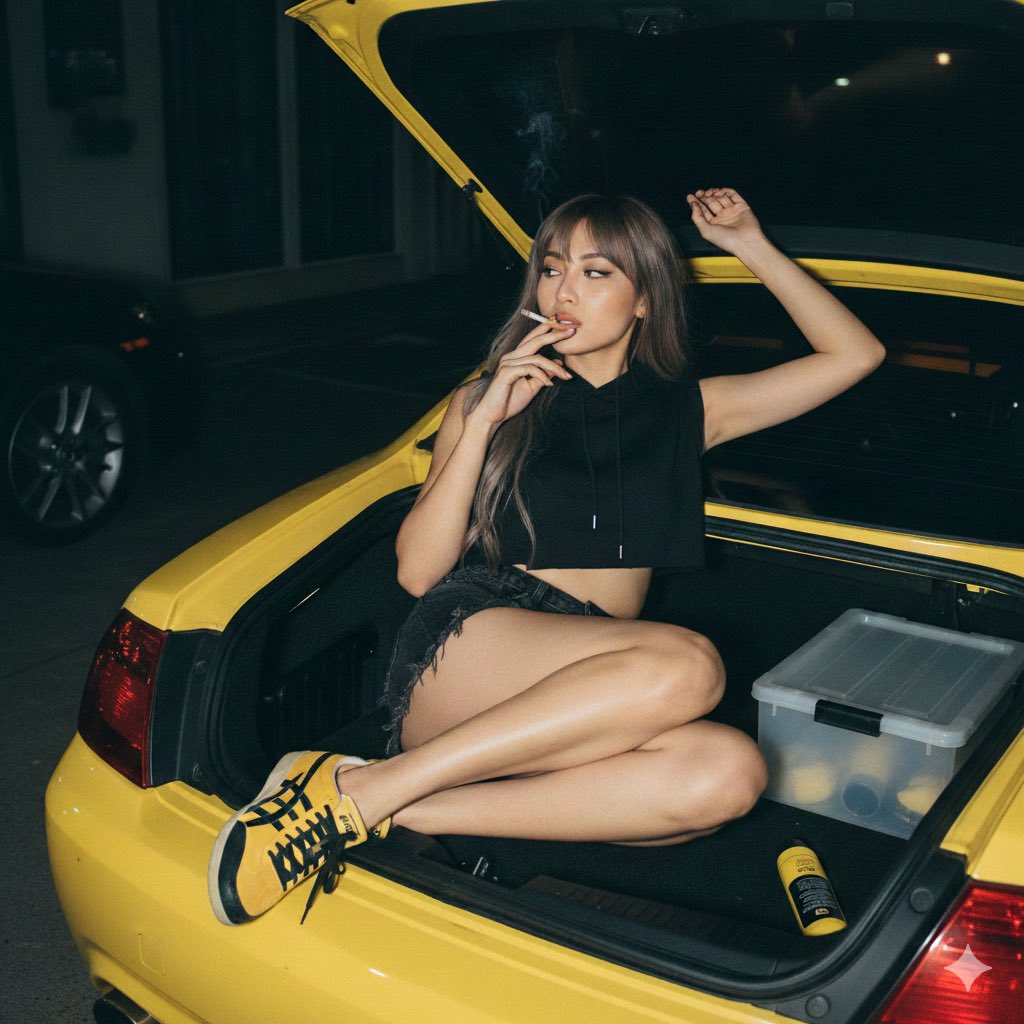
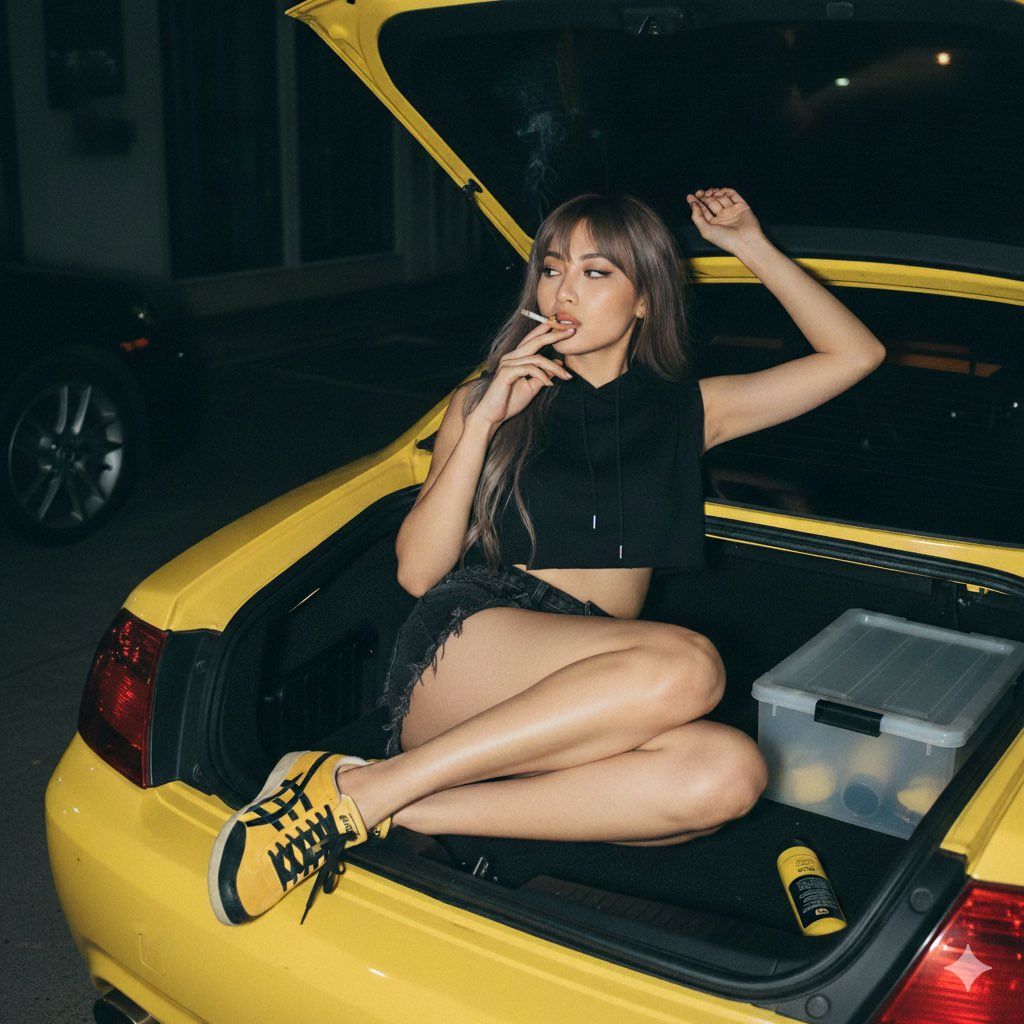
 "prompt_breakdown": {
 "subject_parameters": {
 "identity_constraint": "Preserve facial features from reference image",
 "hair": "Long, ash-brown, textured wolf cut",
 "expression": "Relaxed, dreamy, looking to the side"
 },
 "apparel": {
 "top": "Sleeveless cropped black hoodie with high collar",
 "bottom": "Faded black denim shorts, vintage distressed style, raw hem with frayed fibers",
 "footwear": "Onitsuka Tiger Mexico 66 sneakers (Yellow and Black)"
 },
 "pose_and_action": {
 "body_position": "Lying relaxed inside an open car trunk, legs bent and crossed",
 "arms": "Right arm stretched upward, left hand holding a lit cigarette near mouth",
 "action": "Smoking"
 },
 "environment_and_props": {
 "primary_container": "Trunk of a bright yellow sports car",
 "trunk_contents": "Transparent box, yellow bottle or black tube attached to the side",
 "background": "Dark outdoor nighttime setting, faint building silhouette, partial wheel of another vehicle on the left"
 },
 "technical_specs": {
 "angle": "High-angle shot (looking down)",
 "lighting": "Hard direct flash (35mm analog style), dark ambient background",
 "medium": "Flash photography, grainy film texture",
 "atmosphere": "Edgy, mysterious, candid"
 }
 }
}
Category
Photography & Realism
Model
Nano Banana
Creator
Melisa♡
Views0
Source ID
gemini-nano-banana-3-0-pro-unique-styling-photography

Guide

About "Gemini Nano Banana 3.0 Pro - 独特造型摄影"

What is this prompt for?

"Gemini Nano Banana 3.0 Pro - 独特造型摄影" AI image prompt for Nano Banana (Photography & Realism). Gemini Nano Banana 3.0 Pro Prompt: { "prompt_breakdown": { "subj…

The full copyable prompt and example visuals above are ready for AI image generation or one-click recreate in Picva.

How to use this prompt

  1. Step 1

    Open the prompt detail

    Review the example visuals, category, and full prompt text for "Gemini Nano Banana 3.0 Pro - 独特造型摄影".

  2. Step 2

    Copy the prompt

    Copy the prompt body from this page, or load it directly in Studio.

  3. Step 3

    Pick a model (Nano Banana)

    Prefer Nano Banana. If you switch models, keep subject and composition and tweak style terms.

  4. Step 4

    Generate and export

    Recreate the look in Picva, or export into your workflow for editing and publishing.

FAQ

What is the "Gemini Nano Banana 3.0 Pro - 独特造型摄影" prompt?
It is an AI image-generation prompt for Nano Banana in the Photography & Realism category. This page includes the full prompt text, example visuals, and a one-click recreate path in Picva.
How do I use this prompt to generate an image?
Copy the prompt from this page, or use Generate / Studio. Paste it into a compatible image model, or recreate the look in Picva with optional reference images.
Which model is this prompt for?
This page lists Nano Banana. Most descriptive prompts also transfer to nearby image models such as GPT Image, Flux, or Midjourney with light style tweaks.
Can I use the result commercially?
You can usually copy the prompt for creation, but commercial use of the final image depends on the model terms, reference-image rights, and the generated content. Follow the source author and platform rules.