20

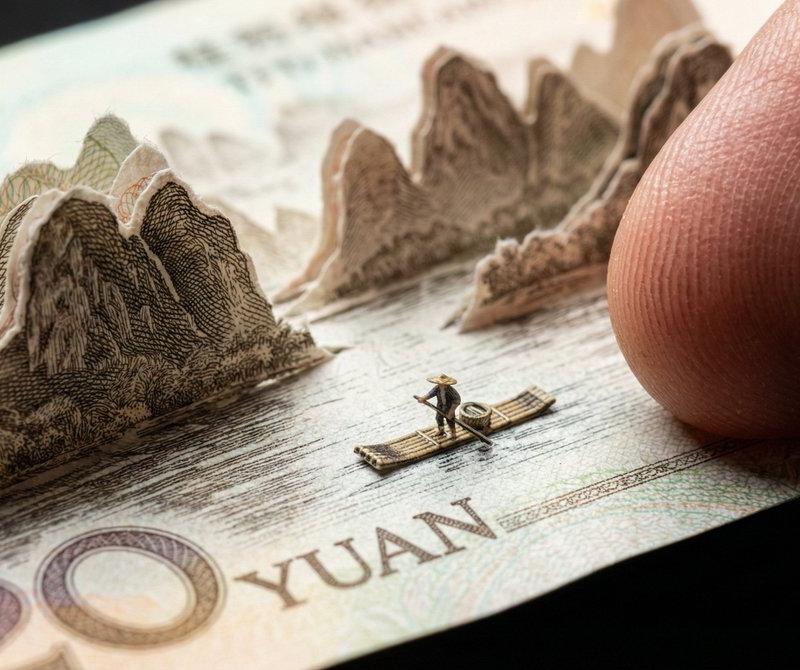
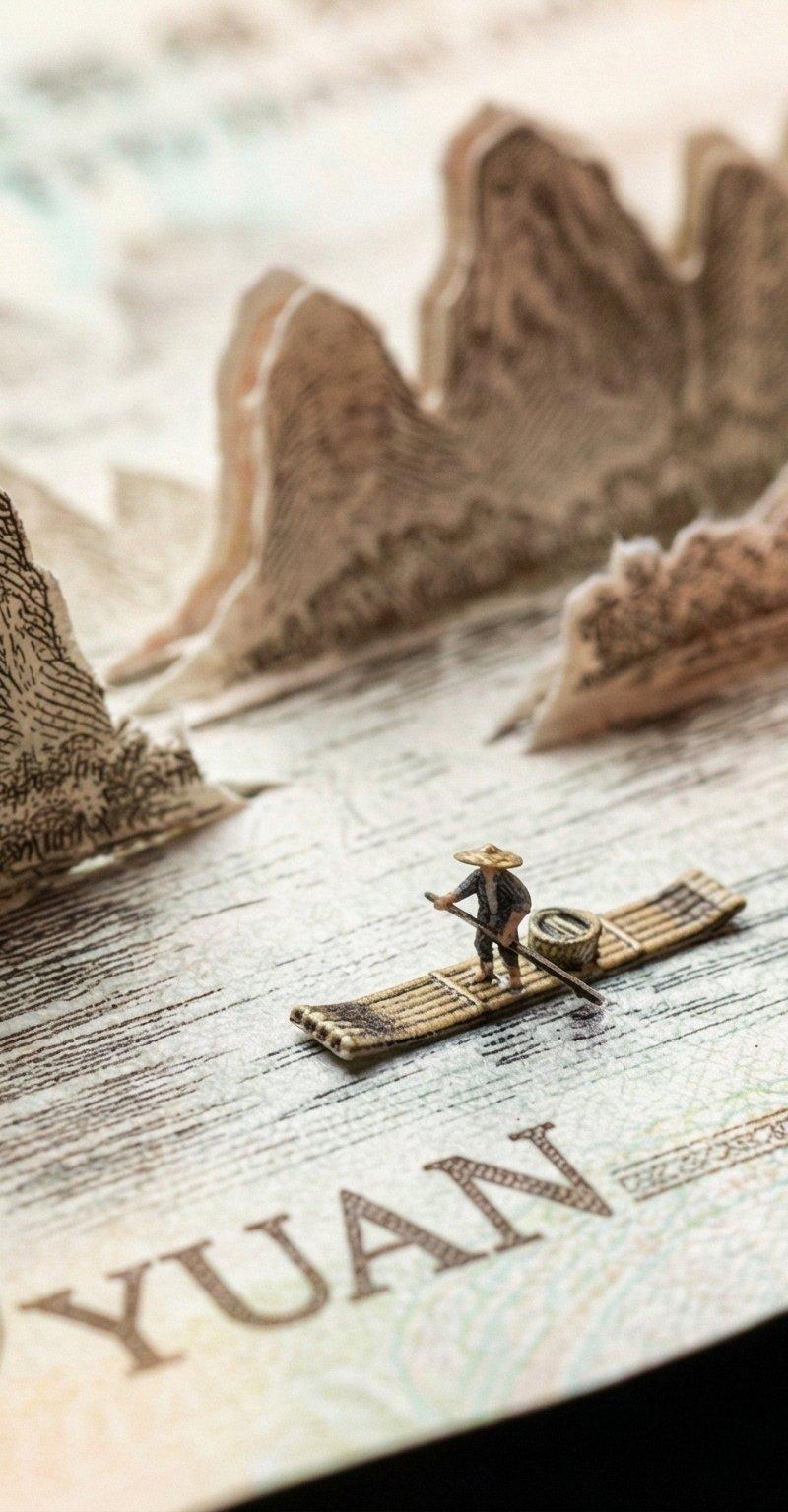
桂林风光版20元人民币
Enlarge

Example images

桂林风光版20元人民币

Prompt
{
 "prompt": "Subject: Genuine Chinese 20 Yuan Banknote (Guilin Landscape edition). \n\n[Macro Material Analysis]: The object must be rendered with the exact physical properties of real currency paper—matte cotton-fiber rag paper, NOT glossy cardboard. \n\n[Paper Engineering]: The karst mountain scenery is delicately cut and lifted. \n- **Critical Thickness**: The cut-out paper layers must appear razor-thin (0.1mm), fragile, and slightly translucent against the light. Edges should show microscopic fibrous tearing, not clean thick cuts.\n- **Printing Texture**: The mountains are NOT solid colors. They must be composed of microscopic engraved lines (intaglio printing) and guilloche patterns. The ink should look slightly raised on the paper surface.\n\n[Scene Context]: A realistic tiny bamboo raft floats on the flat printed water. \n\n[Scale Reference]: A giant, realistic human finger with distinct skin texture presses the edge of the bill. The finger is huge compared to the tiny raft, emphasizing the miniature scale.\n\n[Photography]: Macro lens, high contrast lighting to show the texture of the paper fibers. Shallow depth of field.",
 "negative_prompt": "glossy paper, thick cardboard, plastic texture, toy money, monopoly money, solid color blocks, blurred printing, low resolution, cartoon, thick edges",
 "aspect_ratio": "16:9"
}
Category
Photography & Realism
Model
Unknown
Creator
两斤
Source language
zh-CN
Views0
Source ID
guilin-landscape-edition-20-yuan-chinese-banknote
Studio

Guide

About "桂林风光版20元人民币"

What is this prompt for?

"桂林风光版20元人民币" AI image prompt for Unknown (Photography & Realism). { "prompt": "Subject: Genuine Chinese 20 Yuan Banknote (Guilin Landscape edition). \n\n[Macr…

The full copyable prompt and example visuals above are ready for AI image generation or one-click recreate in Picva.

How to use this prompt

  1. Step 1

    Open the prompt detail

    Review the example visuals, category, and full prompt text for "桂林风光版20元人民币".

  2. Step 2

    Copy the prompt

    Copy the prompt body from this page, or load it directly in Studio.

  3. Step 3

    Pick a model (Unknown)

    Prefer Unknown. If you switch models, keep subject and composition and tweak style terms.

  4. Step 4

    Generate and export

    Recreate the look in Picva, or export into your workflow for editing and publishing.

FAQ

What is the "桂林风光版20元人民币" prompt?
It is an AI image-generation prompt for Unknown in the Photography & Realism category. This page includes the full prompt text, example visuals, and a one-click recreate path in Picva.
How do I use this prompt to generate an image?
Copy the prompt from this page, or use Generate / Studio. Paste it into a compatible image model, or recreate the look in Picva with optional reference images.
Which model is this prompt for?
This page lists Unknown. Most descriptive prompts also transfer to nearby image models such as GPT Image, Flux, or Midjourney with light style tweaks.
Can I use the result commercially?
You can usually copy the prompt for creation, but commercial use of the final image depends on the model terms, reference-image rights, and the generated content. Follow the source author and platform rules.