18

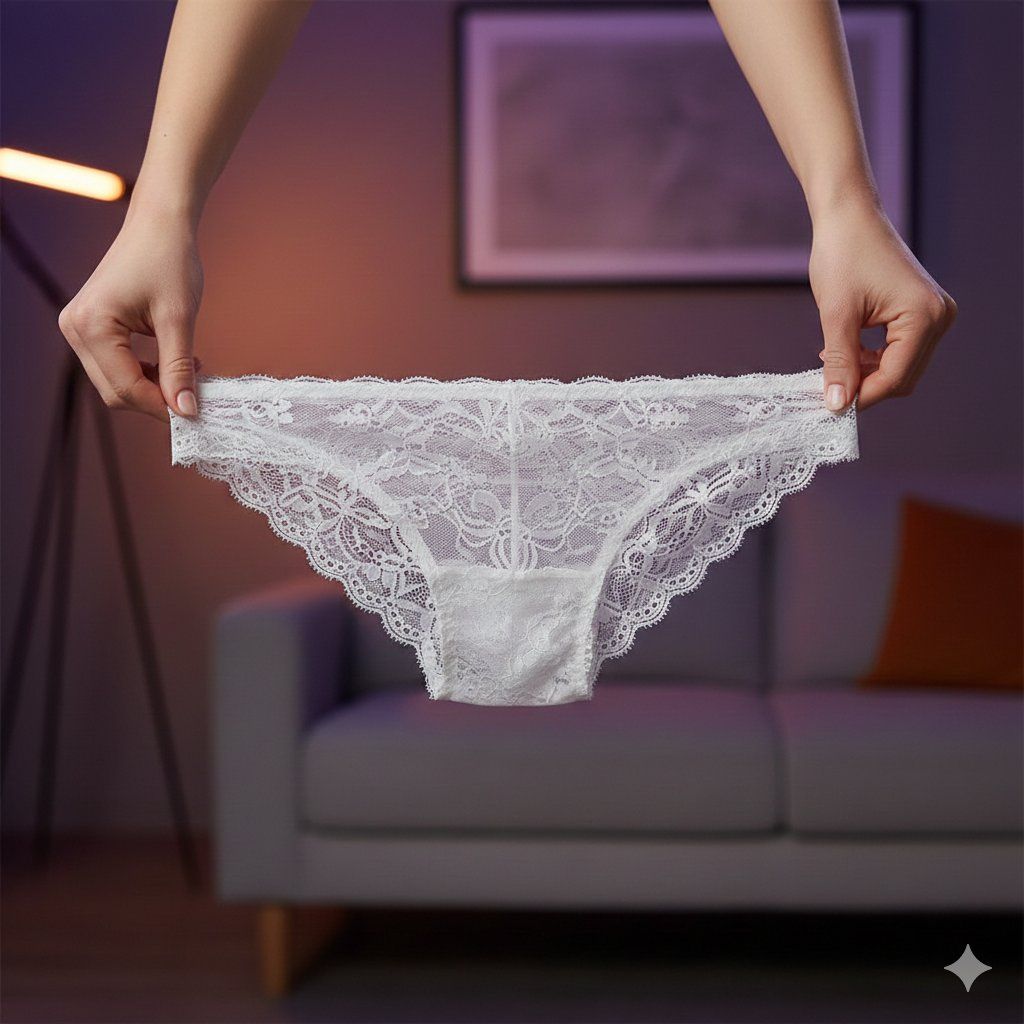
蕾丝内衣产品展示
Enlarge

蕾丝内衣产品展示

Prompt
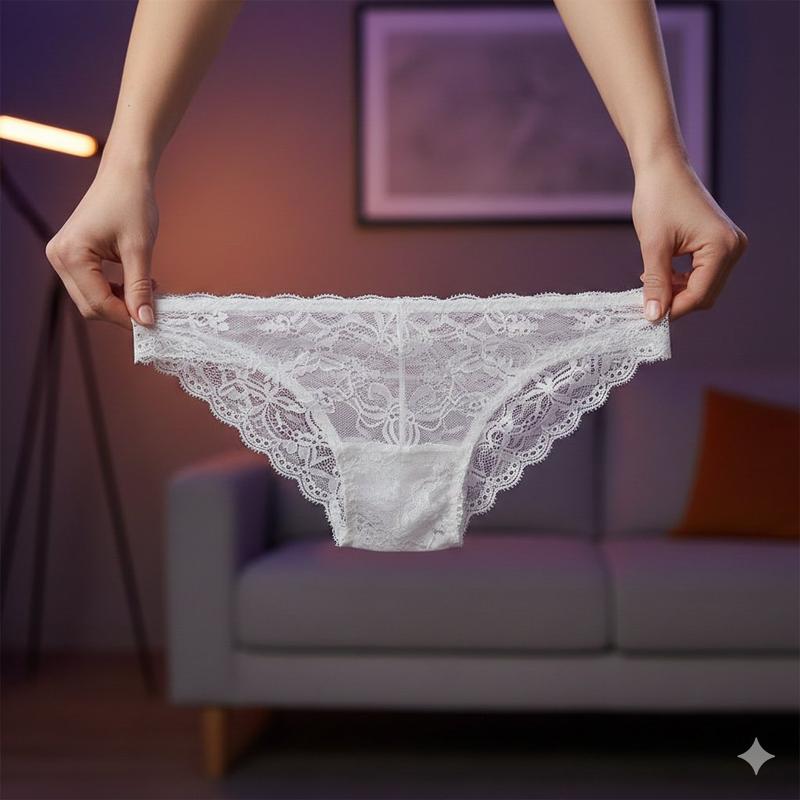
✅ Lace Underwear Product
Google Gemini Nano banana pro
Prompt⤵️
{
 "prompt": {
 "scene": {
 "setting": "Indoor studio-style room with soft ambient lighting, purple and warm tones in the background. Modern sofa and minimal decor visible.",
 "mood": "Clean, aesthetic, professional product showcase atmosphere."
 },
 "subject": {
 "type": "female hand model",
 "pose": "Holding a pair of lace underwear stretched gently between both hands.",
 "details": "Only the arms and hands are visible, positioned in the foreground."
 },
 "product": {
 "type": "delicate lace underwear",
 "material": "Sheer floral lace with scalloped edges and soft white color.",
 "position": "Centered in the frame, held horizontally and fully visible.",
 "texture_details": "Fine lace patterns, transparency, embroidery and stitching clearly shown."
 },
 "composition": {
 "camera_angle": "Straight-on medium close-up shot focusing on the product.",
 "lighting": "Soft diffused lighting creating gentle highlights on the lace texture.",
 "background": "Blurred warm-toned studio environment with purple light accent.",
 "ratio": "4:5 portrait format."
 },
 "render_style": {
 "quality": "Ultra-detailed 8K product photography.",
 "tones": "Soft, clean, aesthetic, minimalistic.",
 "focus": "Sharp focus on lace underwear; background intentionally soft."
 }
 }
}
Category
Photography & Realism
Model
Nano Banana Pro
Creator
Vivek HY
Views0
Source ID
lace-underwear-product-showcase

Guide

About "蕾丝内衣产品展示"

What is this prompt for?

"蕾丝内衣产品展示" AI image prompt for Nano Banana Pro (Photography & Realism). ✅ Lace Underwear Product Google Gemini Nano banana pro Prompt⤵️ { "prompt": { "scene":…

The full copyable prompt and example visuals above are ready for AI image generation or one-click recreate in Picva.

How to use this prompt

  1. Step 1

    Open the prompt detail

    Review the example visuals, category, and full prompt text for "蕾丝内衣产品展示".

  2. Step 2

    Copy the prompt

    Copy the prompt body from this page, or load it directly in Studio.

  3. Step 3

    Pick a model (Nano Banana Pro)

    Prefer Nano Banana Pro. If you switch models, keep subject and composition and tweak style terms.

  4. Step 4

    Generate and export

    Recreate the look in Picva, or export into your workflow for editing and publishing.

FAQ

What is the "蕾丝内衣产品展示" prompt?
It is an AI image-generation prompt for Nano Banana Pro in the Photography & Realism category. This page includes the full prompt text, example visuals, and a one-click recreate path in Picva.
How do I use this prompt to generate an image?
Copy the prompt from this page, or use Generate / Studio. Paste it into a compatible image model, or recreate the look in Picva with optional reference images.
Which model is this prompt for?
This page lists Nano Banana Pro. Most descriptive prompts also transfer to nearby image models such as GPT Image, Flux, or Midjourney with light style tweaks.
Can I use the result commercially?
You can usually copy the prompt for creation, but commercial use of the final image depends on the model terms, reference-image rights, and the generated content. Follow the source author and platform rules.