14

多角度角色设计图集 - 适用于实景电影
Enlarge

多角度角色设计图集 - 适用于实景电影

Prompt
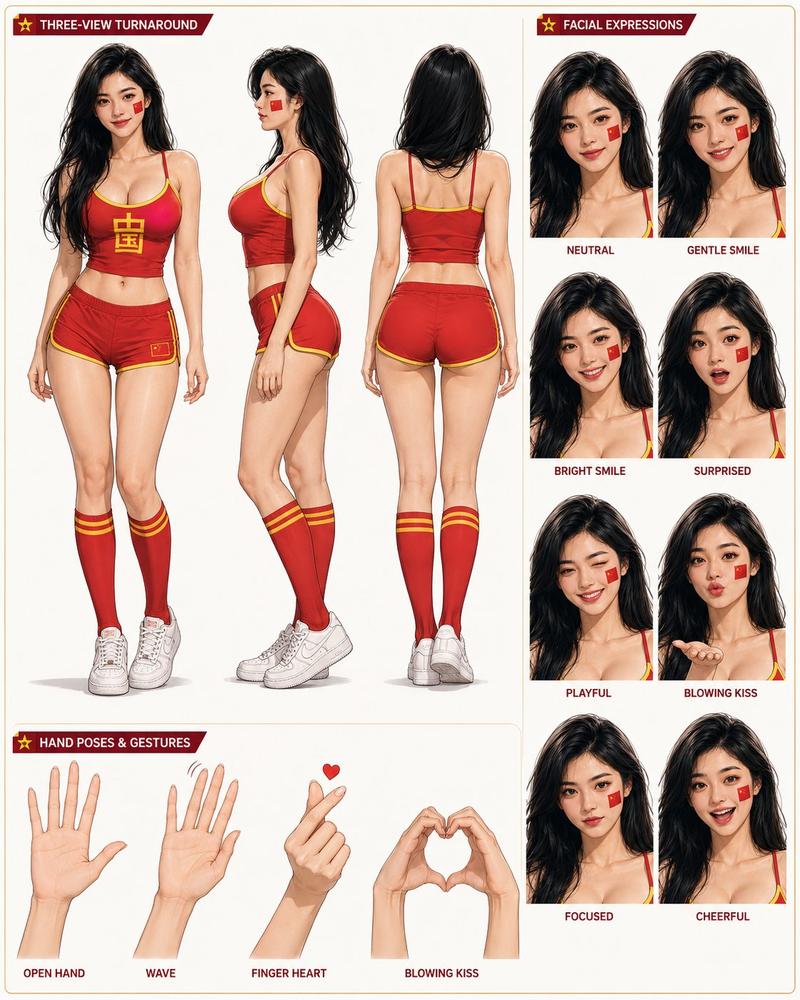
Complete character model sheet featuring turnarounds, expression studies, and dynamic pose references.
Use Google Gemini ai Nano Banana 3 Pro
Prompt ⤵️
Please create a detailed character design sheet based on the person in this photo. This will be used for a live-action film, so please avoid creating an anime-style artwork. It must contain the following three character elements. Once finished, please remove the original image of the person.
Multi-angle (three-view) turning diagrams of the character (note that the direction of the feet should not be reversed).
Facial expressions: Display basic emotional states such as joy, sadness, anger, surprise, fear, and neutrality.
Pose chart: Displays typical actions such as a character running, jumping, laughing, and crying. Open https://t.co/3n33nIsu3Y and generate it using NanoBanana Pro
Category
Photography & Realism
Model
Nano Banana
Creator
Shreya Yadav
Source language
zh-CN
Views0
Source ID
multi-angle-character-design-sheet-for-live-action-film
Studio

Guide

About "多角度角色设计图集 - 适用于实景电影"

What is this prompt for?

"多角度角色设计图集 - 适用于实景电影" AI image prompt for Nano Banana (Photography & Realism). Complete character model sheet featuring turnarounds, expression studies, and dy…

The full copyable prompt and example visuals above are ready for AI image generation or one-click recreate in Picva.

How to use this prompt

  1. Step 1

    Open the prompt detail

    Review the example visuals, category, and full prompt text for "多角度角色设计图集 - 适用于实景电影".

  2. Step 2

    Copy the prompt

    Copy the prompt body from this page, or load it directly in Studio.

  3. Step 3

    Pick a model (Nano Banana)

    Prefer Nano Banana. If you switch models, keep subject and composition and tweak style terms.

  4. Step 4

    Generate and export

    Recreate the look in Picva, or export into your workflow for editing and publishing.

FAQ

What is the "多角度角色设计图集 - 适用于实景电影" prompt?
It is an AI image-generation prompt for Nano Banana in the Photography & Realism category. This page includes the full prompt text, example visuals, and a one-click recreate path in Picva.
How do I use this prompt to generate an image?
Copy the prompt from this page, or use Generate / Studio. Paste it into a compatible image model, or recreate the look in Picva with optional reference images.
Which model is this prompt for?
This page lists Nano Banana. Most descriptive prompts also transfer to nearby image models such as GPT Image, Flux, or Midjourney with light style tweaks.
Can I use the result commercially?
You can usually copy the prompt for creation, but commercial use of the final image depends on the model terms, reference-image rights, and the generated content. Follow the source author and platform rules.