20

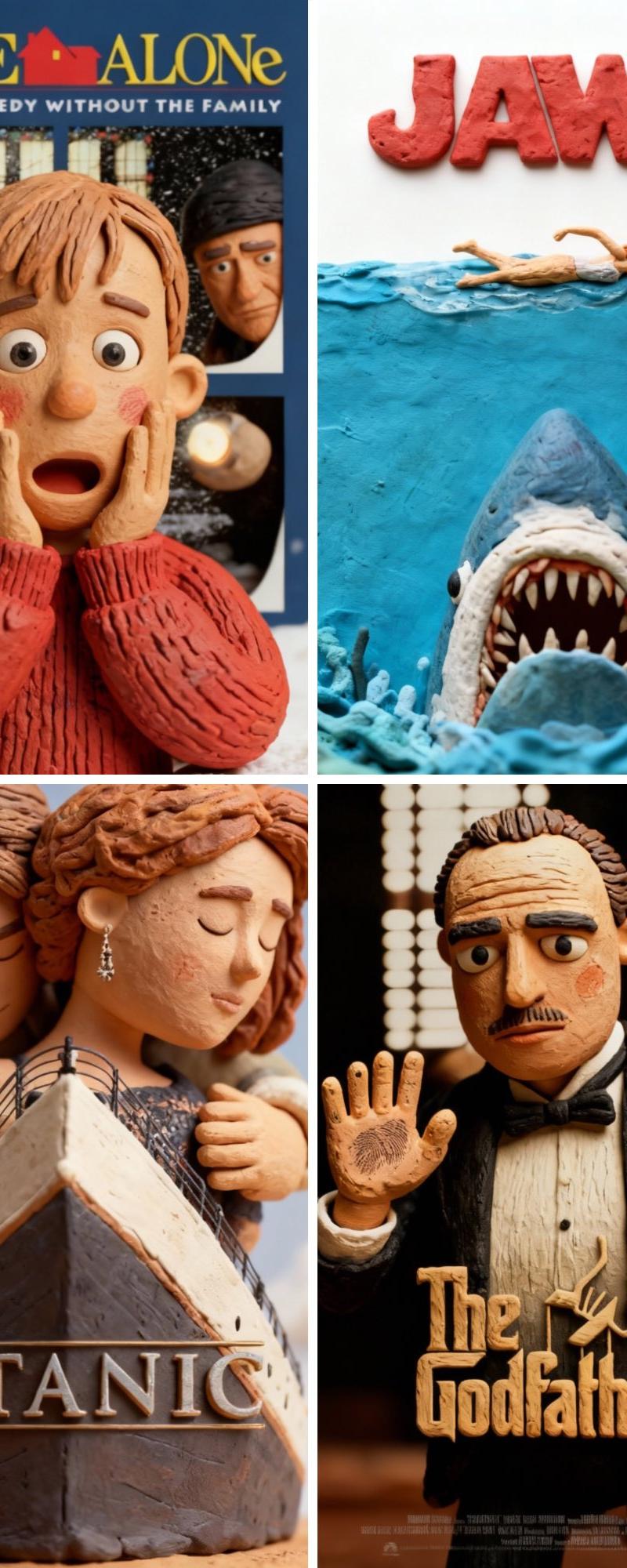
将电影海报重新设计成黏土动画风格
Click to enlarge

Example images

Photography & RealismXCbotaiart.picsUnknown图片

将电影海报重新设计成黏土动画风格

Prompt
Restyle the reference movie poster in claymation style. Keep the original layout, composition, and lighting exactly as in the reference. Transform all characters, objects, and elements into handcrafted clay models with visible fingerprints, soft edges, and subtle imperfections. Preserve the background and colors, but give everything a realistic clay texture and dimensional feel, as if it were photographed from a stop-motion clay animation set
将参考电影海报重新设计成黏土动画风格。保持原图的布局、构图和光线完全一致。将所有角色、物体和元素转化为手工制作的黏土模型,保留清晰可见的指纹、柔和的边缘和细微的瑕疵。保留背景和色彩,但赋予所有元素逼真的黏土质感和立体感,仿佛是从定格动画片场拍摄的一样。
Category
Photography & Realism
Model
Unknown
Creator
TechieSA
Source language
zh-CN
Views0
Source ID
redesign-movie-poster-into-claymation-style
Studio

Guide

About "将电影海报重新设计成黏土动画风格"

What is this prompt for?

"将电影海报重新设计成黏土动画风格" AI image prompt for Unknown (Photography & Realism). Restyle the reference movie poster in claymation style. Keep the original layout, compo…

The full copyable prompt and example visuals above are ready for AI image generation or one-click recreate in Picva.

How to use this prompt

  1. Step 1

    Open the prompt detail

    Review the example visuals, category, and full prompt text for "将电影海报重新设计成黏土动画风格".

  2. Step 2

    Copy the prompt

    Copy the prompt body from this page, or load it directly in Studio.

  3. Step 3

    Pick a model (Unknown)

    Prefer Unknown. If you switch models, keep subject and composition and tweak style terms.

  4. Step 4

    Generate and export

    Recreate the look in Picva, or export into your workflow for editing and publishing.

FAQ

What is the "将电影海报重新设计成黏土动画风格" prompt?
It is an AI image-generation prompt for Unknown in the Photography & Realism category. This page includes the full prompt text, example visuals, and a one-click recreate path in Picva.
How do I use this prompt to generate an image?
Copy the prompt from this page, or use Generate / Studio. Paste it into a compatible image model, or recreate the look in Picva with optional reference images.
Which model is this prompt for?
This page lists Unknown. Most descriptive prompts also transfer to nearby image models such as GPT Image, Flux, or Midjourney with light style tweaks.
Can I use the result commercially?
You can usually copy the prompt for creation, but commercial use of the final image depends on the model terms, reference-image rights, and the generated content. Follow the source author and platform rules.