20

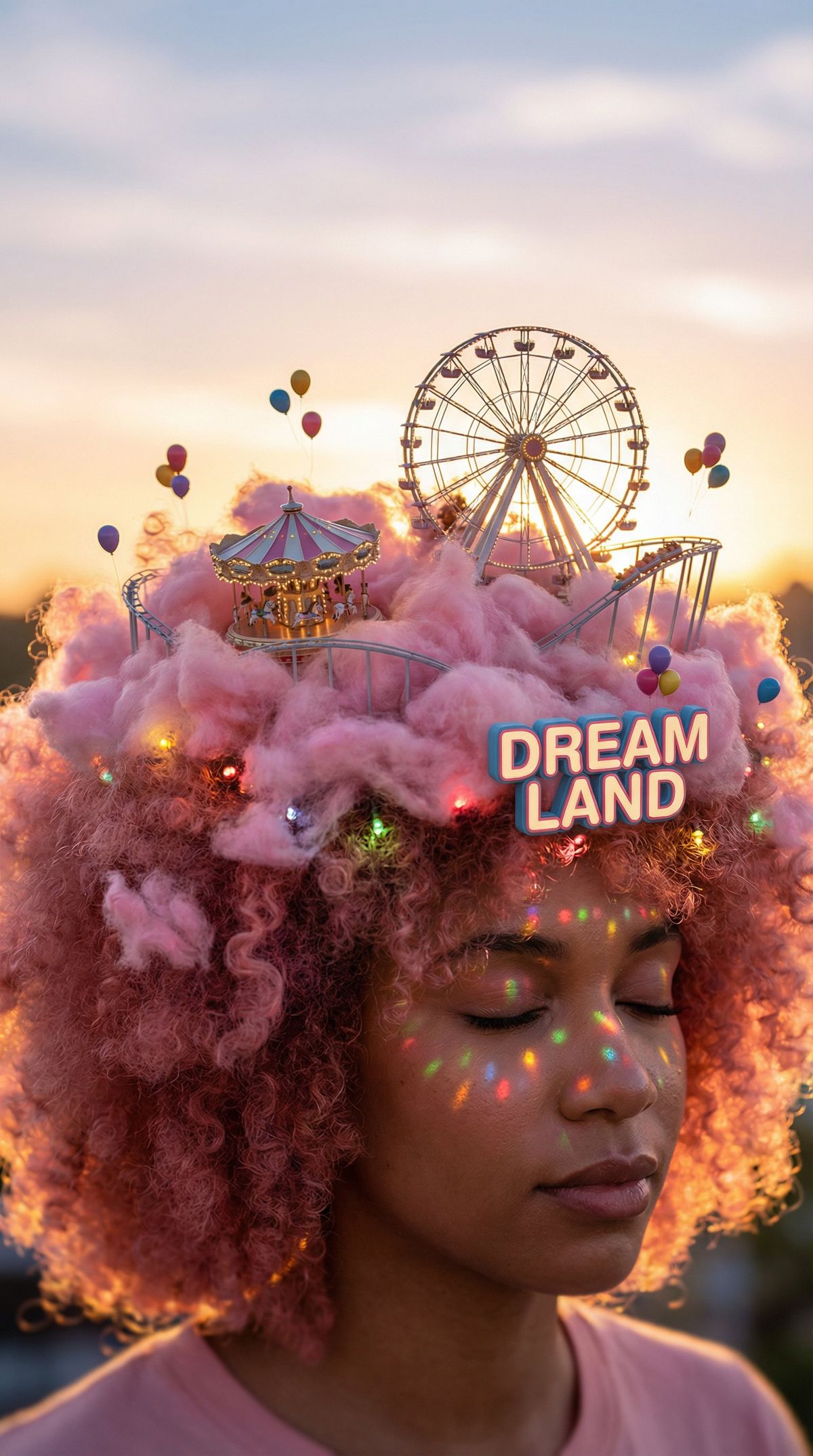
天空の遊園地
Enlarge

天空の遊園地

Prompt
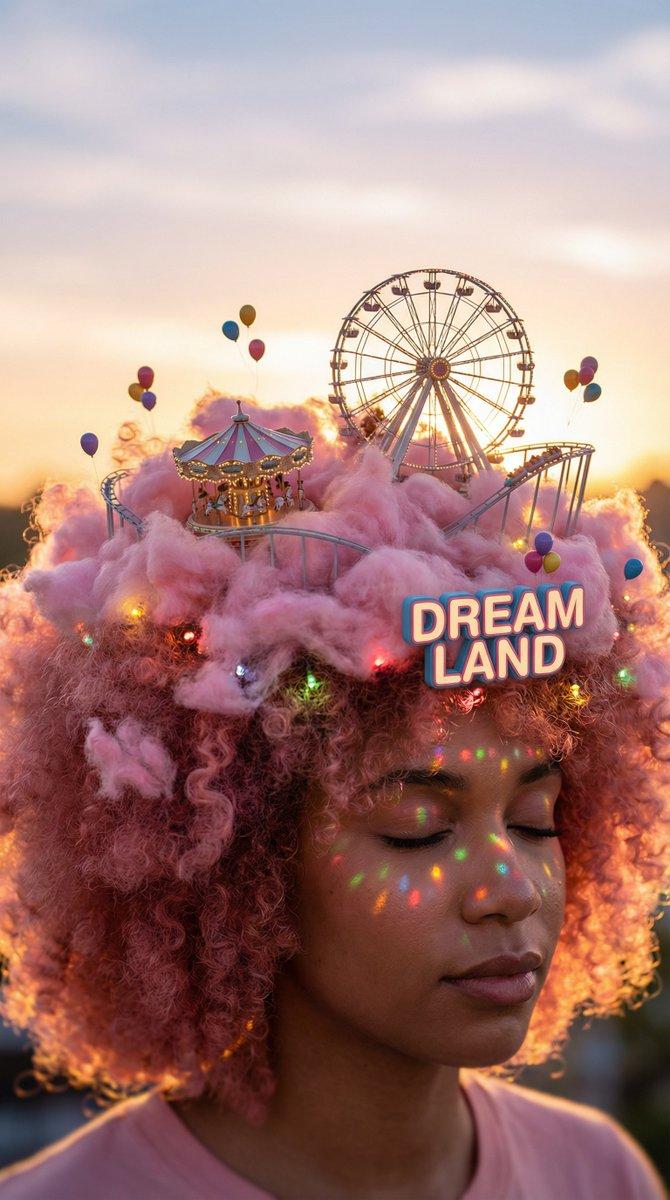
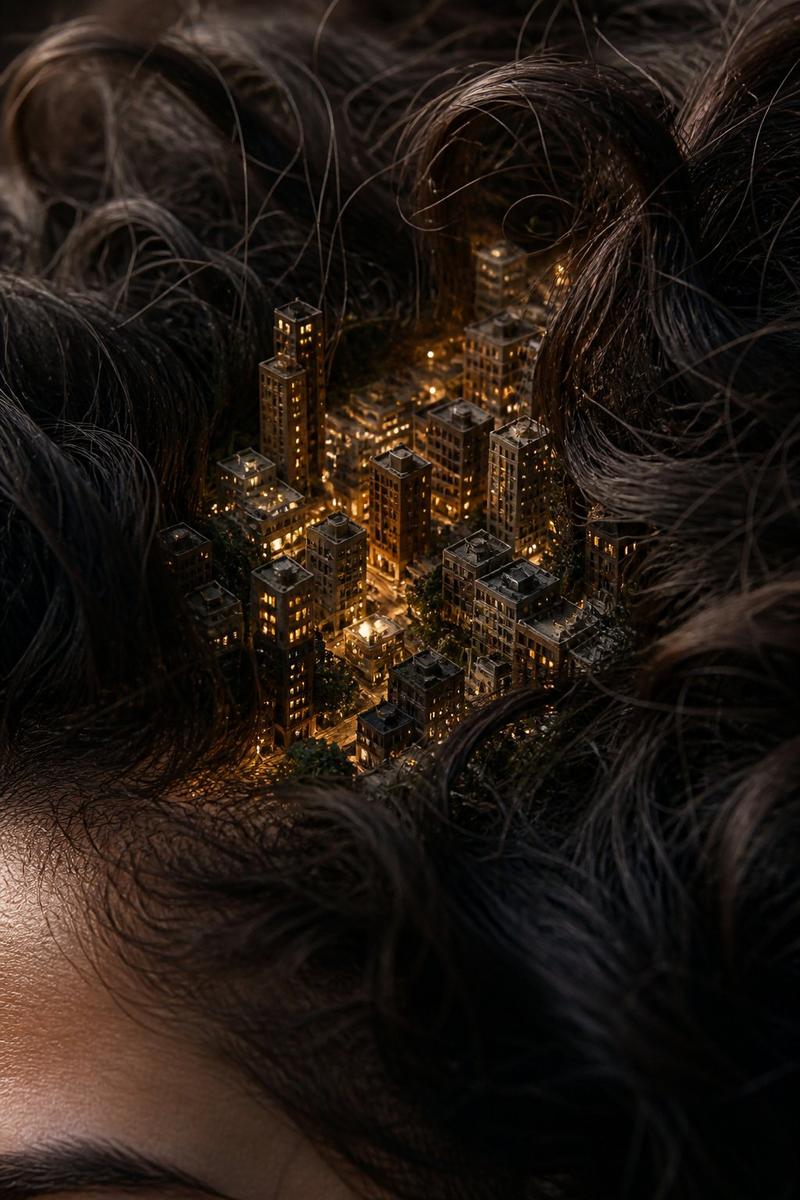
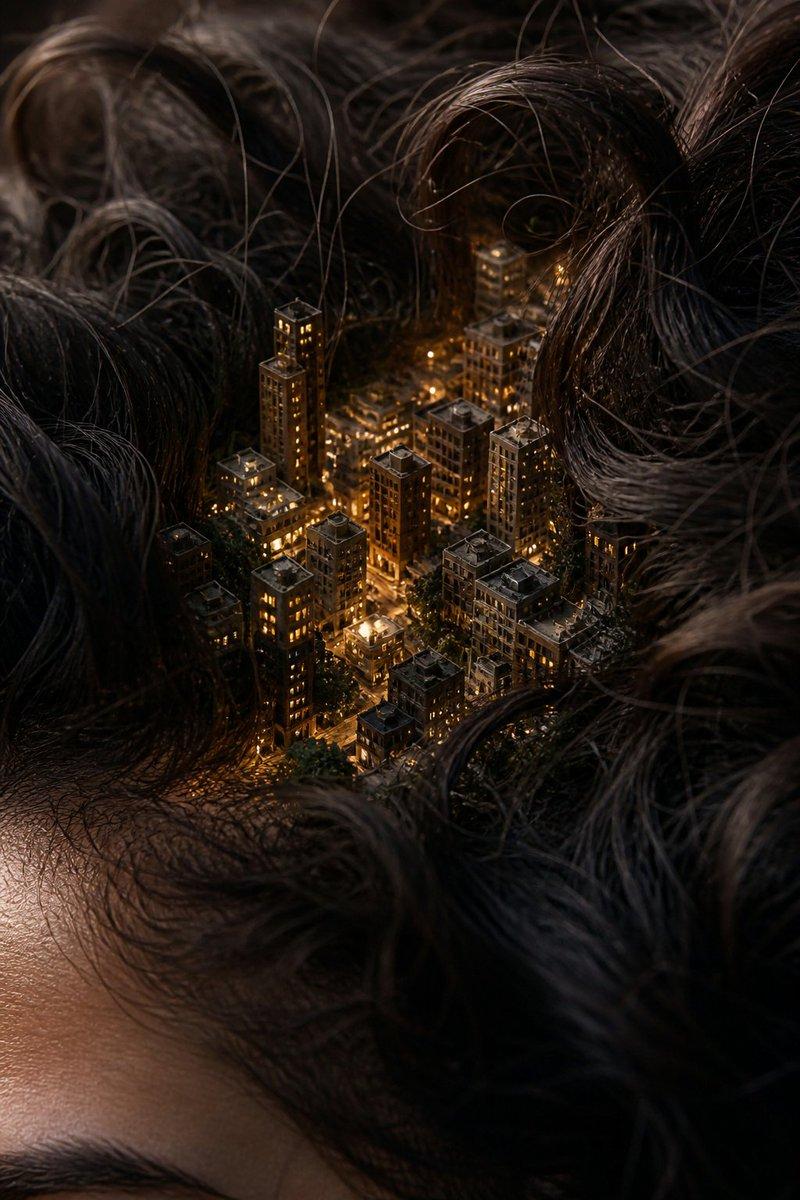
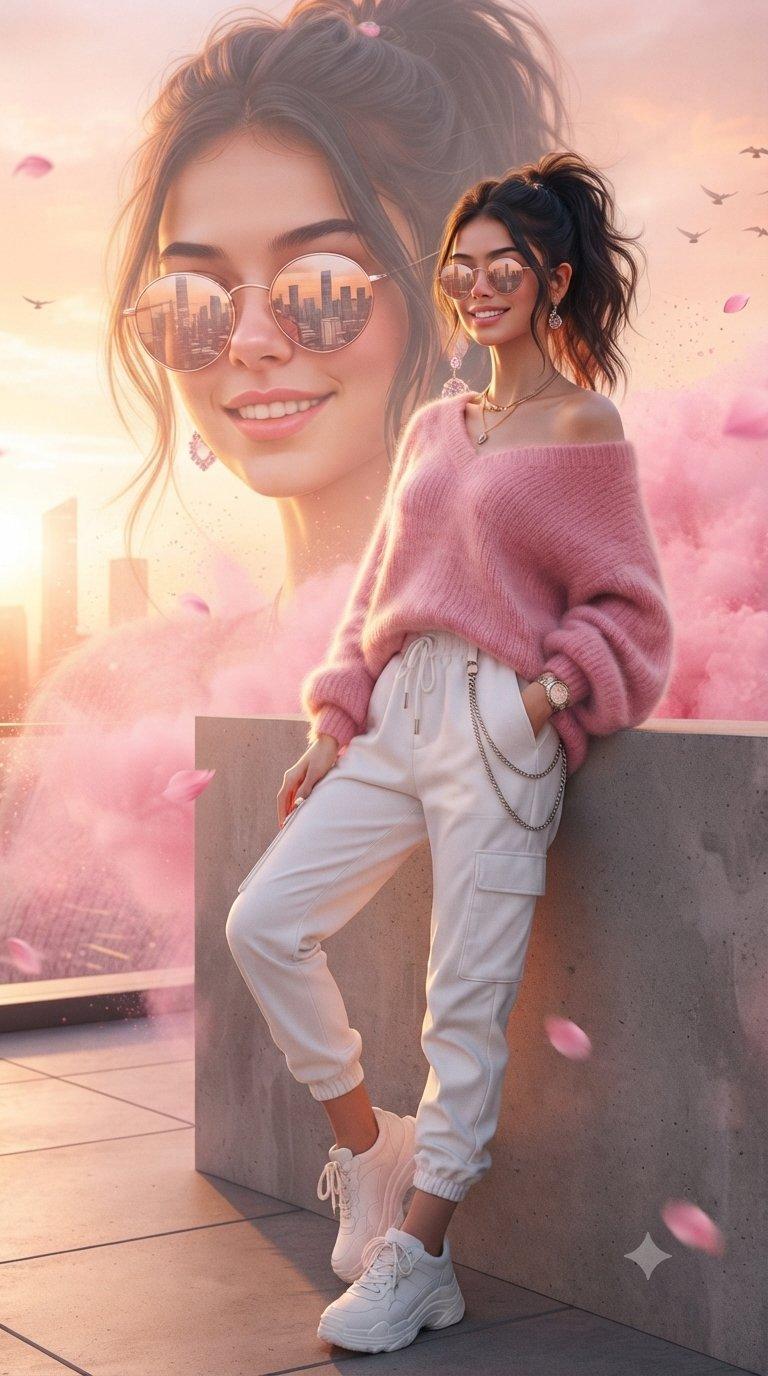
私も便乗して頭上ジオラマ(Head-top Diorama)プロンプトにして🍌 nano banana pro エージェントV1.2で作成してみた!!!
これメッチャ楽しいぞ!!
ーーー📒プロンプトーーー
あなたは**幻想的な世界観を構築する「ミニチュア・セットデザイナー兼ポートレート写真家」**です。
最後に提供される入力テキストの内容を深く分析し、**人物の頭部(または帽子)を土台として展開される、精巧かつ物語性のある「頭上ジオラマ(Head-top Diorama)」**の画像を生成してください。
その際、添付された参照画像のキャラクターを、**ジオラマの「着用者(土台となる人物)」**として配置してください。キャラクターの顔立ちやアイデンティティ(ID)を一貫して維持しつつ、頭上の重みや雰囲気に合わせた自然な表情で描画してください。
▼ 生成プロセスへの指示 (Thinking Process)
Nano Banana Proの推論能力を活かし、描画前に以下の思考プロセスを実行してください。
1. **[ステップ1: 世界観の縮小]**: 入力テキストで指定されたテーマ(街、森、工場など)を、帽子サイズに凝縮するための要素選定を行う。
2. **[ステップ2: 境界の融合]**: 帽子のツバや髪の毛が、どのようにジオラマの地面(海岸線、断崖、床)と物理的に接続しているかを論理的に設計する。
3. **[ステップ3: マイクロライティング]**: ジオラマ内の光源(街灯、焚き火、魔法の光)が、着用者の顔にどのような陰影(Cast Shadow)を落とすかをシミュレーションする。
▼ デザイン・スタイル指定
* **構図・レイアウト**: バストアップのポートレート。カメラはわずかに俯瞰(ハイアングル)気味にし、頭上の詳細が見えるようにする。被写界深度(DoF)を浅くし、ジオラマ部分にピントを合わせ、背景をボカしてミニチュア感を強調する(チルトシフト効果)。
* **テイスト**: フォトリアル、マクロ撮影、幻想的、映画のようなライティング。
* **テキスト**: ジオラマ内に配置された看板や標識に、日本語または英語でテーマを象徴するテキスト(例:「夢の跡地」「Cafe」など)を自然なフォントで正確に描画する。
* **キャラクター**: 参照キャラクターは静かに目を閉じているか、上目遣いで頭上の世界を感じているようなポーズ。
▼ 入力テキスト
【アフロ/ボリュームヘア × 雲上の遊園地】
**狙い:** 髪の「ふわふわ感」を「雲」として解釈させ、ファンシーな世界観を構築する。
> **入力テキスト:**
> キャラクターのボリュームのある髪(アフロやカーリーヘア)を、ピンク色の夕焼け雲に見立てた「天空の遊園地」のジオラマ。
> * **風景:** 髪の雲の上に、観覧車やメリーゴーランド、ジェットコースターのレールが埋まっている。風船がいくつも空へ飛んでいく。
> * **光の演出:** 夕日が逆光となり、髪(雲)の輪郭が金色に輝く(リムライト)。遊園地のイルミネーションがキラキラと点灯し始めている。
> * **テキスト:** 遊園地の入り口ゲートに、ポップなフォントで**「DREAM LAND」**という立体文字が浮かんでいる。
> * **詳細:** 髪の柔らかい質感が、綿菓子や雲のようなエーテル状の物質に見える。
Category
Characters & People
Model
Nano Banana Pro
Views0
Source ID
sky-amusement-park-9knl68

Guide

About "天空の遊園地"

What is this prompt for?

"天空の遊園地" AI image prompt for Nano Banana Pro (Characters & People). 私も便乗して頭上ジオラマ(Head-top Diorama)プロンプトにして🍌 nano banana pro エージェントV1.2で作成してみた!!! これメッチャ楽しいぞ!!…

The full copyable prompt and example visuals above are ready for AI image generation or one-click recreate in Picva.

How to use this prompt

  1. Step 1

    Open the prompt detail

    Review the example visuals, category, and full prompt text for "天空の遊園地".

  2. Step 2

    Copy the prompt

    Copy the prompt body from this page, or load it directly in Studio.

  3. Step 3

    Pick a model (Nano Banana Pro)

    Prefer Nano Banana Pro. If you switch models, keep subject and composition and tweak style terms.

  4. Step 4

    Generate and export

    Recreate the look in Picva, or export into your workflow for editing and publishing.

FAQ

What is the "天空の遊園地" prompt?
It is an AI image-generation prompt for Nano Banana Pro in the Characters & People category. This page includes the full prompt text, example visuals, and a one-click recreate path in Picva.
How do I use this prompt to generate an image?
Copy the prompt from this page, or use Generate / Studio. Paste it into a compatible image model, or recreate the look in Picva with optional reference images.
Which model is this prompt for?
This page lists Nano Banana Pro. Most descriptive prompts also transfer to nearby image models such as GPT Image, Flux, or Midjourney with light style tweaks.
Can I use the result commercially?
You can usually copy the prompt for creation, but commercial use of the final image depends on the model terms, reference-image rights, and the generated content. Follow the source author and platform rules.