16

达芬奇风格手绘技术图纸笔记本页面
Enlarge

达芬奇风格手绘技术图纸笔记本页面

Prompt
Leonardo Da vinci stili not
Object kısmını siz dolduruyorsunuz.
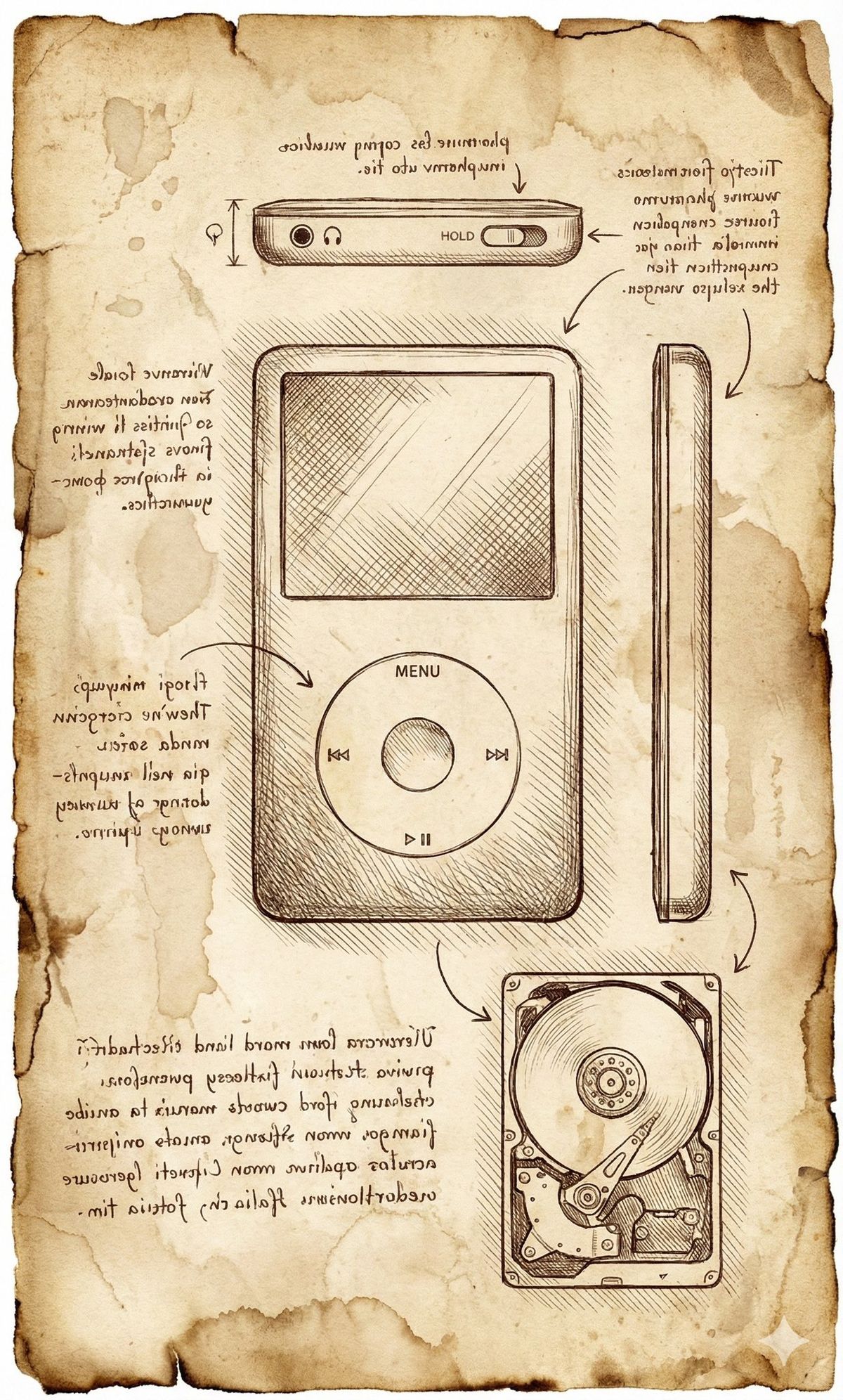
Vintage notebook page in the style of Leonardo da Vinci’s sketchbook, carefully studying {OBJECT}. Draw {OBJECT} as hand-sketched technical diagrams, keeping realistic proportions and recognizable details. Show several views of the same object on one page (front view, side view, top view, and a small cutaway view that suggests inner structure), all drawn with thin sepia ink lines, cross-hatching and subtle shading.
Place all sketches on aged, yellowed parchment paper with visible paper fibers, stains, ink bleed and slightly torn, darkened edges. The background MUST look like real old paper, not clean white.
Around the sketches, add small arrows and handwritten annotations in dense, flowing cursive script that closely resembles Leonardo da Vinci’s mirror-writing: narrow letters, right-to-left direction, old Italian feel, but use illegible pseudo-text, not real words. The ink should look like brown iron-gall ink, slightly faded and uneven.
Soft, natural lighting, like a scanned historical notebook page. No modern elements, no user interface, no logos, no printed fonts. The entire image must feel like an authentic page torn from Leonardo da Vinci’s personal notebook, dedicated to the study of {OBJECT}.
Category
UI & Interfaces
Model
Unknown
Creator
stiva
Views0
Source ID
vintage-notebook-page-in-leonardo-da-vincis-sketchbook-style

Guide

About "达芬奇风格手绘技术图纸笔记本页面"

What is this prompt for?

"达芬奇风格手绘技术图纸笔记本页面" AI image prompt for Unknown (UI & Interfaces). Leonardo Da vinci stili not Object kısmını siz dolduruyorsunuz. Vintage notebook page in the…

The full copyable prompt and example visuals above are ready for AI image generation or one-click recreate in Picva.

How to use this prompt

  1. Step 1

    Open the prompt detail

    Review the example visuals, category, and full prompt text for "达芬奇风格手绘技术图纸笔记本页面".

  2. Step 2

    Copy the prompt

    Copy the prompt body from this page, or load it directly in Studio.

  3. Step 3

    Pick a model (Unknown)

    Prefer Unknown. If you switch models, keep subject and composition and tweak style terms.

  4. Step 4

    Generate and export

    Recreate the look in Picva, or export into your workflow for editing and publishing.

FAQ

What is the "达芬奇风格手绘技术图纸笔记本页面" prompt?
It is an AI image-generation prompt for Unknown in the UI & Interfaces category. This page includes the full prompt text, example visuals, and a one-click recreate path in Picva.
How do I use this prompt to generate an image?
Copy the prompt from this page, or use Generate / Studio. Paste it into a compatible image model, or recreate the look in Picva with optional reference images.
Which model is this prompt for?
This page lists Unknown. Most descriptive prompts also transfer to nearby image models such as GPT Image, Flux, or Midjourney with light style tweaks.
Can I use the result commercially?
You can usually copy the prompt for creation, but commercial use of the final image depends on the model terms, reference-image rights, and the generated content. Follow the source author and platform rules.