16

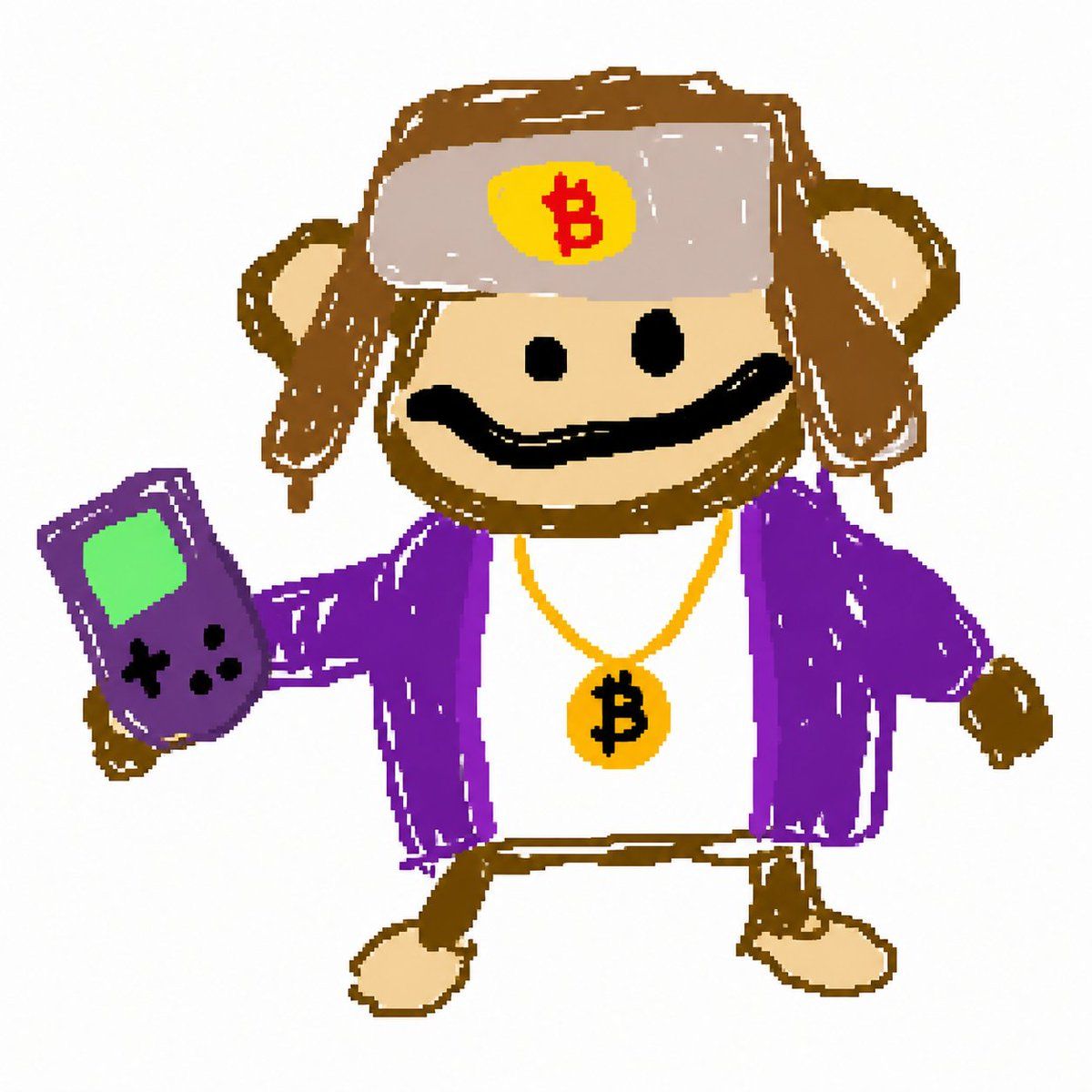
比特币猴子 MS Paint 涂鸦
Enlarge

比特币猴子 MS Paint 涂鸦

Prompt
A simple childlike digital doodle on a plain white background, centered and isolated, showing a cute cartoon monkey standing upright and facing forward. The monkey has a round beige face, brown fur outline, two round ears, small black dot eyes, and a thick wavy black smile. It wears a gray ushanka-style winter hat with brown ear flaps, and on the front of the hat there is a yellow circular patch with a red Bitcoin symbol. The monkey is dressed in a bright purple open jacket over a white shirt, with a gold chain necklace holding a round gold medallion marked with a black Bitcoin symbol. One arm is extended outward holding a purple handheld game console with a green screen and black control buttons; the other arm hangs to the side. The legs are short and simple with beige feet. Render it in a rough MS Paint style with uneven hand-drawn lines, flat colors, scribbly fills, playful proportions, and a naive internet-meme aesthetic, like a viral GPT Image 2 crayon sketch.
Category
Characters & People
Model
GPT Image 2
Views5
Source ID
17721
Published
May 1, 2026

Guide

About "比特币猴子 MS Paint 涂鸦"

What is this prompt for?

"比特币猴子 MS Paint 涂鸦" AI image prompt for GPT Image 2 (Characters & People). 一只手绘风格的卡通猴子,佩戴着比特币主题配饰并手持掌上游戏机,非常适合用于表情包艺术或病毒式涂鸦风格的社交媒体帖子。 Copy it on Picva and recr…

The full copyable prompt and example visuals above are ready for AI image generation or one-click recreate in Picva.

How to use this prompt

  1. Step 1

    Open the prompt detail

    Review the example visuals, category, and full prompt text for "比特币猴子 MS Paint 涂鸦".

  2. Step 2

    Copy the prompt

    Copy the prompt body from this page, or load it directly in Studio.

  3. Step 3

    Pick a model (GPT Image 2)

    Prefer GPT Image 2. If you switch models, keep subject and composition and tweak style terms.

  4. Step 4

    Generate and export

    Recreate the look in Picva, or export into your workflow for editing and publishing.

FAQ

What is the "比特币猴子 MS Paint 涂鸦" prompt?
It is an AI image-generation prompt for GPT Image 2 in the Characters & People category. This page includes the full prompt text, example visuals, and a one-click recreate path in Picva.
How do I use this prompt to generate an image?
Copy the prompt from this page, or use Generate / Studio. Paste it into a compatible image model, or recreate the look in Picva with optional reference images.
Which model is this prompt for?
This page lists GPT Image 2. Most descriptive prompts also transfer to nearby image models such as GPT Image, Flux, or Midjourney with light style tweaks.
Can I use the result commercially?
You can usually copy the prompt for creation, but commercial use of the final image depends on the model terms, reference-image rights, and the generated content. Follow the source author and platform rules.