Japanese Creative AI Canvas Ad
Prompt
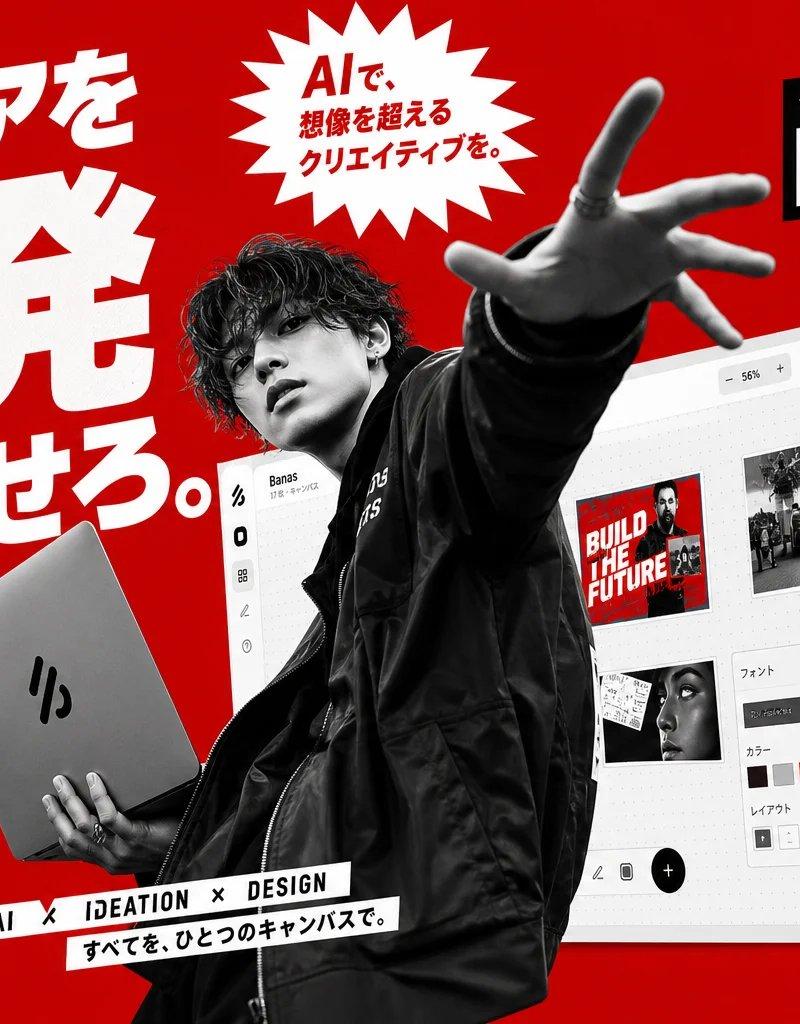
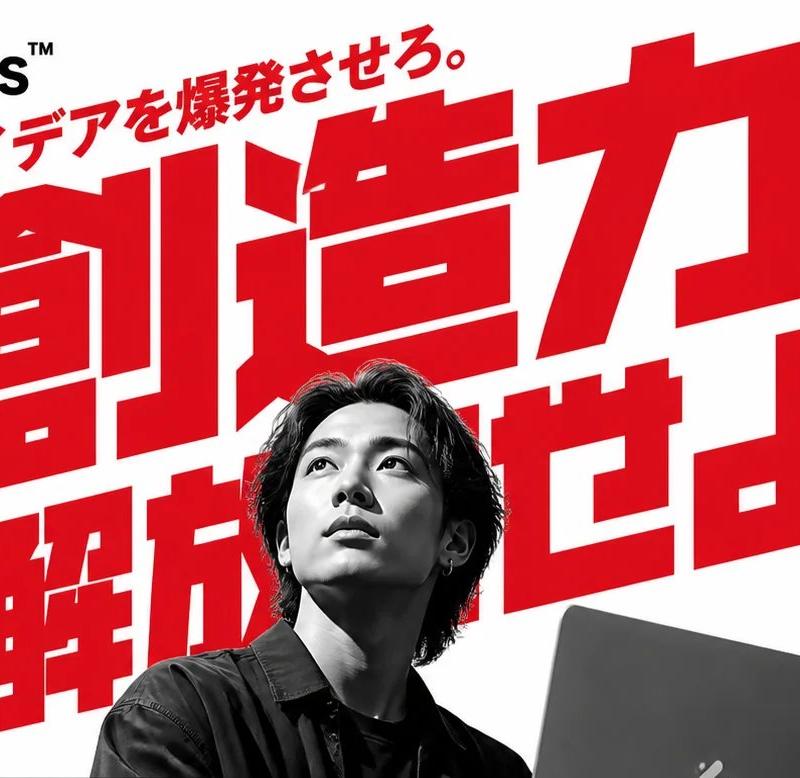
Goal: Create a bold Japanese advertising poster for a creative AI canvas product called {argument name="product name" default="Banas™"}, using a high-energy red, white, and black visual language.

Canvas: Landscape 3:2 promotional graphic, bright solid red background, dramatic diagonal composition, high contrast commercial poster design.

Layout: On the left, place an enormous white Japanese headline in heavy condensed sans-serif type reading 「アイデアを爆発させろ。」 with the words stacked and oversized. Below it, place a small black vertical feature panel with exactly 5 rows, each with a simple white icon and Japanese label: 1) image icon 「AI画像生成」, 2) pencil icon 「デザインツール」, 3) lightbulb icon 「アイデアボード」, 4) people icon 「共有・コラボ」, 5) cloud icon 「クラウド保存」. Under the panel, add white Japanese copy 「デザインの常識を変える、新しいキャンバスツール」 and the {argument name="product name" default="Banas™"} logo with a stylized three-stripe mark; include small Windows and Apple icons beneath.

Center subject: A black-and-white cutout photo style young male creator in a black streetwear jacket, curly dark hair, face intentionally blurred by a soft rectangular censor blur, reaching one hand dramatically toward the camera with extreme perspective and holding a silver laptop/tablet in the other hand. The figure should overlap the typography and UI, creating depth and motion.

Top center: Add a jagged white starburst badge with red Japanese text reading 「AIで、想像を超えるクリエイティブを。」.

Right side: Place a large tilted white browser/app canvas mockup behind the person, showing a design interface with dotted canvas, top zoom controls, a share button, a left toolbar, and exactly 4 visible content/design areas: 1) a red poster thumbnail reading “BUILD THE FUTURE”, 2) a black-and-white car image thumbnail, 3) a small collage/sketch thumbnail, 4) a settings panel with font, color swatches, and layout buttons. Keep some interface details slightly blurred for realism.

Top right: Add a black slanted banner with small Japanese text 「クリエイティブAIキャンバス」 above a large white-and-red {argument name="product name" default="Banas™"} wordmark.

Right text column: Use bold black Japanese copy on white angled blocks: 「テキストから画像生成/アイデア出し/デザイン作成」, then 「すべてこの1つで」, and a huge red emphasis word 「完結。」. Below, place a white angled label reading 「AIで生成」. Add a black circular badge with red and white text reading 「30,000+ クリエイターが使っている」.

Bottom center: Add a narrow white strip label tilted slightly with black text “AI × IDEATION × DESIGN”, and a second strip below it reading 「すべてを、ひとつのキャンバスで。」.

Visual style: Japanese startup launch ad, kinetic magazine layout, sharp cutout collage, thick sans-serif typography, red-dominant palette with white text and black accents, glossy UI mockup, subtle shadows, perspective distortion, crisp print-ready edges.

Constraints: Preserve the exact count of 5 feature rows and 4 UI content/design areas. Do not add extra people, extra badges, or unrelated logos. Keep the overall composition crowded, energetic, and advertisement-like.- Category
- Charts & Infographics
- Model
- GPT Image 2
- Creator
- 塚本 賢志 / Kenshi Tsukamoto
- Source language
- en
- Source ID
- 24507
- Published
- Jun 6, 2026
Views196.2K
![Create a premium collector-edition character poster of [五条悟] from [franchise]](https://whqgdndlpxjbwosvipip.supabase.co/storage/v1/render/image/public/prompt-source-media/promptsref/work-14179/image-1-e226ee654eda2755.png?width=800&quality=75)