20

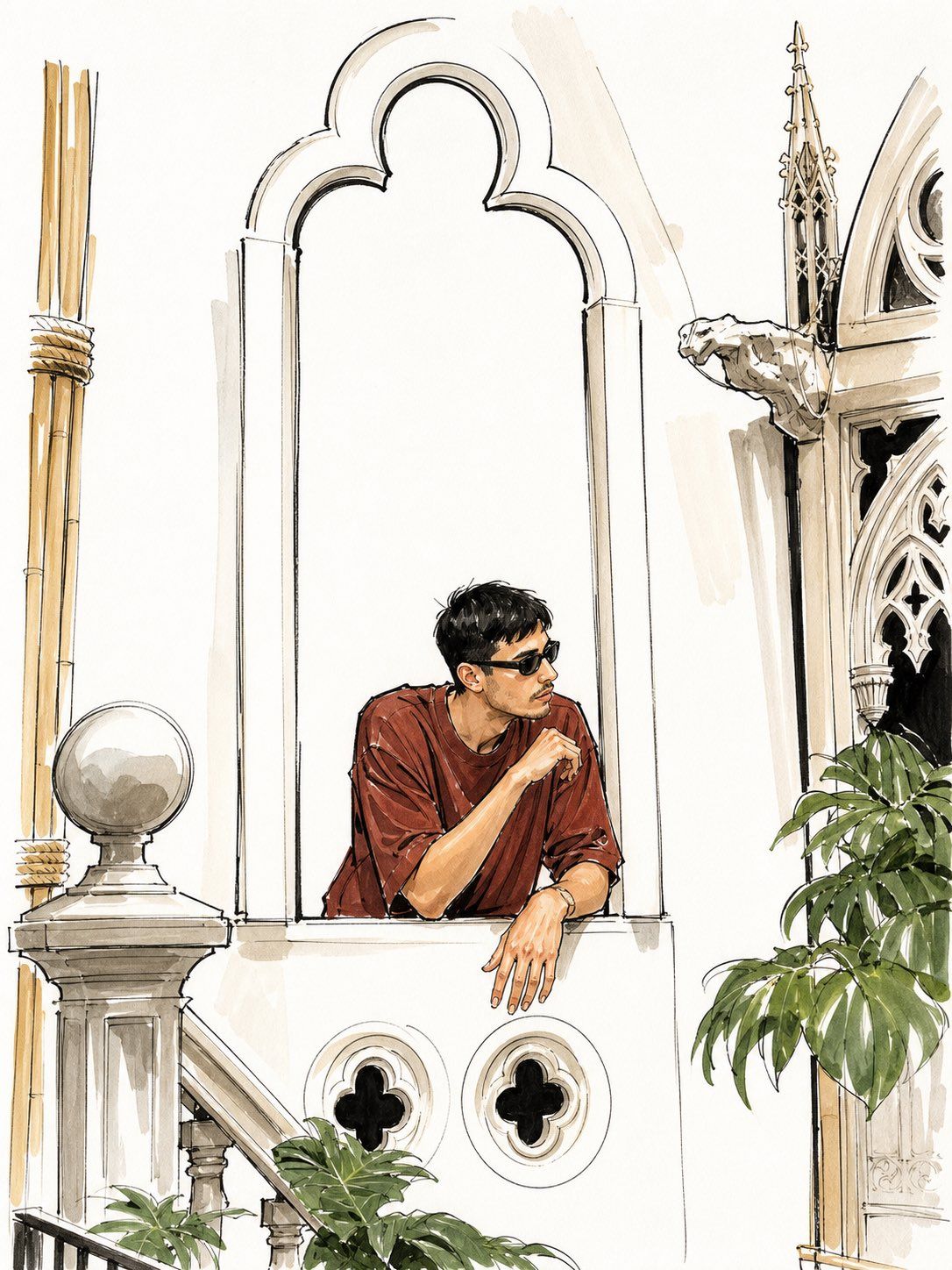
Vogue Watercolor Photo Transformation
Enlarge

Example images

Vogue Watercolor Photo Transformation

Prompt
Using REFERENCE_0 as the source image, transform the phone photo into a refined Vogue-style fashion/architectural illustration. Keep the same vertical composition, the same person leaning out of the arched window in the same pose, and preserve the anonymized blurred face. Convert the scene into elegant ink-and-watercolor line art on a mostly white paper background, with loose black sketch outlines, soft beige shadows, muted green foliage, and a warm rust-red shirt. Simplify the photographic wall into clean white negative space while retaining the key architectural features: the tall scalloped arch window, the Gothic ornament and gargoyle-like detail on the right, the stone stair post with round finial on the left, the bamboo poles, leafy plants, and exactly 2 small circular quatrefoil vents below the window. Make it look like a high-fashion travel illustration from {argument name="magazine style" default="Vogue"}, polished but hand-drawn, with airy editorial spacing and no added text, logos, or extra people.
Category
Charts & Infographics
Model
GPT Image 2
Views30
Source ID
24648
Published
Jun 7, 2026

Guide

About "Vogue Watercolor Photo Transformation"

What is this prompt for?

"Vogue Watercolor Photo Transformation" AI image prompt for GPT Image 2 (Charts & Infographics). Transforms a phone photo into an elegant Vogue-inspired ink-an…

The full copyable prompt and example visuals above are ready for AI image generation or one-click recreate in Picva.

How to use this prompt

  1. Step 1

    Open the prompt detail

    Review the example visuals, category, and full prompt text for "Vogue Watercolor Photo Transformation".

  2. Step 2

    Copy the prompt

    Copy the prompt body from this page, or load it directly in Studio.

  3. Step 3

    Pick a model (GPT Image 2)

    Prefer GPT Image 2. If you switch models, keep subject and composition and tweak style terms.

  4. Step 4

    Generate and export

    Recreate the look in Picva, or export into your workflow for editing and publishing.

FAQ

What is the "Vogue Watercolor Photo Transformation" prompt?
It is an AI image-generation prompt for GPT Image 2 in the Charts & Infographics category. This page includes the full prompt text, example visuals, and a one-click recreate path in Picva.
How do I use this prompt to generate an image?
Copy the prompt from this page, or use Generate / Studio. Paste it into a compatible image model, or recreate the look in Picva with optional reference images.
Which model is this prompt for?
This page lists GPT Image 2. Most descriptive prompts also transfer to nearby image models such as GPT Image, Flux, or Midjourney with light style tweaks.
Can I use the result commercially?
You can usually copy the prompt for creation, but commercial use of the final image depends on the model terms, reference-image rights, and the generated content. Follow the source author and platform rules.

