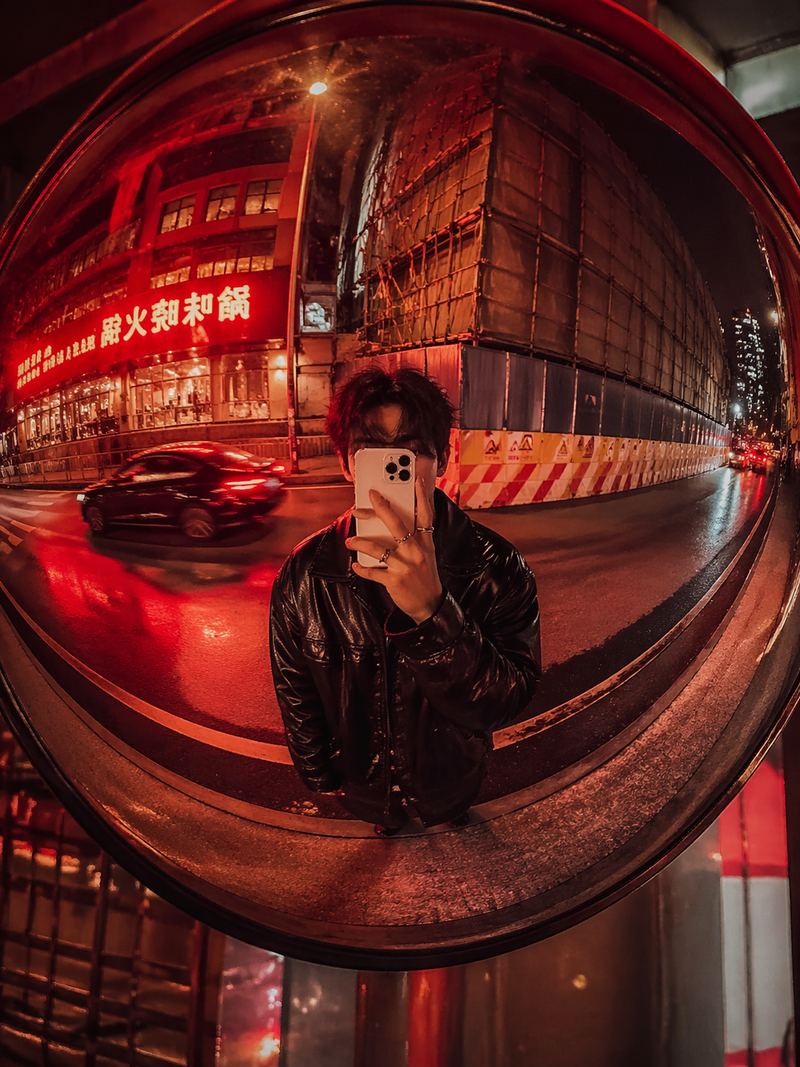
地铁站内凸面镜人像
Prompt
Ultra-realistic underground mirror portrait captured in a subway station using a large convex security mirror.
Raw urban fashion energy with {argument name="aesthetic period" default="nostalgic early-2000s"} editorial aesthetics.

IMPORTANT:
Apply the exact same visual filter and color treatment from the reference image:

soft faded blacks,
washed low-contrast rendering,
slightly desaturated whites,
warm muted skin tones,
dusty purple-gray shadows,
subtle brown undertones,
soft digital-camera haze,
dim tungsten/fluorescent mix,
slight highlight bloom,
underexposed subway atmosphere.

The image should feel like an authentic 2004–2008 underground fashion snapshot captured on an older compact digital camera or early iPhone.

Reference image loaded.
Preserve the exact same facial identity, facial structure, lips, eyes, skin texture, freckles, and natural asymmetry.
No beautification.
No face morphing.
No AI perfection.

━━━━━━━━━━━━━━━━━━━
SCENE & ENVIRONMENT
━━━━━━━━━━━━━━━━━━━

Underground subway corridor with white tiled walls and dark metal stair railings.
Dirty urban textures.
Slight grime and realistic wear throughout the station.
Dark staircase descending behind the subject.
Yellow subway floor markings visible near the upper platform.

Captured through a large circular convex security mirror mounted on the wall.
Realistic optical curvature and soft edge distortion.

━━━━━━━━━━━━━━━━━━━
POSE & BODY LANGUAGE
━━━━━━━━━━━━━━━━━━━

The woman stands naturally beneath the convex mirror.
One arm extended casually against the tiled wall.
Other hand resting inside the pocket of loose jeans.
Relaxed asymmetrical posture.
Shoulders slightly lowered.
Body language detached, effortless and naturally confident.

No influencer posing.
No exaggerated model angles.

━━━━━━━━━━━━━━━━━━━
FACIAL EXPRESSION
━━━━━━━━━━━━━━━━━━━

Cool detached expression.
Direct eye contact through narrow sunglasses.
Relaxed lips.
Quiet underground confidence.
Slight late-night exhaustion in the eyes.

━━━━━━━━━━━━━━━━━━━
HAIR
━━━━━━━━━━━━━━━━━━━

Long hair with soft messy waves.
Middle part.
Natural flyaways.
Muted warm reflections from subway lighting.
Slightly imperfect realistic texture.

━━━━━━━━━━━━━━━━━━━
OUTFIT & STYLING
━━━━━━━━━━━━━━━━━━━

{argument name="jacket style" default="Black-and-white vintage leather motorcycle jacket"} with worn authentic textures and faded racing patches.
White ribbed cropped tank top.
Loose faded blue jeans.
White sneakers.
Narrow black oval sunglasses.
Minimal silver jewelry.

Authentic underground streetwear styling.
No polished luxury influencer aesthetic.- Category
- UI & Interfaces
- Model
- GPT Image 2
- Creator
- Anissa
- Source language
- en
- Source ID
- 24762
- Published
- Jun 8, 2026
Views4