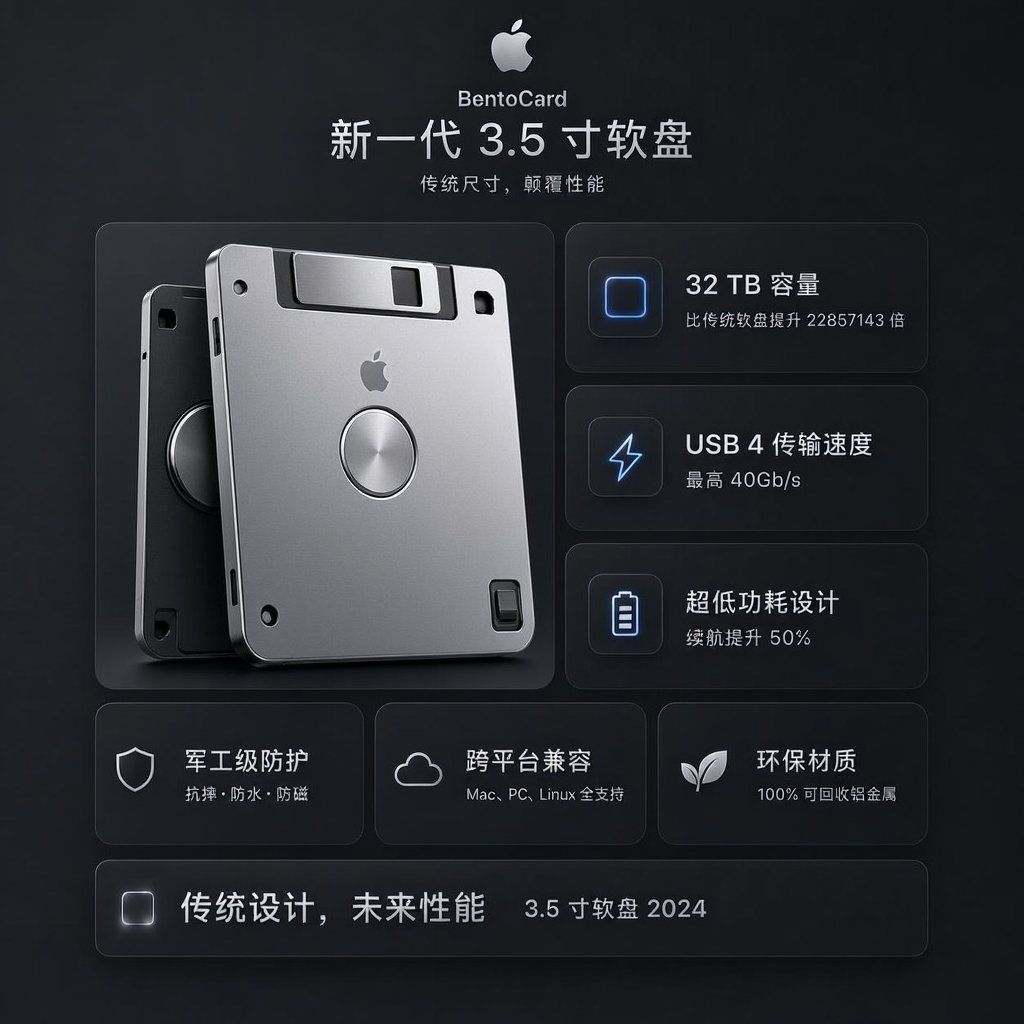
未来感 BentoCard 软盘广告
Prompt
Goal: Create a dark, premium Apple-style product advertising poster for a fictional tech product named {argument name="product name" default="BentoCard"}, presented as a next-generation 3.5-inch floppy disk with futuristic storage performance.

Canvas: Square 1:1 composition, 768×768 or similar, matte charcoal-black background with subtle vignette, soft gradients, faint texture, and glowing UI-card outlines. Overall mood is minimalist, high-end, futuristic, and product-launch oriented.

Header: Centered at the top, show a silver Apple logo icon, then the small product name “BentoCard”, then a large Chinese headline: “新一代 3.5 寸软盘”. Under it, add the smaller Chinese subtitle: “传统尺寸,颠覆性能”. Use clean sans-serif typography, white and light gray text, with strong letter spacing and Apple-like restraint.

Main layout: Use a two-column hero layout. On the left, place a large realistic 3D render of exactly 2 overlapping 3.5-inch floppy disks: one front disk in bright brushed silver with rounded corners, black shutter area, small Apple logo centered near the top, circular metallic hub in the middle, small black screw holes and slots; one darker rear disk offset behind it to the left, partially visible, with black/graphite finish and a circular hub. Add soft shadows and subtle reflections, as if photographed in a studio.

Right feature column: Create exactly 3 stacked rounded-rectangle feature cards with thin translucent borders and soft blue glow icons on the left. Card 1 icon: rounded square storage chip outline; text “32 TB 容量” and smaller line “比传统软盘提升 22857143 倍”. Card 2 icon: lightning bolt; text “USB 4 传输速度” and smaller line “最高 40Gb/s”. Card 3 icon: battery outline; text “超低功耗设计” and smaller line “续航提升 50%”.

Lower feature row: Under the hero area, create exactly 3 equal rounded feature cards. Card 1 has a shield icon and text “军工级防护” with smaller line “抗摔 · 防水 · 防尘”. Card 2 has a cloud icon and text “跨平台兼容” with smaller line “Mac, PC, Linux 全支持”. Card 3 has a sprout/leaf icon and text “环保材质” with smaller line “100% 可回收铝金属”.

Footer bar: At the bottom, add exactly 1 long rounded translucent bar. On the left of the bar place a small glowing rounded-square icon, then bold Chinese slogan text “传统设计,未来性能”, and on the right smaller text “3.5 寸软盘 2024”.

Visual style: Dark glassmorphism UI, subtle bevels, frosted translucent cards, cool blue icon highlights, silver metallic product material, realistic lighting, precise spacing, balanced grid, no clutter. Keep all text crisp and legible, preserve the Chinese wording exactly, and avoid extra logos, watermarks, or additional feature cards.- Category
- UI & Interfaces
- Model
- GPT Image 2
- Creator
- MarioTan
- Source ID
- 24948
- Published
- Jun 9, 2026
Views6