20

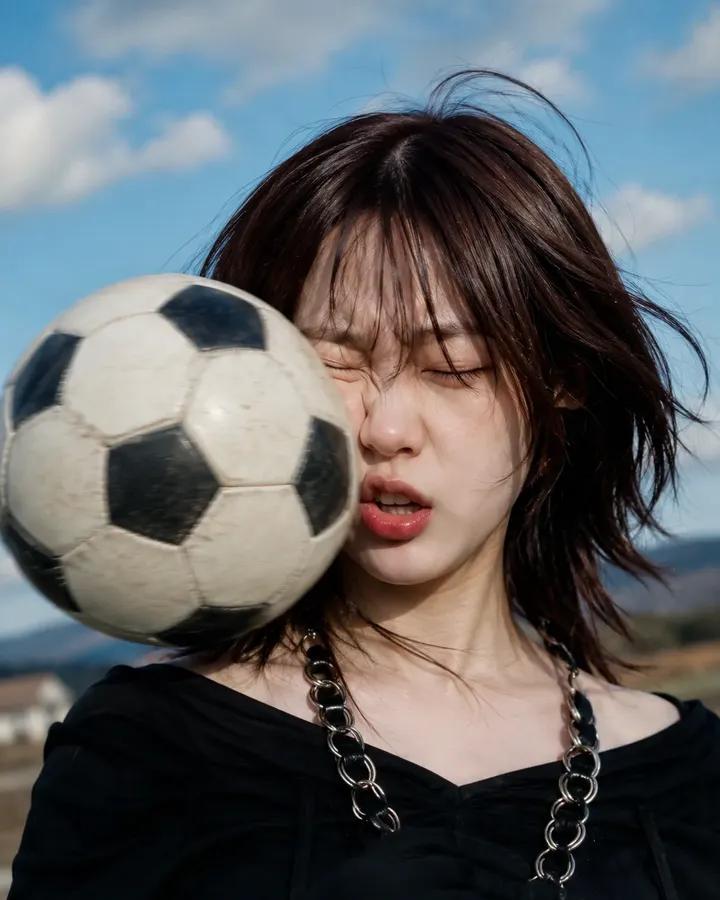
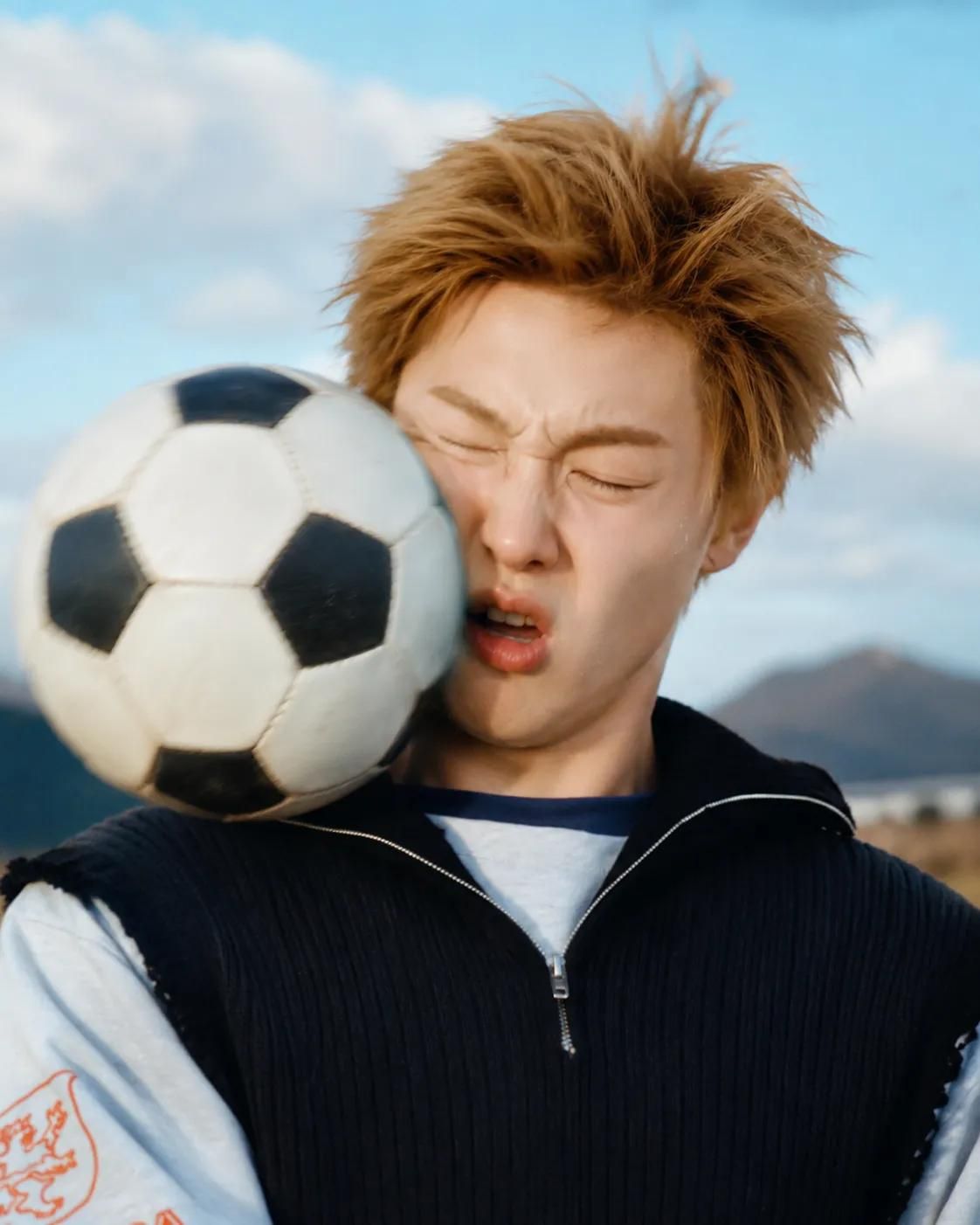
足球撞击面部动态抓拍
Enlarge

Example images

足球撞击面部动态抓拍

Prompt
Ultra-realistic high-speed sports photography, close-up portrait of a {argument name="subject" default="young person"} at the exact moment a {argument name="object" default="soccer ball"} slams into their face, cheeks compressed by impact, eyes tightly shut, hair flying dramatically in the wind, realistic facial deformation from the collision, frozen action shot, football suspended in mid-air, dynamic motion blur around the ball, intense reaction expression, outdoor football field, blue sky with soft clouds, distant mountains in background, golden daylight, cinematic sports advertisement style, ultra-detailed skin texture, natural lighting, {argument name="lens" default="shallow depth of field, 85mm lens"}, high shutter speed, photorealistic, award-winning action photography, dramatic timing, crisp focus, RAW photo, 8K, realistic physics, emotional and humorous moment, magazine-quality sports portrait.
Category
Charts & Infographics
Model
GPT Image 2
Creator
Taaruk
Views0
Source ID
25508
Published
Jun 13, 2026

Guide

About "足球撞击面部动态抓拍"

What is this prompt for?

"足球撞击面部动态抓拍" AI image prompt for GPT Image 2 (Charts & Infographics). 一个充满动感的体育摄影提示词,捕捉足球撞击人脸时既滑稽又紧张的瞬间。 Copy it on Picva and recreate the look in one click.

The full copyable prompt and example visuals above are ready for AI image generation or one-click recreate in Picva.

How to use this prompt

  1. Step 1

    Open the prompt detail

    Review the example visuals, category, and full prompt text for "足球撞击面部动态抓拍".

  2. Step 2

    Copy the prompt

    Copy the prompt body from this page, or load it directly in Studio.

  3. Step 3

    Pick a model (GPT Image 2)

    Prefer GPT Image 2. If you switch models, keep subject and composition and tweak style terms.

  4. Step 4

    Generate and export

    Recreate the look in Picva, or export into your workflow for editing and publishing.

FAQ

What is the "足球撞击面部动态抓拍" prompt?
It is an AI image-generation prompt for GPT Image 2 in the Charts & Infographics category. This page includes the full prompt text, example visuals, and a one-click recreate path in Picva.
How do I use this prompt to generate an image?
Copy the prompt from this page, or use Generate / Studio. Paste it into a compatible image model, or recreate the look in Picva with optional reference images.
Which model is this prompt for?
This page lists GPT Image 2. Most descriptive prompts also transfer to nearby image models such as GPT Image, Flux, or Midjourney with light style tweaks.
Can I use the result commercially?
You can usually copy the prompt for creation, but commercial use of the final image depends on the model terms, reference-image rights, and the generated content. Follow the source author and platform rules.