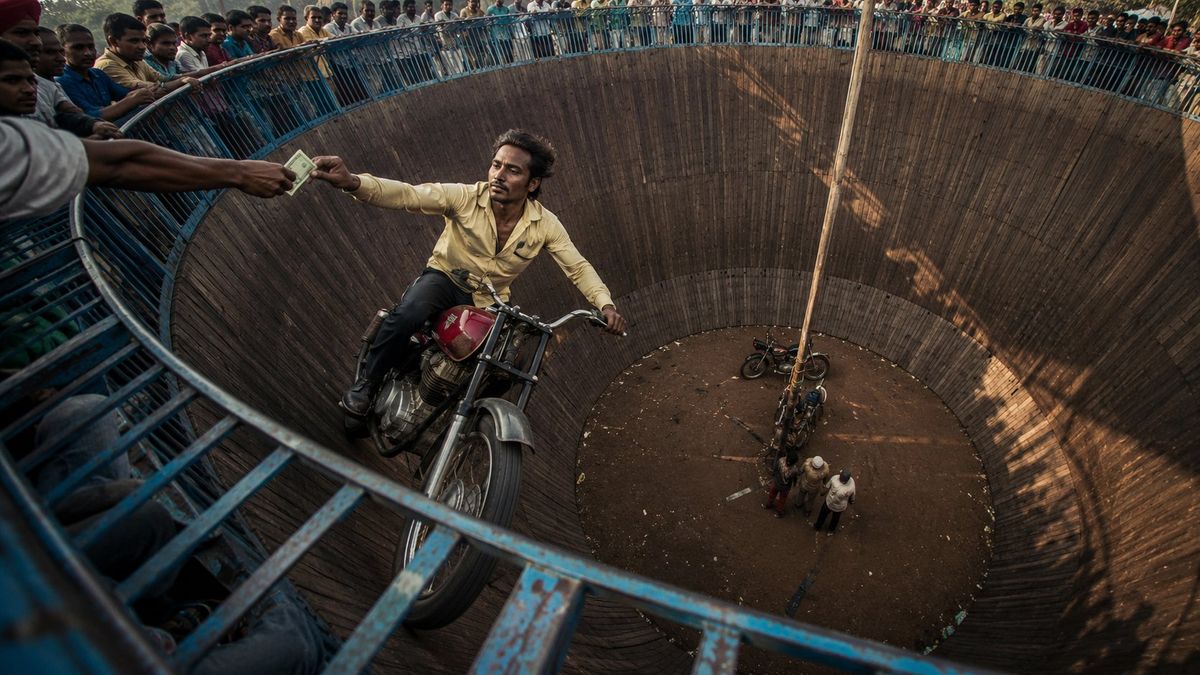
“死亡之墙”鱼眼镜头纪录片风格摄影
Prompt
A cinematic wide-angle documentary photograph of a daring motorcycle stunt rider performing inside a massive circular Wall of Death arena. The rider is captured near the upper edge of the wooden vertical wall, balancing on a {argument name="vehicle" default="vintage red and silver motorcycle"} while reaching out to take money from a spectator’s hand. The composition uses an {argument name="lens" default="extreme fisheye perspective"} from the rim of the arena, creating a dramatic circular bowl shape that pulls the eye toward the deep center below. The environment is crowded and energetic, with spectators standing all around the top railing, watching the stunt from above. The arena walls are dark wooden planks with visible texture, scratches, dust, and motion worn surfaces. Blue metal railings frame the top and bottom foreground, adding strong leading lines and a sense of danger. The rider’s expression is calm, focused, and fearless, showing confidence while performing at high speed. His body posture feels relaxed but controlled, creating contrast with the risky environment. Color palette should feel realistic and slightly gritty: warm golden sunlight hitting the inside of the arena, deep brown wooden walls, faded blue railings, dusty shadows, and muted crowd colors. Add a natural cinematic color gradient with warm highlights on the rider and motorcycle, darker shadow tones along the right side of the wall, and a slightly desaturated documentary look. The image should feel raw, authentic, dangerous, and thrilling, like a real-life stunt captured at the perfect moment.- Category
- Charts & Infographics
- Model
- GPT Image 2
- Creator
- BMX
- Source ID
- 25645
- Published
- Jun 14, 2026
Views0








