17

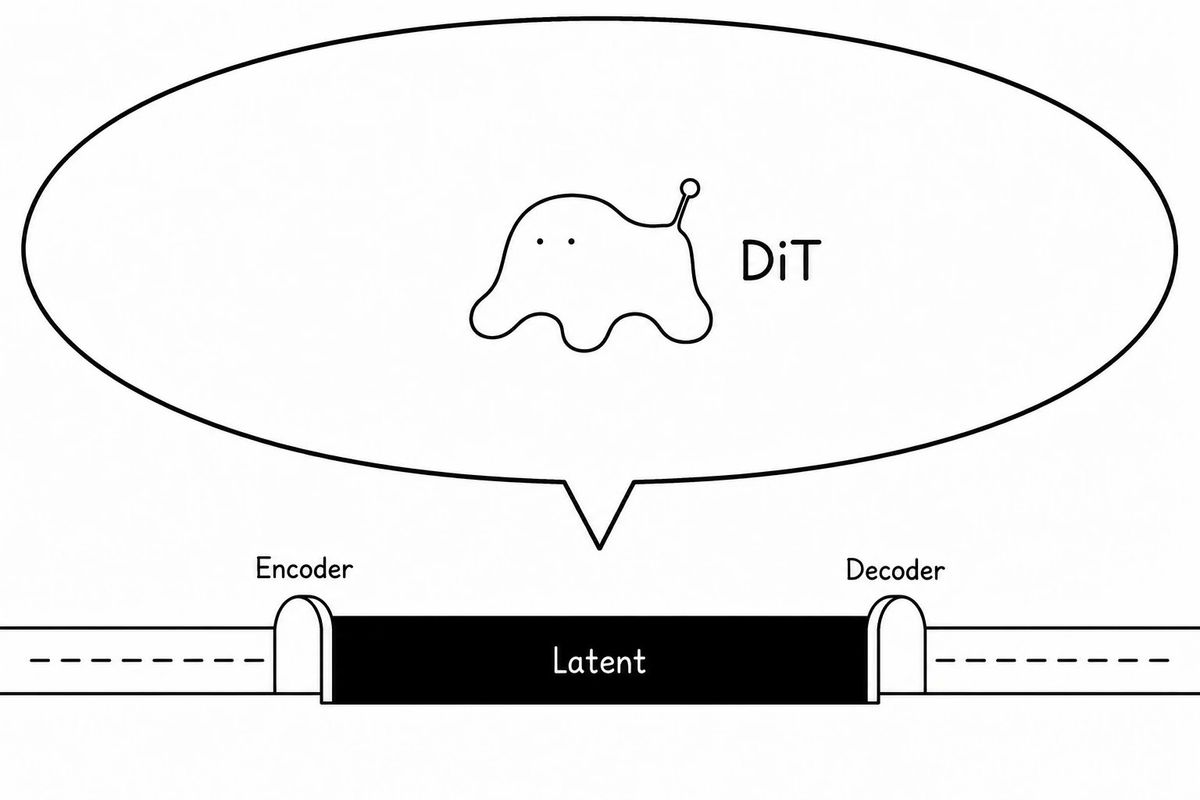
自动编码器潜在空间中的 DiT 寄生生物图解
Enlarge

自动编码器潜在空间中的 DiT 寄生生物图解

Prompt
Create a minimalist black-and-white conceptual diagram on a wide 16:9 white canvas showing a diffusion-transformer creature parasitizing an autoencoder latent space. Use thin hand-drawn black outlines and simple sans-serif labels, with a clean article-illustration style. Across the lower third, draw a horizontal pipeline: a long white tube enters from the left with a dashed centerline, passes through a small rounded arch labeled “Encoder,” then becomes a solid black rectangular central block labeled “Latent” in white, then exits through a matching rounded arch labeled “Decoder” into a white tube on the right with a dashed centerline. Above the latent block, draw one very large oval speech-bubble or callout balloon with a pointed tail aimed down toward the latent block. Inside the balloon, centered slightly left, draw exactly one small blob-like creature: soft amoeba body, two tiny dot eyes, four rounded drippy legs, and one raised antenna ending in a small circle; make it mildly uncanny but not scary and not overly cute. To the right of the creature inside the balloon, place the label “{argument name="creature label" default="DiT"}” in black. Use exactly three visible text labels on the diagram: “Encoder,” “Latent,” and “Decoder,” plus the creature label. Keep the composition sparse, monochrome, no shading, no color, no extra icons, no watermark.
Category
Charts & Infographics
Model
GPT Image 2
Creator
FA770
Views0
Source ID
25711
Published
Jun 14, 2026

Guide

About "自动编码器潜在空间中的 DiT 寄生生物图解"

What is this prompt for?

"自动编码器潜在空间中的 DiT 寄生生物图解" AI image prompt for GPT Image 2 (Charts & Infographics). 一张极简主义的黑白技术卡通图,展示了生活在自动编码器潜在空间中的 DiT 生物,适用于机器学习文章或说明性内容。 Copy it on Picva and…

The full copyable prompt and example visuals above are ready for AI image generation or one-click recreate in Picva.

How to use this prompt

  1. Step 1

    Open the prompt detail

    Review the example visuals, category, and full prompt text for "自动编码器潜在空间中的 DiT 寄生生物图解".

  2. Step 2

    Copy the prompt

    Copy the prompt body from this page, or load it directly in Studio.

  3. Step 3

    Pick a model (GPT Image 2)

    Prefer GPT Image 2. If you switch models, keep subject and composition and tweak style terms.

  4. Step 4

    Generate and export

    Recreate the look in Picva, or export into your workflow for editing and publishing.

FAQ

What is the "自动编码器潜在空间中的 DiT 寄生生物图解" prompt?
It is an AI image-generation prompt for GPT Image 2 in the Charts & Infographics category. This page includes the full prompt text, example visuals, and a one-click recreate path in Picva.
How do I use this prompt to generate an image?
Copy the prompt from this page, or use Generate / Studio. Paste it into a compatible image model, or recreate the look in Picva with optional reference images.
Which model is this prompt for?
This page lists GPT Image 2. Most descriptive prompts also transfer to nearby image models such as GPT Image, Flux, or Midjourney with light style tweaks.
Can I use the result commercially?
You can usually copy the prompt for creation, but commercial use of the final image depends on the model terms, reference-image rights, and the generated content. Follow the source author and platform rules.