20

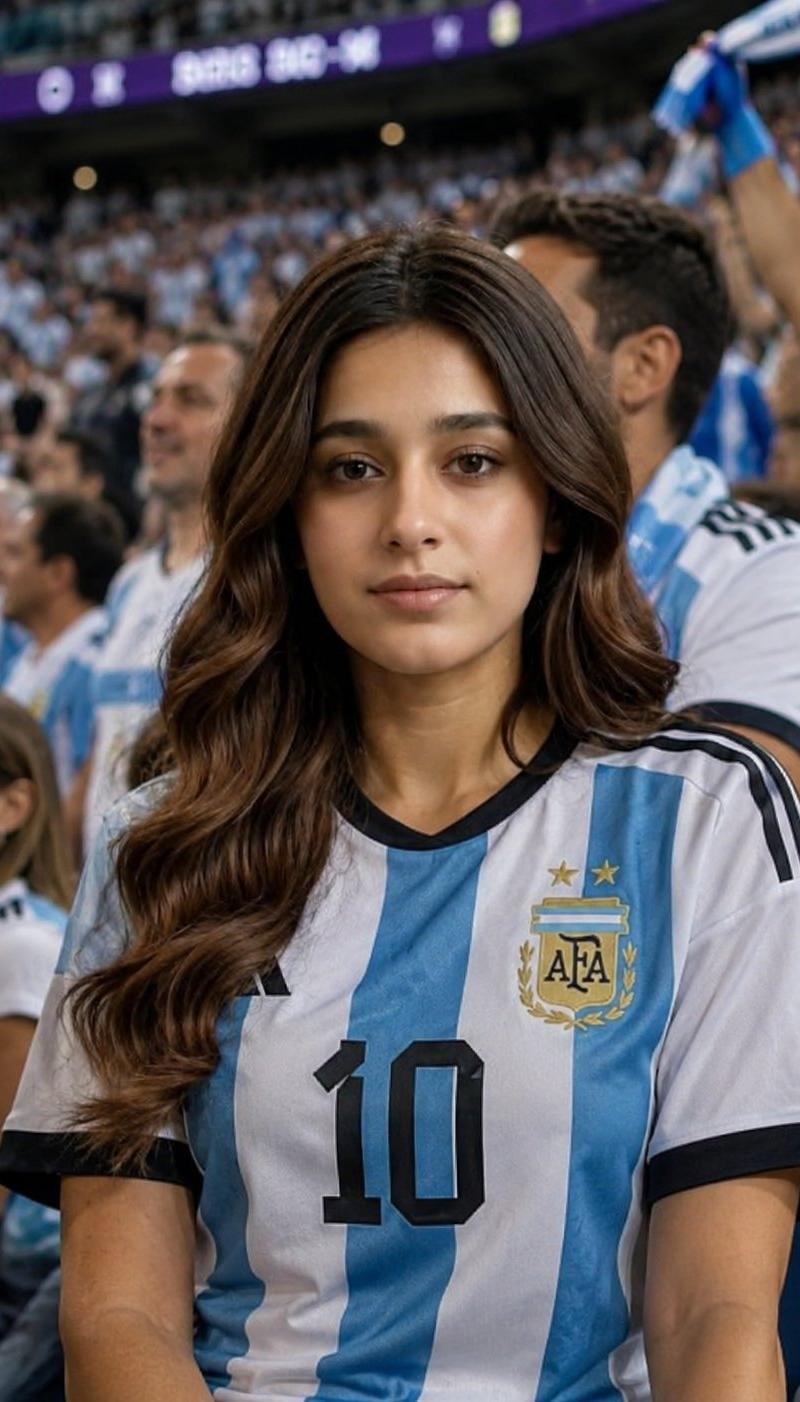
World Cup Stadium Fan Transformation
Enlarge

Example images

World Cup Stadium Fan Transformation

Prompt
Transform the uploaded photo into a realistic World Cup stadium fan scene. Place the person naturally among thousands of supporters in a packed football stadium during a major international tournament. The person should be wearing the official national team jersey of {argument name="country" default="your country"}, sitting or standing among fans who are also supporting the same nation. Maintain the person’s facial identity, hairstyle, and recognizable features while creating a realistic candid sports photography look. Capture the excitement, emotion, and atmosphere of a live World Cup match, with authentic stadium seating, crowds, flags, scarves, team colors, and match-day energy. The subject should blend naturally into the crowd as if photographed by a professional sports photographer during a real game. Use realistic lighting, shallow depth of field, natural facial expressions, and documentary-style sports photography. The image should feel authentic, cinematic, highly detailed, and indistinguishable from a real photograph taken during an international football tournament. Ultra-realistic, professional photography, realistic crowd interactions, authentic fan culture, natural clothing folds, realistic stadium environment, high detail, 8k quality.Ratio 4:5
Category
Charts & Infographics
Model
GPT Image 2
Creator
Mahnoor Fatima
Source language
en
Views1.2K
Source ID
25765
Published
Jun 15, 2026
Studio

Guide

About "World Cup Stadium Fan Transformation"

What is this prompt for?

"World Cup Stadium Fan Transformation" AI image prompt for GPT Image 2 (Charts & Infographics). A highly detailed prompt for transforming a person's photo into…

The full copyable prompt and example visuals above are ready for AI image generation or one-click recreate in Picva.

How to use this prompt

  1. Step 1

    Open the prompt detail

    Review the example visuals, category, and full prompt text for "World Cup Stadium Fan Transformation".

  2. Step 2

    Copy the prompt

    Copy the prompt body from this page, or load it directly in Studio.

  3. Step 3

    Pick a model (GPT Image 2)

    Prefer GPT Image 2. If you switch models, keep subject and composition and tweak style terms.

  4. Step 4

    Generate and export

    Recreate the look in Picva, or export into your workflow for editing and publishing.

FAQ

What is the "World Cup Stadium Fan Transformation" prompt?
It is an AI image-generation prompt for GPT Image 2 in the Charts & Infographics category. This page includes the full prompt text, example visuals, and a one-click recreate path in Picva.
How do I use this prompt to generate an image?
Copy the prompt from this page, or use Generate / Studio. Paste it into a compatible image model, or recreate the look in Picva with optional reference images.
Which model is this prompt for?
This page lists GPT Image 2. Most descriptive prompts also transfer to nearby image models such as GPT Image, Flux, or Midjourney with light style tweaks.
Can I use the result commercially?
You can usually copy the prompt for creation, but commercial use of the final image depends on the model terms, reference-image rights, and the generated content. Follow the source author and platform rules.