20

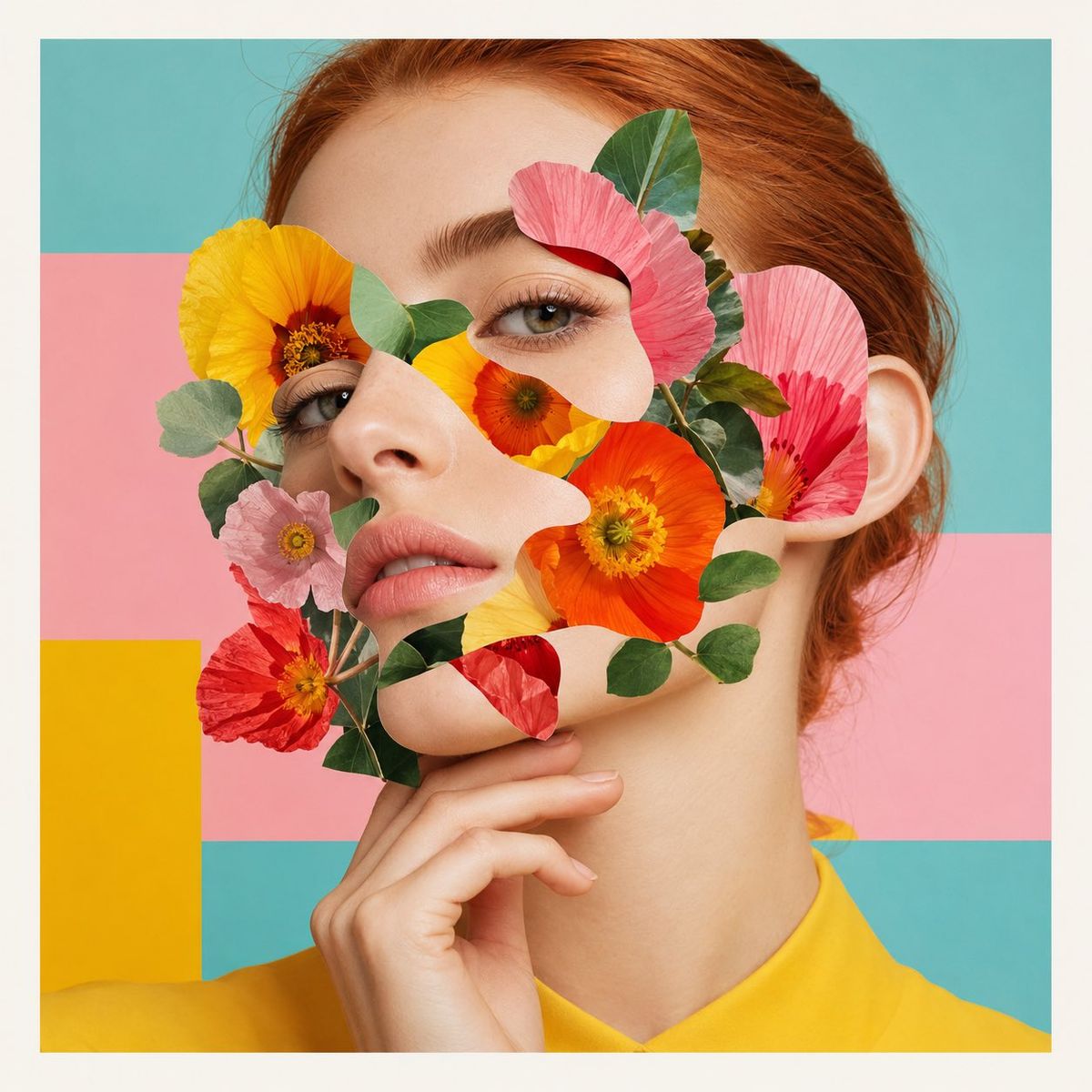
花卉拼贴时尚大片
Enlarge

花卉拼贴时尚大片

Prompt
Modern editorial collage portrait, surreal fashion magazine cover aesthetic, close-up beauty portrait of a young woman with fair luminous skin and {argument name="hair color" default="copper-red hair"} pulled back neatly, three-quarter face angle, calm serious expression, soft pink lips, natural eyebrows, delicate facial features, one hand gently touching her chin. Her face is partially covered with abstract paper-cut collage shapes, layered with {argument name="overlay elements" default="bright yellow, orange, pink, and red flowers"} across the eyes, cheeks, nose, and mouth area, small green leaves mixed into the floral mask, sharp clean cutout edges, realistic skin texture combined with graphic collage elements. Flat pastel geometric background with {argument name="background palette" default="soft turquoise, pastel pink, bright yellow, and white border blocks"}, bright yellow garment visible at shoulder level, soft studio lighting, minimal shadows, polished high-end fashion photography, pastel pop art color palette, fresh feminine surreal artistic mood, premium editorial print quality, ultra-detailed, clean composition, square format.

Negative prompt:

text, letters, numbers, logo, watermark, magazine title, caption, typography, signature, extra face, distorted eyes, deformed hand, messy collage edges, blurry, low resolution, harsh shadows, overexposed skin, bad anatomy, duplicate face, unnatural fingers.
Category
Charts & Infographics
Model
GPT Image 2
Creator
BMX
Views0
Source ID
25783
Published
Jun 15, 2026

Guide

About "花卉拼贴时尚大片"

What is this prompt for?

"花卉拼贴时尚大片" AI image prompt for GPT Image 2 (Charts & Infographics). 一个超现实主义时尚杂志封面提示词,展示了一幅美妆人像,部分被彩色剪纸花卉拼贴元素遮盖,背景为柔和的几何图形。 Copy it on Picva and recreate the lo…

The full copyable prompt and example visuals above are ready for AI image generation or one-click recreate in Picva.

How to use this prompt

  1. Step 1

    Open the prompt detail

    Review the example visuals, category, and full prompt text for "花卉拼贴时尚大片".

  2. Step 2

    Copy the prompt

    Copy the prompt body from this page, or load it directly in Studio.

  3. Step 3

    Pick a model (GPT Image 2)

    Prefer GPT Image 2. If you switch models, keep subject and composition and tweak style terms.

  4. Step 4

    Generate and export

    Recreate the look in Picva, or export into your workflow for editing and publishing.

FAQ

What is the "花卉拼贴时尚大片" prompt?
It is an AI image-generation prompt for GPT Image 2 in the Charts & Infographics category. This page includes the full prompt text, example visuals, and a one-click recreate path in Picva.
How do I use this prompt to generate an image?
Copy the prompt from this page, or use Generate / Studio. Paste it into a compatible image model, or recreate the look in Picva with optional reference images.
Which model is this prompt for?
This page lists GPT Image 2. Most descriptive prompts also transfer to nearby image models such as GPT Image, Flux, or Midjourney with light style tweaks.
Can I use the result commercially?
You can usually copy the prompt for creation, but commercial use of the final image depends on the model terms, reference-image rights, and the generated content. Follow the source author and platform rules.

