贝多芬大提琴奏鸣曲海报
Prompt
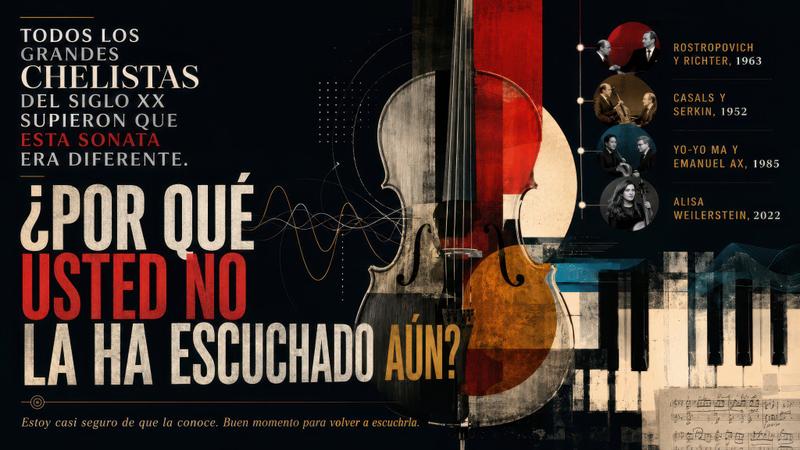
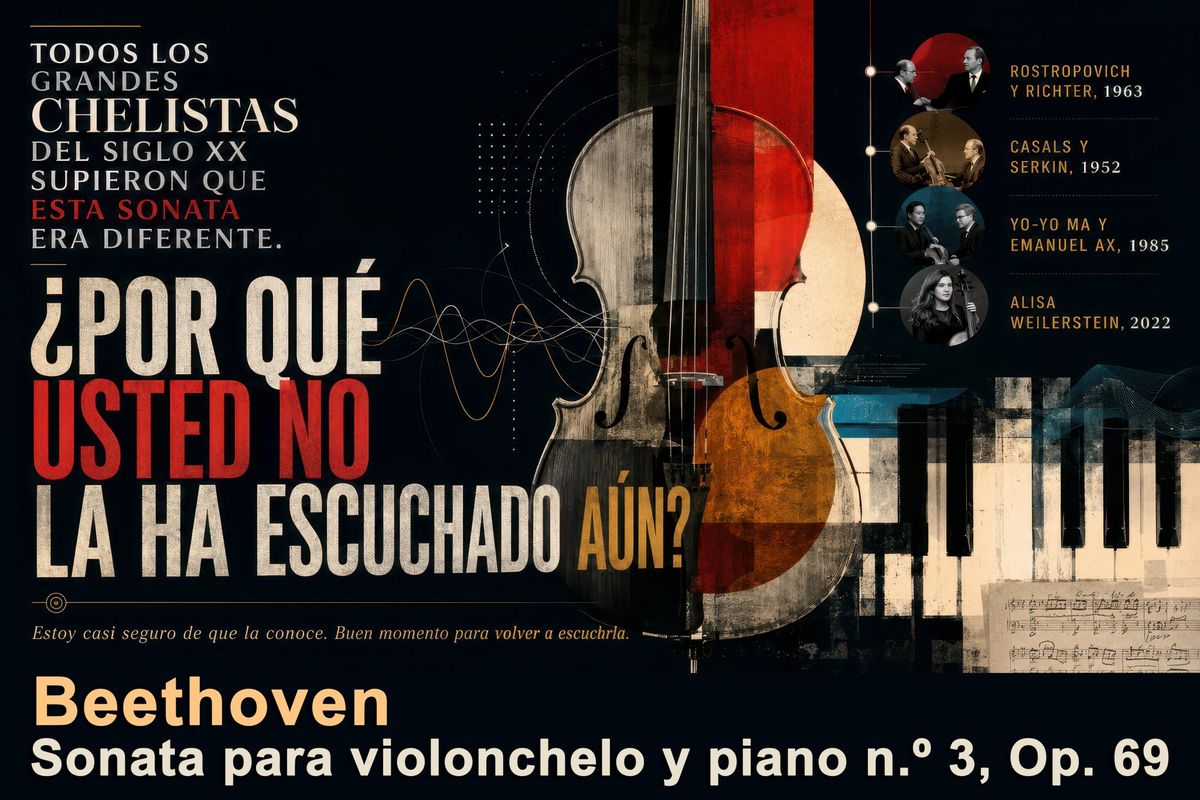
Goal: Create a dramatic Spanish editorial poster about {argument name="music work" default="Beethoven Sonata para violonchelo y piano n.º 3, Op. 69"}, presenting it as an essential classical music discovery.

Canvas: Wide horizontal 16:9 poster, dark near-black background, vintage concert-program texture, slightly distressed print grain, high contrast, elegant museum/exhibition design.

Layout: Left side dominated by large Spanish typography; center-right dominated by a tall cello collage; lower-right contains piano keys and a small handwritten sheet-music fragment; upper-right contains a vertical timeline of notable performers with circular photo medallions. Use layered geometric shapes, thin technical diagram lines, waveform curves, dotted grids, and subtle music-notation details.

Main text content: At upper left, set a stacked serif headline in white with one red emphasis line: “TODOS LOS GRANDES CHELISTAS DEL SIGLO XX SUPIERON QUE ESTA SONATA ERA DIFERENTE.” Make “ESTA SONATA” red. Below it, use huge condensed distressed block lettering for the question: “¿POR QUÉ USTED NO LA HA ESCUCHADO AÚN?” Make “USTED NO” bright red, most other words off-white, and “AÚN?” ochre-gold. Under the question, add a small italic sentence in warm beige: “Estoy casi seguro de que la conoce. Buen momento para volver a escucharla.” At the bottom, add the composer name in large warm cream: “Beethoven”, and beneath it in bold white: “Sonata para violonchelo y piano n.º 3, Op. 69”.

Central subject: A large upright cello, cropped from top to bottom, centered slightly right. Make it a mixed-media collage: realistic wood grain, black strings, visible bridge and f-holes, semi-transparent overlays, red vertical rectangle through the upper body, amber-orange lower bout, beige circular moon-like disk behind it, and worn paper textures. The cello should overlap abstract sound-wave lines that travel from the left typography toward the instrument.

Right timeline: Include exactly 4 circular performer medallions connected by a thin vertical line with small nodes. Labels must read exactly: 1) “ROSTROPOVICH Y RICHTER, 1963”, 2) “CASALS Y SERKIN, 1952”, 3) “YO-YO MA Y EMANUEL AX, 1985”, 4) “ALISA WEILERSTEIN, 2022”. Use small sepia or black-and-white portrait-style musician images inside the circles, with names in ochre uppercase and years in pale cream.

Visual style: Sophisticated classical-music magazine cover meets Bauhaus concert poster; dark navy-black, ivory, scarlet red, ochre gold, muted teal, and sepia; distressed ink, aged paper, fine scratches, subtle halftone, and layered collage. Typography should feel bold, Spanish, editorial, and cinematic, with a mix of elegant serif text and massive condensed sans-serif display type.

Constraints: Keep all visible text in Spanish exactly as specified. Do not add logos, watermarks, modern UI elements, or extra performer entries. Maintain strong readability despite the vintage grunge texture.- Category
- Charts & Infographics
- Model
- GPT Image 2
- Creator
- Juan José Arango E.
- Source ID
- 26169
- Published
- Jun 18, 2026
Views0