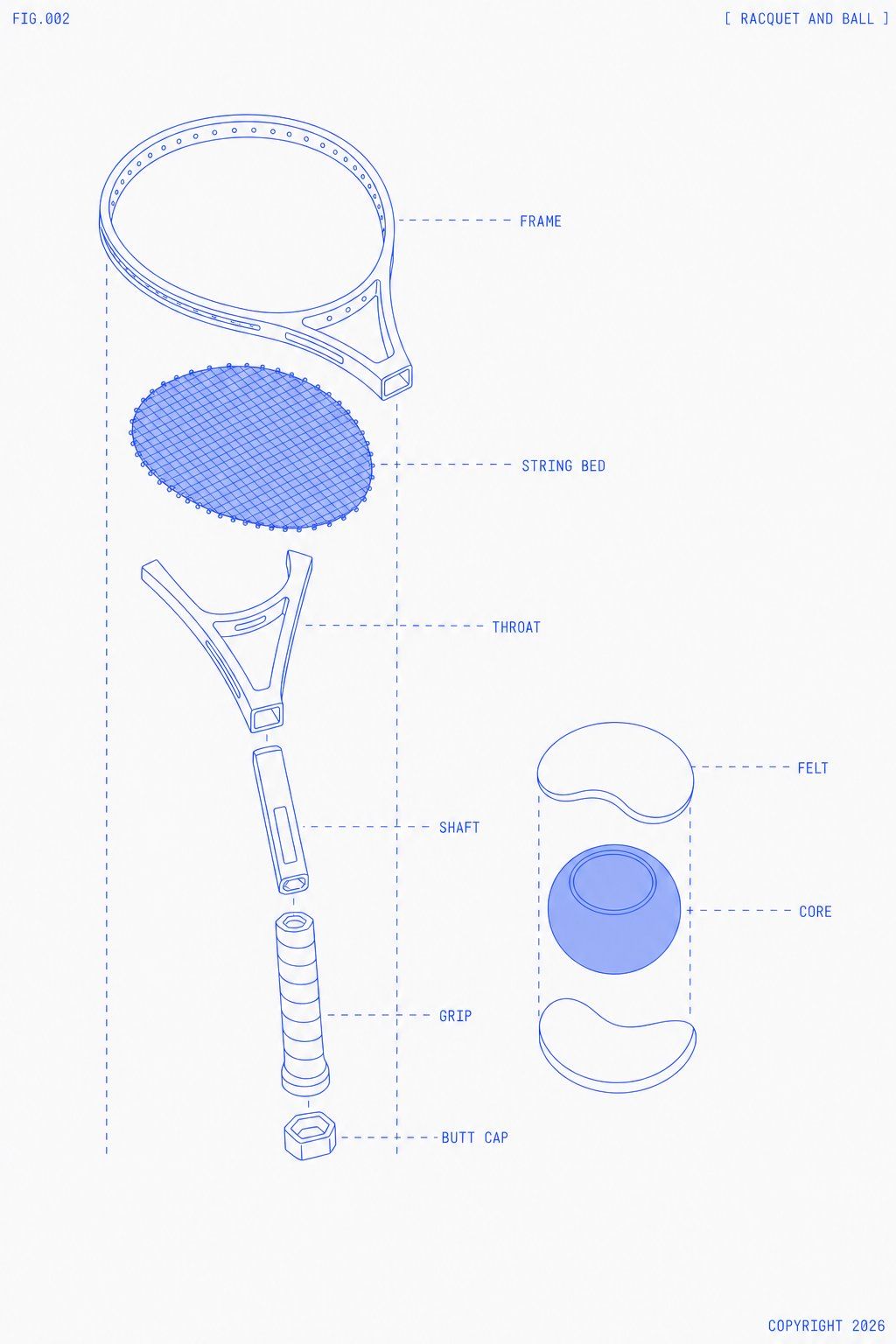
网球拍爆炸图蓝图
Prompt
Goal: Create a clean technical blueprint-style exploded diagram of {argument name="sports equipment" default="a tennis racquet and ball"}, labeled like an instruction manual figure.

Canvas: Portrait 3:4 composition on an off-white paper background with lots of negative space. Use thin cobalt-blue line art, monoline drafting strokes, pale blue translucent fills only where needed, and subtle print texture. No shadows except very light flat blue fill on the ball core.

Layout: Place the exploded tennis racquet vertically on the left two-thirds of the canvas, with parts separated along a central vertical axis. Place the exploded tennis ball cross-section on the right-middle. Add dashed vertical guide lines framing each exploded assembly and dashed horizontal callout lines leading to labels on the right of each part. Use small all-caps monospaced blueprint lettering.

Header and footer text: Put "FIG.002" in the top-left corner. Put "[ RACQUET AND BALL ]" in the top-right corner. Put "COPYRIGHT 2026" in the bottom-right corner.

Discrete elements: Show exactly 13 main visible components total: 7 racquet components and 6 ball/callout-related components. The 7 racquet components, from top to bottom, are: 1) FRAME, an oval racquet head rim with small evenly spaced holes around the inner edge and a partial yoke connection; 2) STRING BED, a separate oval mesh insert made of dense diagonal crisscross strings with tiny perimeter nodes; 3) THROAT, a forked triangular bridge piece with open cutouts; 4) SHAFT, a short cylindrical handle connector with a rectangular inset detail and a circular end opening; 5) GRIP, a longer wrapped cylindrical grip with spiral bands; 6) BUTT CAP, a small hexagonal end cap below the grip; 7) dashed alignment box and callout construction lines surrounding the racquet assembly. The 6 ball/callout-related components are: 1) top white curved FELT shell piece; 2) central blue spherical CORE with a circular ring contour on top; 3) bottom white curved FELT shell piece; 4) dashed vertical guide lines around the ball assembly; 5) dashed horizontal label line to FELT; 6) dashed horizontal label line to CORE.

Labels: Add exactly 7 callout labels in blue uppercase text: FRAME, STRING BED, THROAT, SHAFT, GRIP, BUTT CAP, FELT, and CORE. Place racquet labels to the right of the racquet parts and ball labels to the right of the ball parts. Keep labels aligned and minimal.

Visual style: Minimal futuristic technical illustration, exploded product schematic, precise vector-like geometry, thin blue outlines, light blue hatching/mesh for the string bed, no photorealism, no people, no court, no extra decorations.

Constraints: Keep the racquet head slightly tilted in perspective at the top, the string bed floating below it, and all handle parts stacked downward with visible gaps. The ball should appear as a simple cutaway with two separated felt shell halves and one blue core. Use {argument name="line color" default="cobalt blue"} linework on {argument name="background color" default="warm off-white"} paper, with {argument name="figure number" default="FIG.002"} and {argument name="copyright text" default="COPYRIGHT 2026"}.- Category
- Charts & Infographics
- Model
- GPT Image 2
- Creator
- RT
- Source ID
- 26712
- Published
- Jun 24, 2026
Views0






