Infographic / Edu Visualawesome-gpt-image-2GPT Image 2Infographic / Edu Visual
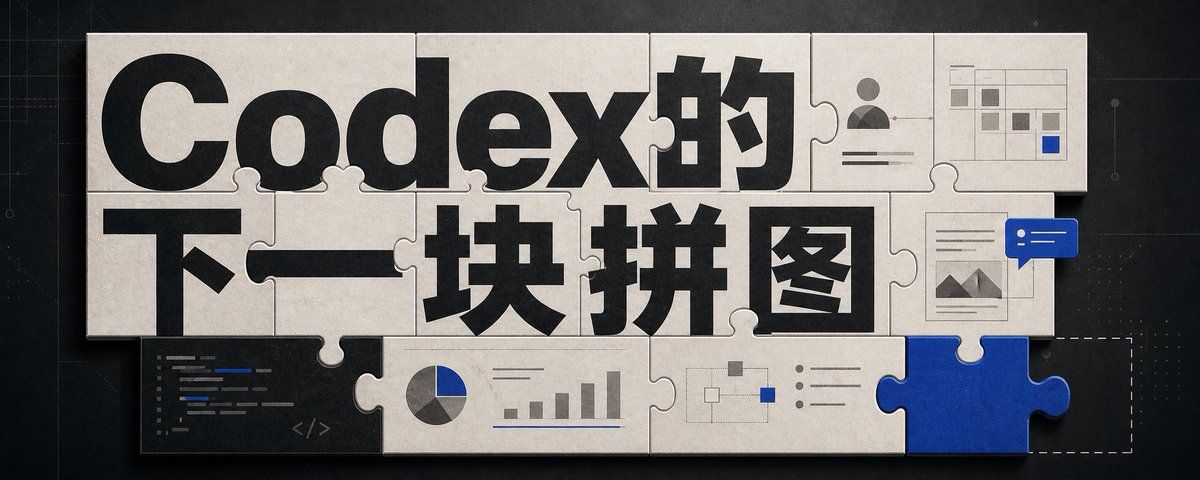
Infographic / Edu Visual - Codex Jigsaw Puzzle Tech Banner
A wide editorial tech banner using interlocking puzzle pieces, bold Chinese headline typography, and small AI workflow UI motifs to illustrate Codex as the next missing piece.
Best used for
awesome-gpt-image-2, GPT Image 2, Infographic / Edu Visual, infographic-edu-visual
A wide editorial tech banner using interlocking puzzle pieces, bold Chinese headline typography, and small AI workflow UI motifs to illustrate Codex as the next missing piece.
Highlight product features and key ingredients
Use soft natural lighting to enhance texture
Clean hierarchy for posters, ads, and ecommerce banners
Customize subject, brand, and scene details
Example results
Prompt (Multi-language)
Goal: Create a wide editorial hero banner about {argument name="headline topic" default="Codex的下一块拼图"}, showing a jigsaw-puzzle metaphor for AI coding, visual design, and missing capabilities.
Canvas: Ultra-wide horizontal banner, approximately 5:2 aspect ratio, dark charcoal technical background with faint grid lines, subtle blueprint marks, tiny dots, and thin circuit-like guide lines. Center the artwork with a large off-white paper/cardboard jigsaw puzzle assembly casting soft shadows.
Layout: Use exactly 15 visible puzzle elements: 13 off-white connected puzzle pieces forming a rectangular mosaic, 1 vivid cobalt-blue puzzle piece inserted at the bottom-right edge, and 1 dashed-outline empty missing-piece slot immediately to the right of the blue piece. The puzzle should look physical, with rounded tabs and sockets, slight bevels, paper texture, seams, grime, and realistic shadowing.
Text content: The main typography dominates the puzzle surface. Use huge bold black sans-serif Chinese type reading {argument name="main title text" default="Codex的"} across the top row and {argument name="subtitle text" default="下一块拼图"} across the middle row. Make the letters oversized, cropped slightly by puzzle seams, and integrated into the tile layout. Keep the text crisp and high contrast.
Visible graphic elements: Include exactly 7 small embedded UI/diagram motifs on puzzle pieces: 1 dark code editor panel in the lower-left with short colored code lines and a small </> symbol; 1 pie chart combined with a small bar chart along the lower middle; 1 simple node-and-connector flow diagram near the lower center-right; 1 bullet-list panel with three round bullets to the right of the flow diagram; 1 user profile card in the upper-right with avatar icon and horizontal text lines; 1 small spreadsheet/dashboard grid in the top-right corner with gray cells and one blue highlighted cell; 1 document/image card on the right side with small mountain thumbnail lines, overlapped by a blue chat bubble containing two white dots and two white horizontal lines.
Visual style: Premium tech editorial illustration, cinematic lighting, tactile paper puzzle texture, muted monochrome palette of black, warm off-white, gray, and accent cobalt blue {argument name="accent color" default="cobalt blue"}. Add subtle scratches, dust, and paper grain. Use realistic shadows between pieces, but keep the whole image clean and readable.
Constraints: No people, no extra logos, no watermark, no random English words beyond tiny unreadable code strokes, and no additional large text. The blue puzzle piece should feel like the key missing component that completes the system, while the dashed empty slot hints that another piece is still absent.
How to use this template
Choose this template
Browse templates and select this one.
Edit the prompt
Adjust product, brand, language, and details.
Generate image
Create a consistent AI image.
Download and use
Export a high-resolution asset for publishing.
Frequently asked questions
Can I use this template commercially?
Yes. Confirm final usage rights against your plan and model provider terms.
Do I need design skills?
No. Replace the product, scene, and copy in the prompt.
What image sizes are supported?
Common ratios such as 9:16, 4:5, 1:1, and 16:9 are supported.
Can I modify the prompt?
Yes. The template is designed for reusable composition, lighting, and style.