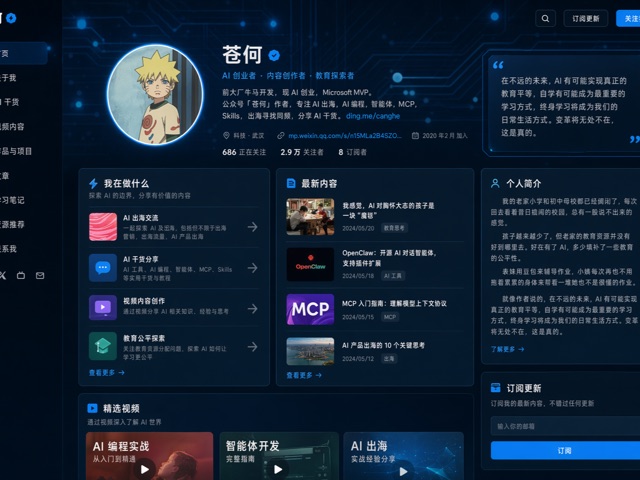
UI 与界面awesome-gpt-image-2GPT Image 2industrial-template

UI 与界面 - 直播界面模板

生成一张[平台,如抖音/快手/B站]直播界面截图。

Best used for
awesome-gpt-image-2, GPT Image 2, industrial-template, ui-interfaces
Aspect ratios
9:16, 4:5, 1:1, 16:9
Styles
UI 界面模板, awesome-gpt-image-2, GPT Image 2, industrial-template, ui-interfaces
Model
GPT Image 2
Language
Multi-language prompts supported

About this template

生成一张[平台,如抖音/快手/B站]直播界面截图。

  • Highlight product features and key ingredients
  • Use soft natural lighting to enhance texture
  • Clean hierarchy for posters, ads, and ecommerce banners
  • Customize subject, brand, and scene details

Example results

UI 与界面 - 直播界面模板 example 1

Prompt (Multi-language)

生成一张[平台,如抖音/快手/B站]直播界面截图。 主播:[人物描述/名称],姿态:[坐姿/站立/动作],服装:[服装描述]。 背景:[直播间背景描述],灯光:[暖色/冷色/混合]。 UI叠加层: - 顶部:主播头像 + 关注按钮 + 在线人数 + 排名/热值 - 左下:弹幕/评论列表([N]条,内容示例) - 右下或中部:商品卡片 / 礼物特效 / PK进度条 - 底部:输入框 + 功能图标(分享/点赞/礼物/购物车) 风格:[写实直播截图/高保真UI/暗黑系/粉嫩系],比例 9:16。 约束:文字清晰可读,弹幕内容合理,界面元素不遮挡主播面部。 输出:高仿直播截图画面。

How to use this template

Choose this template

Browse templates and select this one.

Edit the prompt

Adjust product, brand, language, and details.

Generate image

Create a consistent AI image.

Download and use

Export a high-resolution asset for publishing.

Frequently asked questions

Can I use this template commercially?

Yes. Confirm final usage rights against your plan and model provider terms.

Do I need design skills?

No. Replace the product, scene, and copy in the prompt.

What image sizes are supported?

Common ratios such as 9:16, 4:5, 1:1, and 16:9 are supported.

Can I modify the prompt?

Yes. The template is designed for reusable composition, lighting, and style.