20

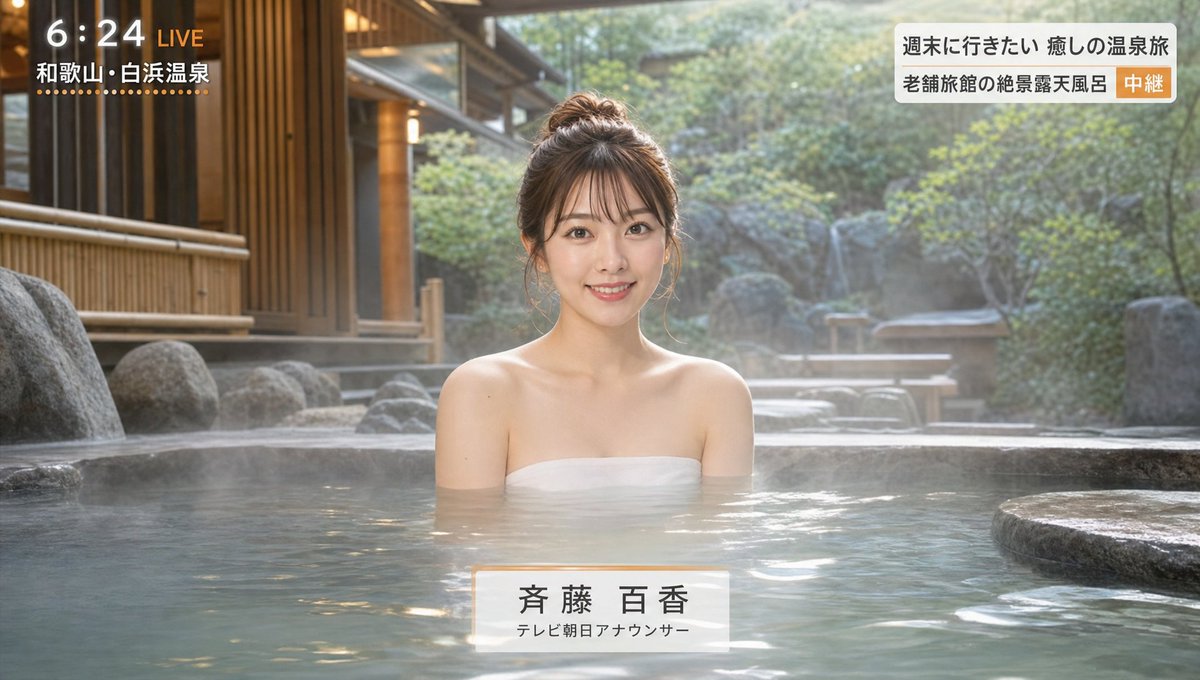
Japanese Hot Spring TV Report
Enlarge

Japanese Hot Spring TV Report

Prompt
A live broadcast scene from a hot spring inn introduction program. In a calm Japanese-style luxury hot spring inn's open-air bath, a young and lovely adult female announcer is giving a bathing report. Her expression is bright and elegant, smiling at the camera as she introduces the charms of the hot spring. The background includes a wooden inn, a rock bath, bamboo fences, soft Japanese-style lighting, rising steam, and quiet natural scenery. The announcer is immersed in the water up to her shoulders, with modest exposure, a clean feel, and a stable composition typical of a travel program. The camera is slightly frontal and steady, like a TV broadcast. The overall atmosphere is bright, high-quality, and soothing. At this point, pandas have not appeared yet. Realistic, high quality, natural lighting, TV program style, elegant, and friendly atmosphere.
Category
Posters & Typography
Model
GPT Image 2
Creator
dave392750
Views3
Source ID
youmind-22887

Guide

About "Japanese Hot Spring TV Report"

What is this prompt for?

"Japanese Hot Spring TV Report" AI image prompt for GPT Image 2 (Posters & Typography). A live broadcast scene from a hot spring inn introduction program. In a…

The full copyable prompt and example visuals above are ready for AI image generation or one-click recreate in Picva.

How to use this prompt

  1. Step 1

    Open the prompt detail

    Review the example visuals, category, and full prompt text for "Japanese Hot Spring TV Report".

  2. Step 2

    Copy the prompt

    Copy the prompt body from this page, or load it directly in Studio.

  3. Step 3

    Pick a model (GPT Image 2)

    Prefer GPT Image 2. If you switch models, keep subject and composition and tweak style terms.

  4. Step 4

    Generate and export

    Recreate the look in Picva, or export into your workflow for editing and publishing.

FAQ

What is the "Japanese Hot Spring TV Report" prompt?
It is an AI image-generation prompt for GPT Image 2 in the Posters & Typography category. This page includes the full prompt text, example visuals, and a one-click recreate path in Picva.
How do I use this prompt to generate an image?
Copy the prompt from this page, or use Generate / Studio. Paste it into a compatible image model, or recreate the look in Picva with optional reference images.
Which model is this prompt for?
This page lists GPT Image 2. Most descriptive prompts also transfer to nearby image models such as GPT Image, Flux, or Midjourney with light style tweaks.
Can I use the result commercially?
You can usually copy the prompt for creation, but commercial use of the final image depends on the model terms, reference-image rights, and the generated content. Follow the source author and platform rules.