Brand impasto oil painting: GPT Image 2 prompt
提示词
[BRAND NAME].
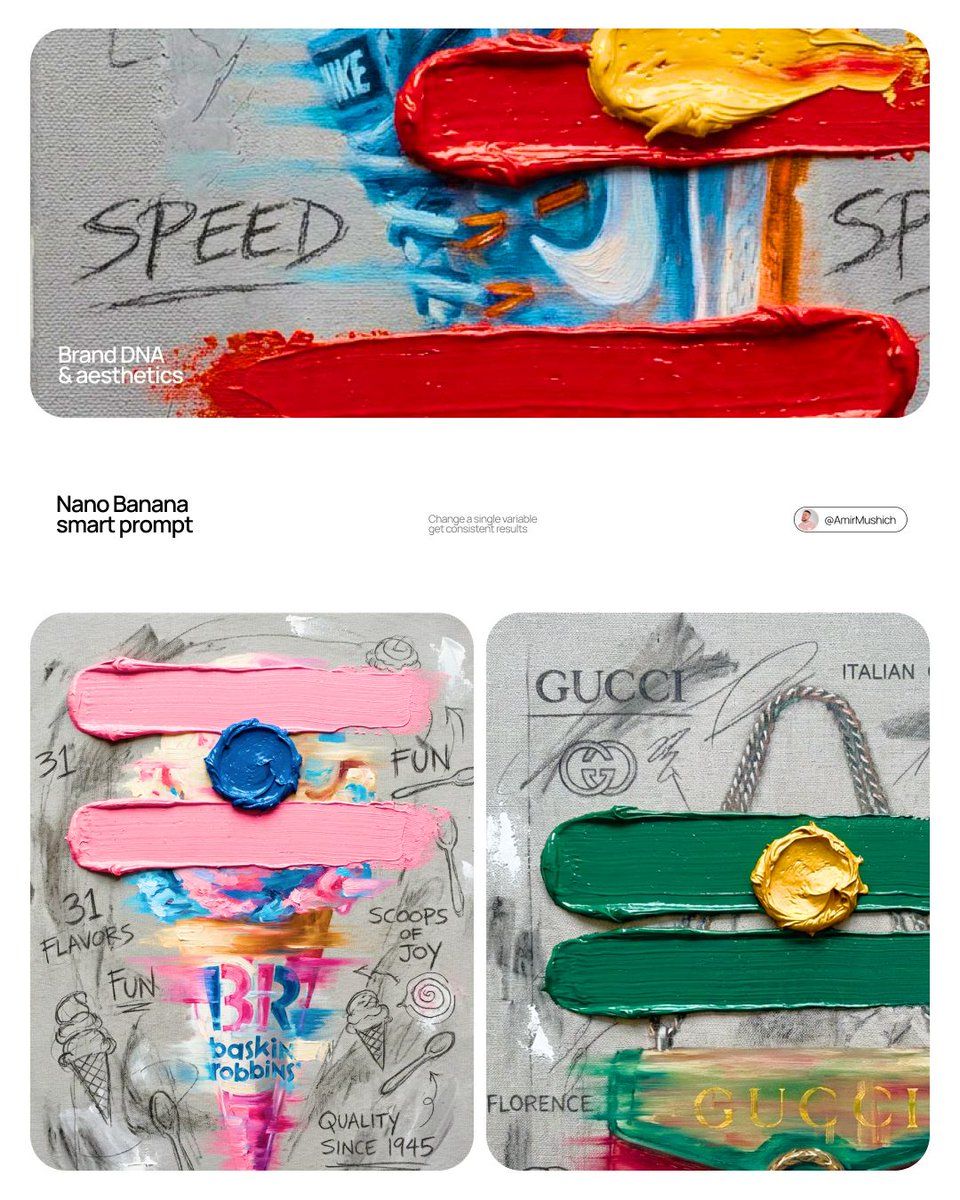
Goal: Generate a professional mixed-media oil painting on textured canvas where the color palette and graphics are dynamically adapted to the brand identity.

1. BRAND COLOR ADAPTATION
- Analyze the visual identity of [BRAND NAME].
- Use the primary brand color for the two main horizontal impasto strokes.
- Use a contrasting secondary brand color for the thick, raised central dollop of paint.
- Replace the original red and yellow with this new adaptive color scheme.

2. PAINTED SUBJECT & MOTION
- Object: A central, vertically oriented product related to [BRAND NAME], rendered as a cohesive OIL PAINTING directly on the canvas.
- Technique: Apply a "motion blur" oil painting effect with visible horizontal brushstrokes to create a sense of dynamic movement.
- Integration: The object must be part of the painted layer, sharing the same heavy-grain canvas texture as the background, not an overlay.
- Branding: Paint the "[BRAND NAME]" logo using distressed, semi-transparent oil paint layers within the object's silhouette.

3. ADAPTIVE IMPASTO & TEXTURE
- Primary Strokes: Two thick, physical, horizontal impasto oil paint strokes applied over the painted object in the brand's primary color.
- Detail: One heavily textured, raised dollop of the brand's secondary color oil paint placed precisely on the center stroke.
- Surface: Background is a raw, heavy-grain grey textured canvas with visible weave, charcoal smudges, and gesso dabs.

4. BRAND-CENTRIC GRAPHICS
- Handwriting: Use charcoal and graphite to scribble keywords, slogans, and values associated with [BRAND NAME] across the canvas.
- Symbols: Replace the original $ and doodles with hand-drawn, messy abstract icons representing [BRAND NAME].
- Execution: All text and symbols must look like they were scratched or drawn with graphite over the dried oil paint layers.

5. STYLE
- Contemporary mixed-media pop-art. 8K macro photography focusing on the physical thickness of oil paint and the raw canvas grain.
- 分类
- Logo 图标
- 模型
- GPT Image 2
- 来源作者
- AmirMušić
- 来源 ID
- 2031083098364858524
- 发布时间
- 2026年3月9日
浏览量0


![[Character] in his iconic pose, [Universe Name], standing on a shattered rock ba](https://whqgdndlpxjbwosvipip.supabase.co/storage/v1/render/image/public/prompt-source-media/promptsref/work-43965/image-1-c1a7c6acb20a7434.png?width=800&quality=75&resize=contain)