Icon: GPT Image 2 prompt
Prompt
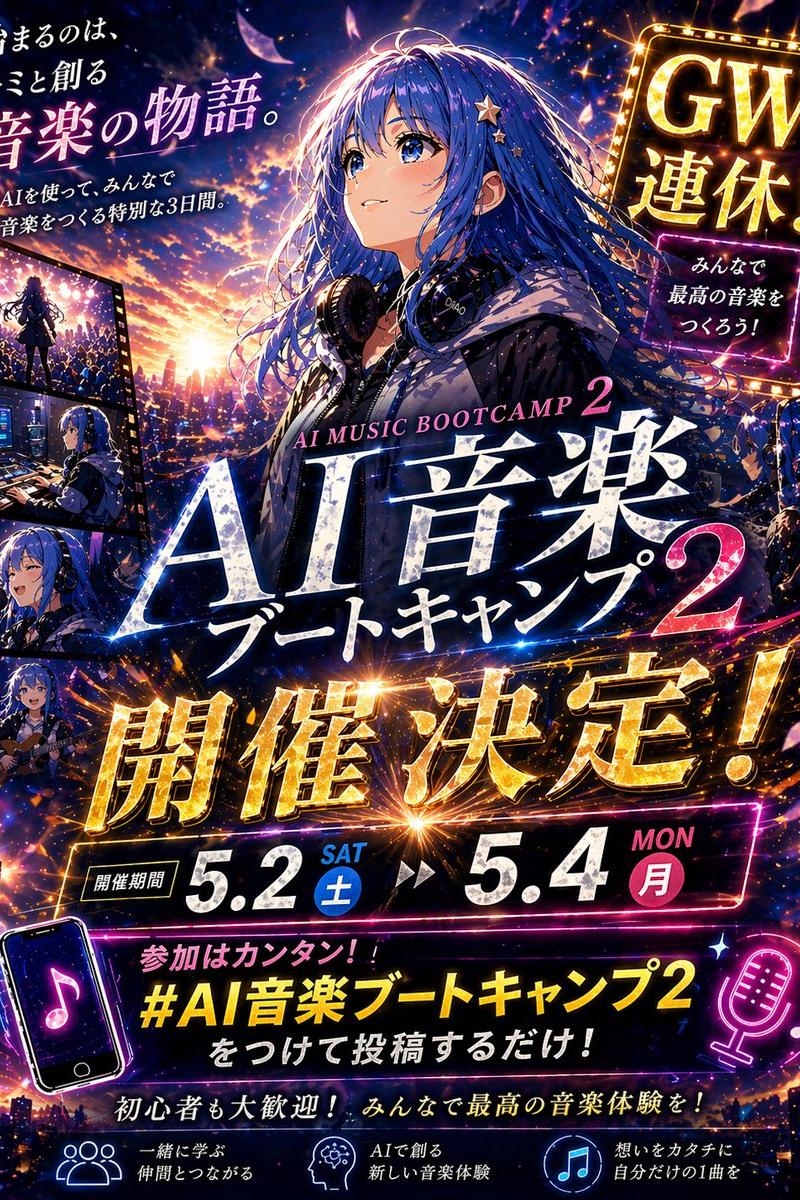
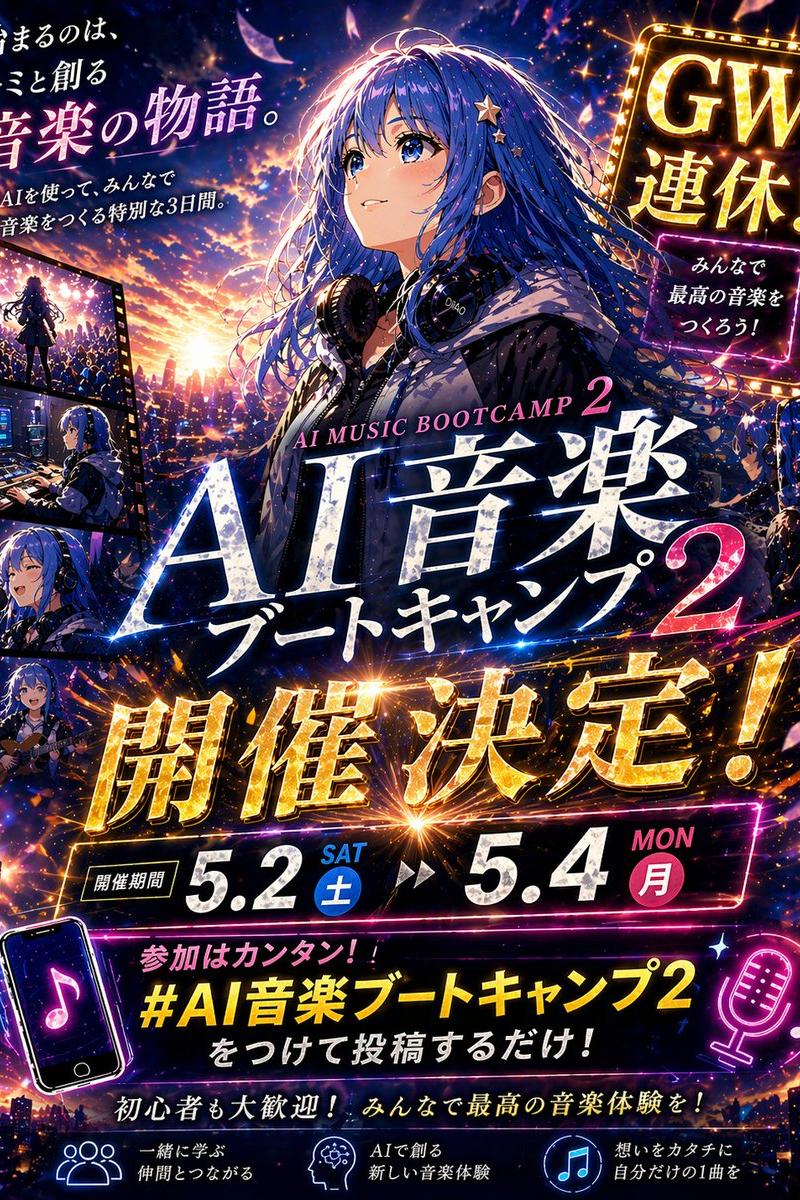
Create a dramatic Japanese anime-style promotional thumbnail poster for an event, vertical 4:5 composition, ultra-detailed, cinematic, neon-lit, high contrast, designed like a social media announcement image. The main subject is a beautiful anime girl centered slightly right, shown from the waist up, with long flowing {argument name="hair color" default="deep blue"} hair blowing in the wind, decorated with small star hairpins, wearing a dark hoodie and large studio headphones around her neck, against a glowing sunset-to-night city skyline filled with sparkling lights, music-energy particles, lens flares, and flying glowing petals. Her face area is obscured by a soft rectangular blur block. Use a vivid palette of electric blue, violet, magenta, gold, and sunset orange. Fill the design with layered Japanese typography that is crisp, readable, and integrated into the art like a polished event advertisement. Include exactly 8 major text groups: top-left copy reading 'The story of music we make together starts now.' with a smaller subcopy beneath reading 'A special 3-day event where everyone makes music using AI.'; top right a glowing marquee sign reading 'Golden Week!' and a smaller neon box below reading 'Let's all make the best music!'; center main title with small English text 'AI MUSIC BOOTCAMP 2' above huge Japanese title text 'AI Music Bootcamp 2'; a gigantic gold metallic announcement across the middle reading 'Coming!'; a date bar reading 'Event period' followed by '5.2 SAT' and '5.4 MON'; a hashtag callout near the bottom reading 'Joining is easy! Just post with #AIMusicBootcamp2!'; a lower encouragement line reading 'Beginners welcome! Let's create the best music experience together!'; and 3 bottom feature captions with icons reading 'Learn together, connect with peers,' 'Create with AI, a new music experience,' and 'Turn feelings into form — your own one song.' On the left edge, add a vertical filmstrip with exactly 4 inset panels showing the same girl in music-related scenes: 1) performing on a stage before a crowd, 2) working at a music production desk with screens and equipment, 3) singing into a microphone, 4) playing an acoustic guitar. Add exactly 2 neon music-themed icon illustrations in the lower area: a tilted smartphone with a music note on the lower left and a glowing microphone with musical notes on the lower right. Make the text effects glossy, luminous, and embossed with gold and white highlights, with energetic streaks and spark explosions around the headline. The overall feeling should be inspiring, celebratory, futuristic, and emotionally uplifting, like a high-impact Japanese Golden Week music bootcamp ad for {argument name="event name" default="AI Music Bootcamp 2"}.- Category
- Characters & People
- Model
- GPT Image 2
- Creator
- sorane_aimusic
- Source language
- zh-CN
- Source ID
- awesome-ui-102
- Published
- Apr 29, 2026
Views0