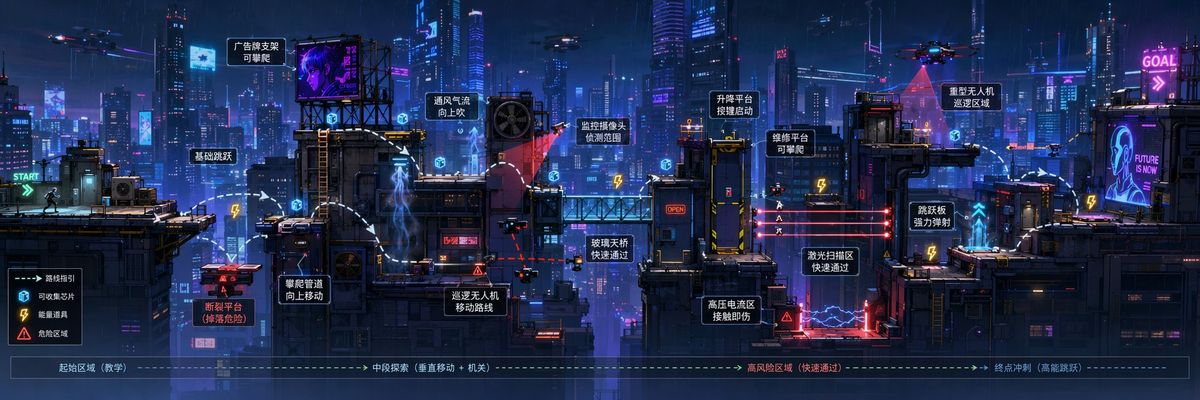
超宽横版游戏关卡设定图提示词
Prompt
Ultra-wide side-scrolling game level concept art prompt:

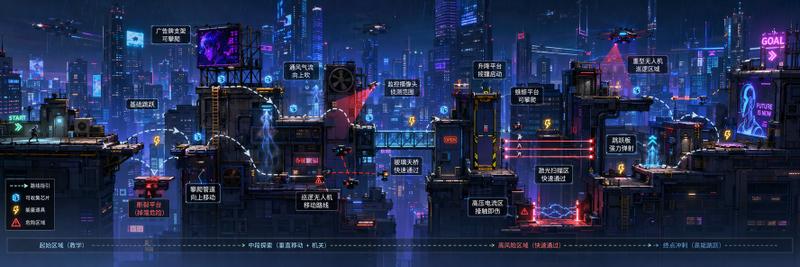
Please generate one [Ultra-wide side-scrolling game level concept art], a single complete image, no collages, no multi-grids, no columns.

Size: Landscape 3:1.

[Level Theme]: Cyber City / Fantasy Forest / Wasteland Subway Station / Oriental Ancient City / Your own theme
[Scene Style]: Sci-fi / Fantasy / Wasteland / Ancient Style / Steampunk / Urban Adventure
[Gameplay Type]: Parkour / Platformer / Action-Adventure / Puzzle Exploration / Side-scrolling level
[Main Scene Elements]: Fill in platforms, buildings, mechanisms, props, obstacles, background elements
[Tonal Atmosphere]: Fill in the main color tone and overall atmosphere
[Additional Requirements]: Fill in the gameplay or visual focus you want to emphasize

The overall image must be a single complete horizontal side-scrolling game level long image, using a horizontally unfolding game level perspective, not a top-down view, not a regular poster, and not just a simple landscape illustration. The focus is to present a truly "playable" side-scrolling level scene: unfolding continuously from left to right, clearly showing the progression route, platform structure, height differences, jumping points, obstacle areas, mechanism areas, prop points, and visual rhythm.

There must be clear level logic in the image:
It can include platforms of different heights, bridges, rooftops, tree roots, ruins, train carriages, city walls, eaves, ropes, lifting platforms, fractured areas, dangerous zones, collectable items, hidden areas, enemy activity zones, mechanical devices, etc.
These elements should form a natural progression relationship, rather than being randomly piled up.

The visual hierarchy must be clear:
Foreground is the playable platform and mechanism structure,
Midground is the main scene buildings and routes,
Background is the distant environment used to enhance the world view and atmosphere.
The entire image should look like high-quality game concept design art, a side-scrolling platform level map, or a 2.5D game scene display image.

If it is a Cyber City theme, you can add high-rise rooftops, neon signs, air conditioning units, metal platforms, drones, laser obstacles, energy items.
If it is a Fantasy Forest theme, you can add giant trees, tree root platforms, mushroom jumping platforms, vine bridges, glowing crystals, ruins, and traps.
If it is a Wasteland Subway theme, you can add abandoned platforms, damaged trains, broken tracks, maintenance tunnels, electrified puddles, supply boxes, and collapsed areas.
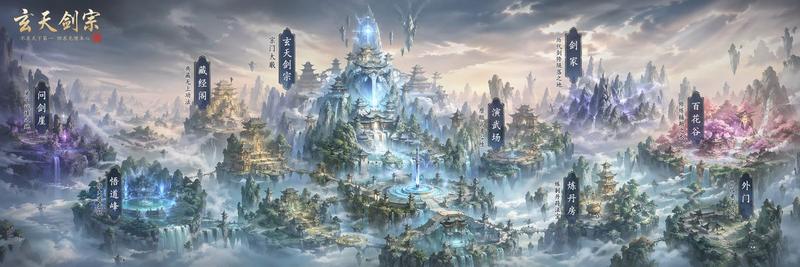
If it is an Oriental Ancient City theme, you can add blue tile roofs, flying eaves, city walls, arches, lanterns, bridges, rope points, scroll treasure chests, and mechanism traps.

The overall effect should highlight one core:
The ultra-wide horizontal image is particularly suitable for carrying a complete side-scrolling level structure, explaining the path, gameplay, scene, and world view simultaneously in one image.

Avoid: Top-down views, poster collage feel, multi-grids, lack of route logic, simple landscape illustration feel, pure wallpaper feel, messy element piling, unclear platform relationships, too much irrelevant text, low resolution.
- Category
- Charts & Infographics
- Model
- ChatGPT
- Creator
- @MrLarus
- Source ID
- 16547
- Published
- Jun 22, 2026
Views20