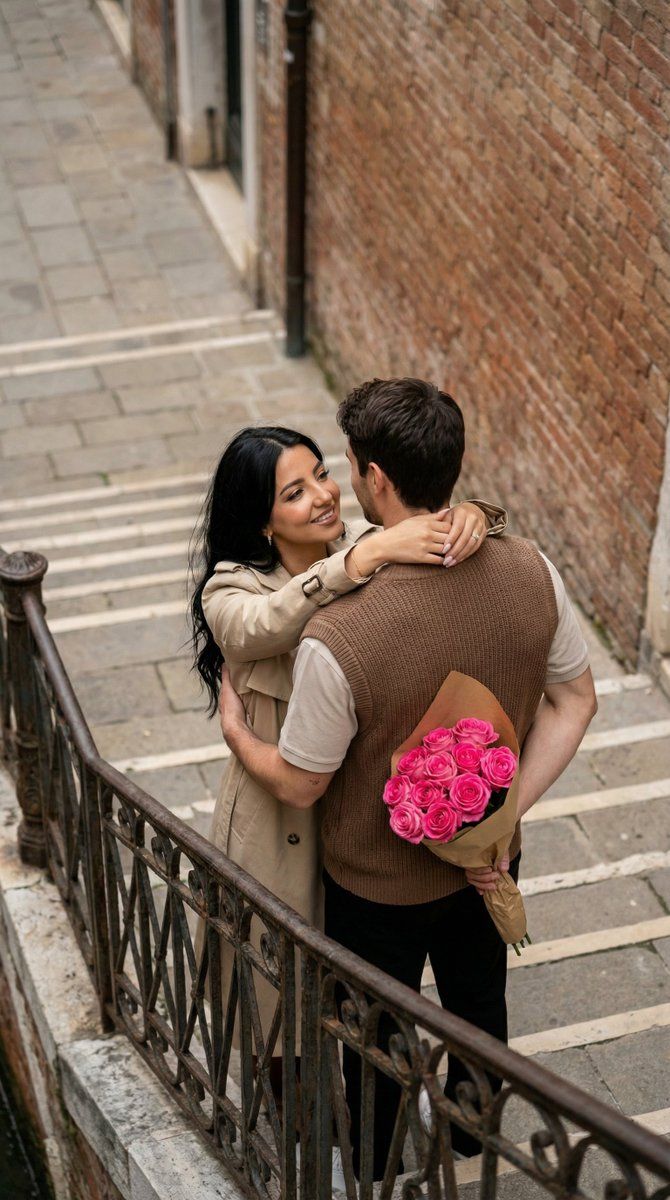
情侣照片转水彩插画
Prompt
{
  "generation_request": {
    "meta_data": {
      "task_type": "photo_to_watercolor_illustration_couple",
      "language": "en",
      "priority": "highest",
      "version": "v1.0_WATERCOLOR_HEART_COUPLE_HUG"
    },
    "input": {
      "mode": "image_to_image",
      "reference_image_usage": "very_high",
      "preserve_identity": true,
      "preserve_facial_features": true,
      "notes": "Transform the uploaded couple photo into a charming watercolor illustration. Keep the same couple identity, pose relationship, and overall gesture. Convert to hand-painted watercolor with visible paper texture and soft pigment blooms."
    },
    "output": {
      "aspect_ratio": "4:5",
      "resolution": "ultra_high",
      "num_images": 1,
      "sharpness": "illustration_crisp",
      "grain": "paper_texture_subtle"
    },
    "style": {
      "medium": "watercolor",
      "linework": "soft_ink_outline_minimal",
      "palette": "warm_pastel_with_rose_red_accents",
      "texture": "cold_press_paper",
      "finish": "clean_white_margins"
    },
    "scene": {
      "background": "large soft watercolor heart shape behind the couple, pink-to-rose wash, slightly uneven edges, subtle paint splatters",
      "environment": "white background, no detailed scenery, illustration focus"
    },
    "subject": {
      "people_count": 2,
      "pose": "romantic hug, the man kisses the woman's cheek/temple, the woman smiles with eyes gently closed, one leg slightly lifted in a playful way",
      "identity_rules": "match the uploaded couple's faces and hair as closely as possible while converting to illustration",
      "wardrobe_translation": "translate original clothing into illustrated equivalents; keep key colors and patterns recognizable",
      "props": {
        "bouquet": "{argument name="bouquet type" default="red flowers bouquet"} in the man's hand, painted with loose watercolor petals"
      },
      "details": {
        "skin_render": "soft watercolor skin tones, gentle blush on cheeks",
        "hair_render": "watercolor hair with minimal ink detail",
        "hands": "clean anatomy, natural finger proportions, no extra fingers"
      }
    },
    "composition": {
      "framing": "full body or 3/4 body centered",
      "spacing": "ample white space around, illustration floating on page",
      "focus": "couple faces + bouquet, heart backdrop as secondary"
    },
    "lighting": {
      "type": "illustrated_soft_light",
      "contrast": "low",
      "shadows": "minimal watercolor shading"
    },
    "negative_prompt": [
      "photorealistic",
      "3D render",
      "anime",
      "oil painting heavy impasto",
      "hard outlines everywhere",
      "messy background scenery",
      "text, watermark, logo, signature",
      "blurry faces",
      "extra fingers, deformed hands, bad anatomy",
      "duplicate people",
      "over-saturated neon colors"
    ],
    "quality_rules": {
      "must": [
"keep the couple identity r- Category
- 创意图片
- Model
- Nano Banana Pro
- Creator
- Özge Döner
- Source ID
- 557ff008-975a-4e4e-afe9-32d6ba3d67b7
- Published
- Mar 8, 2026
Views0



















