18

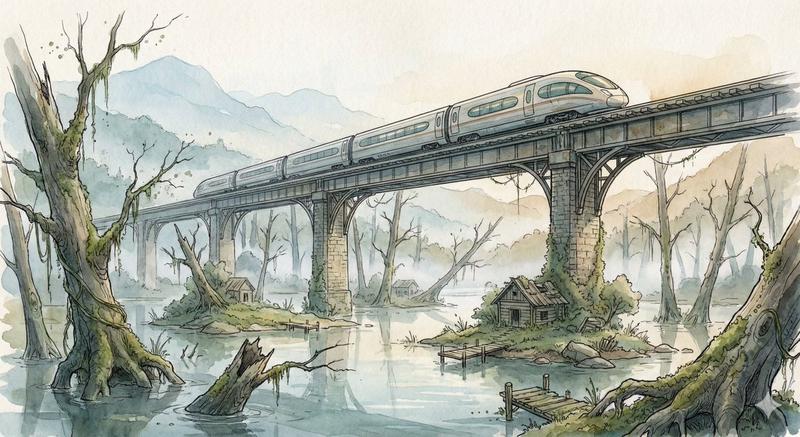
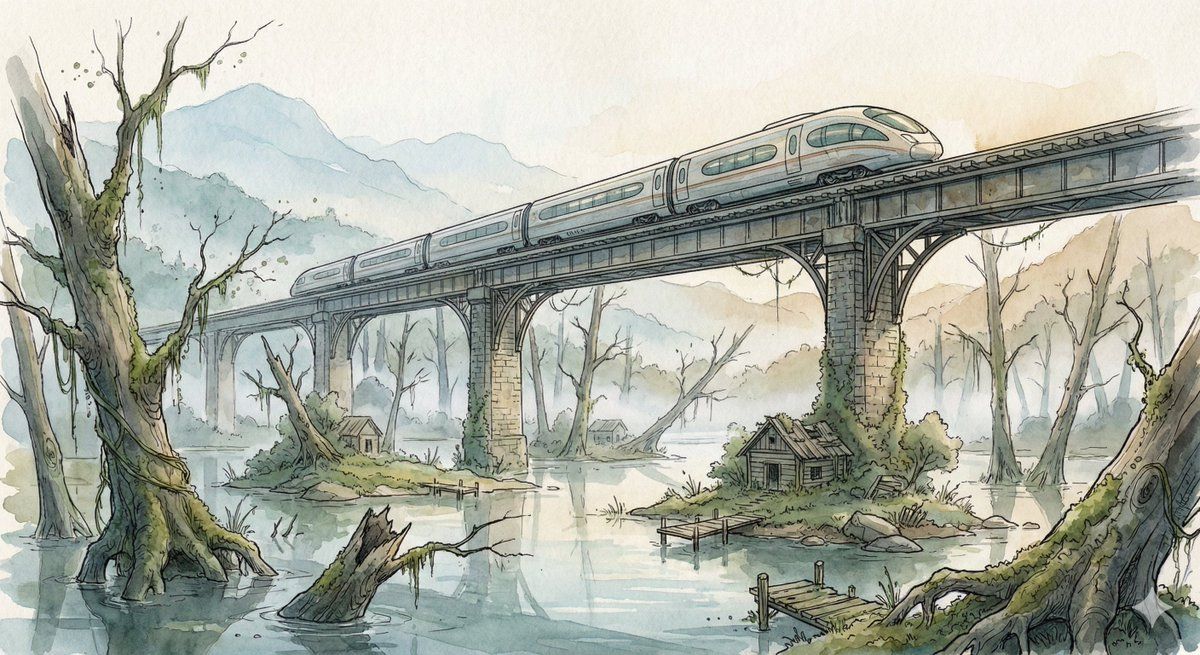
洪水森林上高架铁路桥的奇幻水彩插画
Enlarge

洪水森林上高架铁路桥的奇幻水彩插画

Prompt
Scene:
A sleek high-speed train glides across an elevated rail bridge spanning an enormous flooded forest valley. Half-submerged ancient tree trunks rise from still reflective water while small patches of moss-covered land hold abandoned wooden cabins and broken docks. Morning fog drifts between the skeletal trees, and distant mountains fade into pale atmospheric haze. The bridge stretches far into the distance, its repeating supports creating strong cinematic perspective lines across the quiet, mysterious landscape.

Style:
Fantasy hand-drawn watercolor illustration style. Traditional watercolor rendering with visible pigment splashes, fluid paint diffusion, and softly blended tonal transitions. Delicate hand-illustrated linework with expressive drawn detailing and organic sketch-like contours. Soft, gentle color palette emphasizing airy tones and subtle saturation rather than strong contrast. Painterly layered watercolor textures combined with illustrative fantasy art aesthetics. Decorative, richly illustrated environments with numerous small background details integrated into the composition. Elegant full illustration treatment prioritizing handcrafted visual charm, artistic softness, and classic storybook-inspired fantasy rendering.
Category
创意图片
Model
Nano Banana Pro
Creator
Artingent
Views0
Source ID
c7eee89b-7022-4f72-9e44-312f95d76b01
Published
Mar 8, 2026

Guide

About "洪水森林上高架铁路桥的奇幻水彩插画"

What is this prompt for?

"洪水森林上高架铁路桥的奇幻水彩插画" AI image prompt for Nano Banana Pro (创意图片). 一个详细的提示,用于生成一幅奇幻水彩插画:一列高速列车行驶在横跨神秘洪泛森林山谷的高架铁路桥上,强调传统水彩技法和柔和、富有氛围感的调色。 --- 场景: 一列流线型高速列车滑过一座高架铁路…

The full copyable prompt and example visuals above are ready for AI image generation or one-click recreate in Picva.

How to use this prompt

  1. Step 1

    Open the prompt detail

    Review the example visuals, category, and full prompt text for "洪水森林上高架铁路桥的奇幻水彩插画".

  2. Step 2

    Copy the prompt

    Copy the prompt body from this page, or load it directly in Studio.

  3. Step 3

    Pick a model (Nano Banana Pro)

    Prefer Nano Banana Pro. If you switch models, keep subject and composition and tweak style terms.

  4. Step 4

    Generate and export

    Recreate the look in Picva, or export into your workflow for editing and publishing.

FAQ

What is the "洪水森林上高架铁路桥的奇幻水彩插画" prompt?
It is an AI image-generation prompt for Nano Banana Pro in the 创意图片 category. This page includes the full prompt text, example visuals, and a one-click recreate path in Picva.
How do I use this prompt to generate an image?
Copy the prompt from this page, or use Generate / Studio. Paste it into a compatible image model, or recreate the look in Picva with optional reference images.
Which model is this prompt for?
This page lists Nano Banana Pro. Most descriptive prompts also transfer to nearby image models such as GPT Image, Flux, or Midjourney with light style tweaks.
Can I use the result commercially?
You can usually copy the prompt for creation, but commercial use of the final image depends on the model terms, reference-image rights, and the generated content. Follow the source author and platform rules.