20

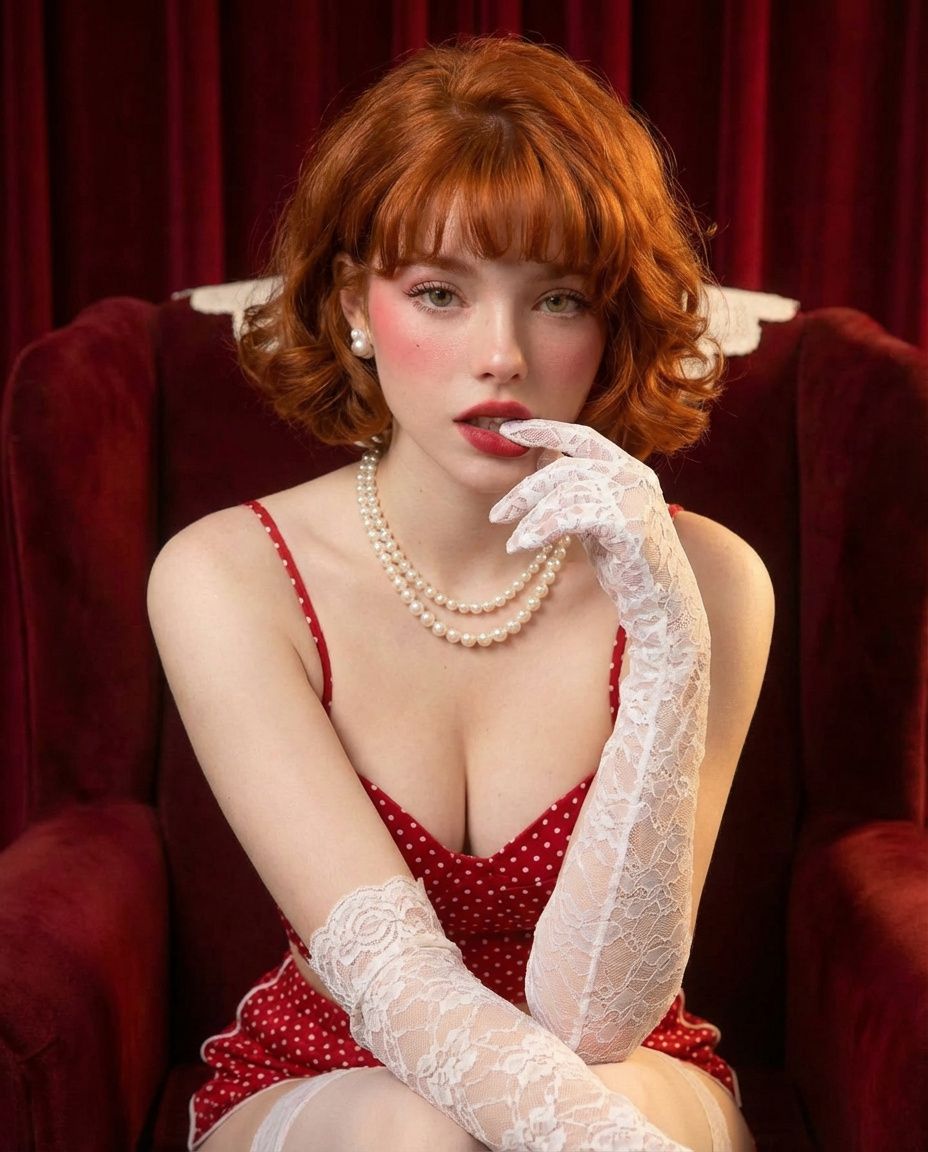
经典好莱坞魅力肖像提示
Enlarge

经典好莱坞魅力肖像提示

Prompt
{
  "prompt": "A vintage-inspired portrait of a young red-haired woman with a short curly bob haircut and soft bangs, sitting elegantly in a plush red velvet armchair against rich red curtains. She is wearing a red polka dot dress with a low neckline, pearl necklace and earrings, and long white lace gloves. Her makeup is classic with rosy cheeks and red lipstick. She gazes at the camera with a soft, alluring expression. Cinematic lighting, high detail, sharp focus, classic Hollywood glamour style.",
  "negative_prompt": "low resolution, blurry, distorted anatomy, extra fingers, poorly drawn hands, bad lighting, overexposed, underexposed",
  "style": "vintage glamour, classic Hollywood portrait, editorial photography",
  "lighting": "soft studio lighting, warm tones, subtle shadows",
  "camera": "85mm lens, shallow depth of field, high clarity",
  "resolution": "1024x1024"
}
Category
创意图片
Model
Nano Banana Pro
Creator
Miz
Views0
Source ID
d48b04da-4430-4079-ac82-c8d0664c6120
Published
Mar 8, 2026

Guide

About "经典好莱坞魅力肖像提示"

What is this prompt for?

"经典好莱坞魅力肖像提示" AI image prompt for Nano Banana Pro (创意图片). 一个结构化的 JSON 提示词,用于 Nano Banana Pro 生成一张复古风格的肖像画:一位年轻的红发女子,身穿红色波点连衣裙,优雅地坐在一张豪华的红色天鹅绒扶手椅中,强调经典好莱坞魅力风格和电…

The full copyable prompt and example visuals above are ready for AI image generation or one-click recreate in Picva.

How to use this prompt

  1. Step 1

    Open the prompt detail

    Review the example visuals, category, and full prompt text for "经典好莱坞魅力肖像提示".

  2. Step 2

    Copy the prompt

    Copy the prompt body from this page, or load it directly in Studio.

  3. Step 3

    Pick a model (Nano Banana Pro)

    Prefer Nano Banana Pro. If you switch models, keep subject and composition and tweak style terms.

  4. Step 4

    Generate and export

    Recreate the look in Picva, or export into your workflow for editing and publishing.

FAQ

What is the "经典好莱坞魅力肖像提示" prompt?
It is an AI image-generation prompt for Nano Banana Pro in the 创意图片 category. This page includes the full prompt text, example visuals, and a one-click recreate path in Picva.
How do I use this prompt to generate an image?
Copy the prompt from this page, or use Generate / Studio. Paste it into a compatible image model, or recreate the look in Picva with optional reference images.
Which model is this prompt for?
This page lists Nano Banana Pro. Most descriptive prompts also transfer to nearby image models such as GPT Image, Flux, or Midjourney with light style tweaks.
Can I use the result commercially?
You can usually copy the prompt for creation, but commercial use of the final image depends on the model terms, reference-image rights, and the generated content. Follow the source author and platform rules.









