20

涂鸦蜡笔画笔记本风格提示词
Enlarge

涂鸦蜡笔画笔记本风格提示词

Prompt
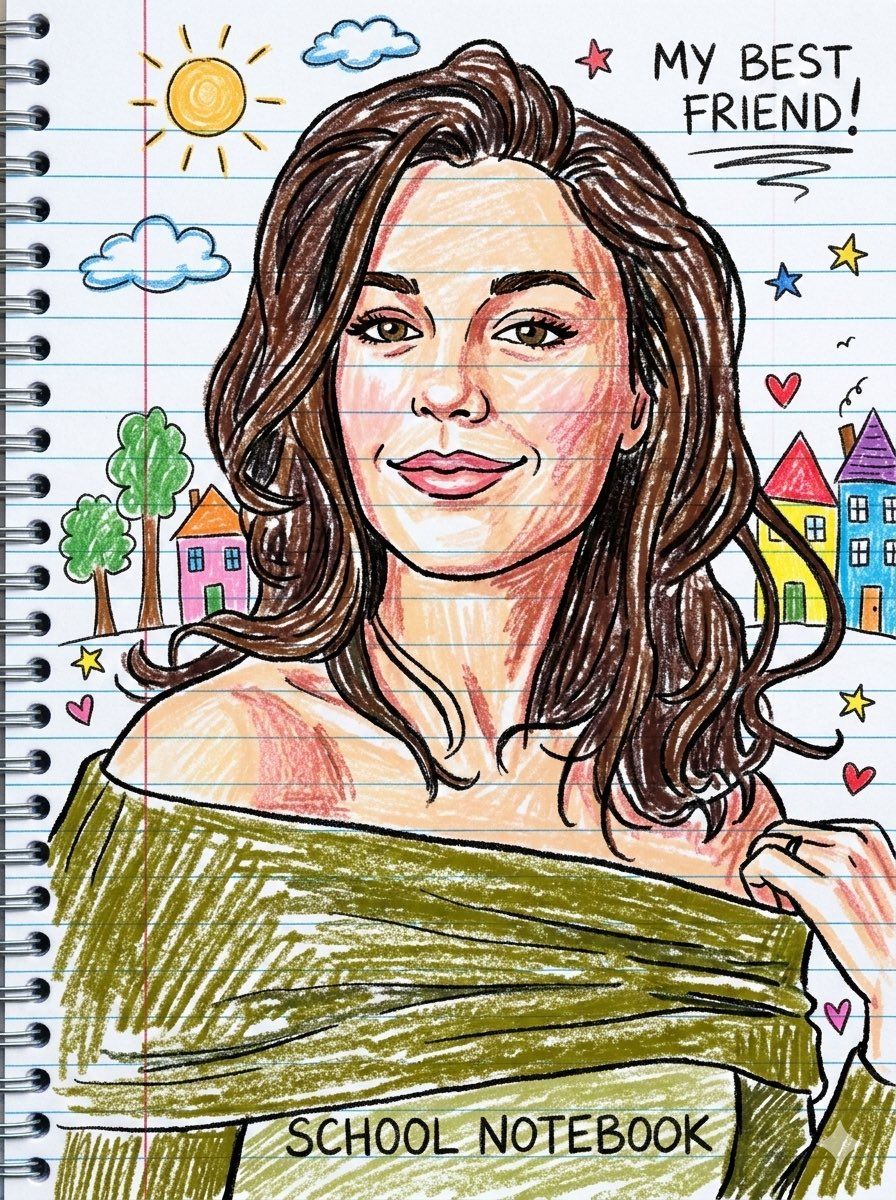
A High resolution a playful notebook-style crayon drawing of the person [Use the uploaded image as reference] , keeping the same face, hairstyle, and outfit. Also, draw with uneven crayon strokes and bold outlines for a hand-drawn effect. Meanwhile, add doodle-style elements like a sun, clouds, trees, and small colorful houses in the background on blue lined paper with a red margin. Next, make the image look like a fun school notebook sketch, full of bright colors and childlike charm. Finally, use a vertical portrait to complete the composition.
Category
创意图片
Model
Nano Banana Pro
Views0
Source ID
bf3075bd-233c-4e30-8d9a-d0c622844fda
Published
Mar 8, 2026

Guide

About "涂鸦蜡笔画笔记本风格提示词"

What is this prompt for?

"涂鸦蜡笔画笔记本风格提示词" AI image prompt for Nano Banana Pro (创意图片). 一个用于生成高分辨率图像的提示,该图像模仿了学校笔记本风格的趣味蜡笔画。它需要使用参考图像来确定主体身份,并指定美学细节,例如不均匀的蜡笔笔触、粗体轮廓和蓝色横格纸上的涂鸦元素。 --- 一张高分辨…

The full copyable prompt and example visuals above are ready for AI image generation or one-click recreate in Picva.

How to use this prompt

  1. Step 1

    Open the prompt detail

    Review the example visuals, category, and full prompt text for "涂鸦蜡笔画笔记本风格提示词".

  2. Step 2

    Copy the prompt

    Copy the prompt body from this page, or load it directly in Studio.

  3. Step 3

    Pick a model (Nano Banana Pro)

    Prefer Nano Banana Pro. If you switch models, keep subject and composition and tweak style terms.

  4. Step 4

    Generate and export

    Recreate the look in Picva, or export into your workflow for editing and publishing.

FAQ

What is the "涂鸦蜡笔画笔记本风格提示词" prompt?
It is an AI image-generation prompt for Nano Banana Pro in the 创意图片 category. This page includes the full prompt text, example visuals, and a one-click recreate path in Picva.
How do I use this prompt to generate an image?
Copy the prompt from this page, or use Generate / Studio. Paste it into a compatible image model, or recreate the look in Picva with optional reference images.
Which model is this prompt for?
This page lists Nano Banana Pro. Most descriptive prompts also transfer to nearby image models such as GPT Image, Flux, or Midjourney with light style tweaks.
Can I use the result commercially?
You can usually copy the prompt for creation, but commercial use of the final image depends on the model terms, reference-image rights, and the generated content. Follow the source author and platform rules.