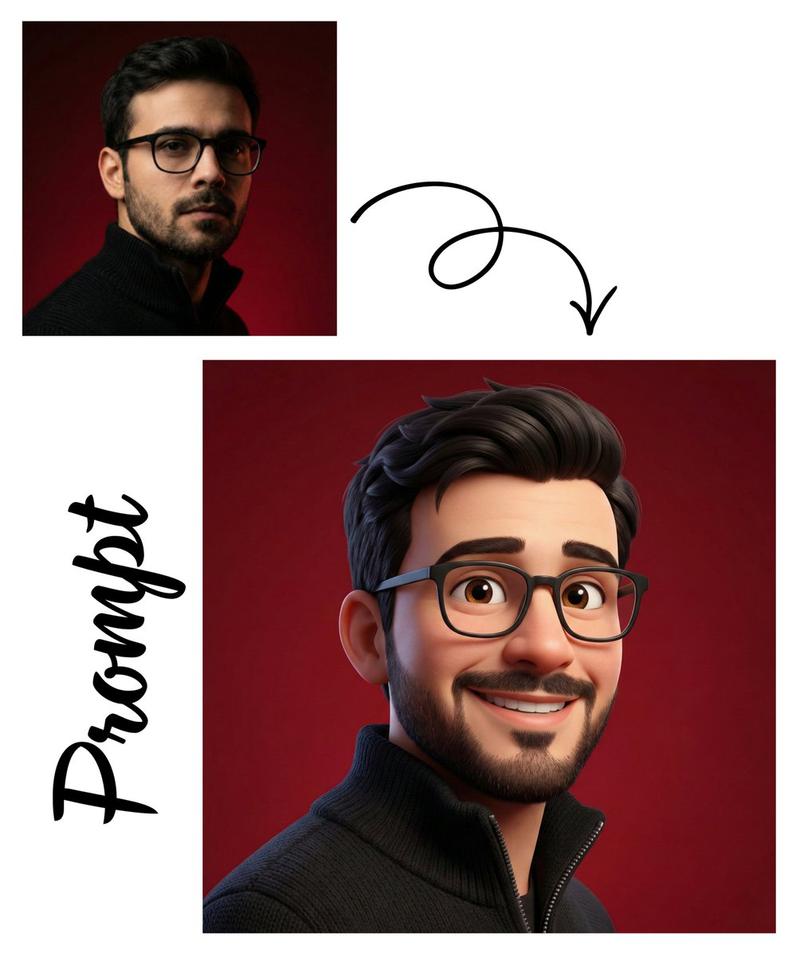
带上传图片的基准提示
Prompt
Base prompt @dotey
Tried with uploaded image
- Category
- 创意图片
- Model
- Nano Banana Pro
- Creator
- AIARTGALLARY
- Source ID
- d7bde144-6734-46f9-a174-0d7434fffbd0
- Published
- Mar 8, 2026
Views0
8

Base prompt @dotey Tried with uploaded image
Guide
"带上传图片的基准提示" AI image prompt for Nano Banana Pro (创意图片). 此备注表明,该图片是使用 Nano Banana Pro 基于另一位用户的基础提示和一张上传图片生成的,这暗示了图生图的工作流程。 --- 基础提示词 @dotey 已尝试上传图片 Copy it on…
The full copyable prompt and example visuals above are ready for AI image generation or one-click recreate in Picva.
Step 1
Review the example visuals, category, and full prompt text for "带上传图片的基准提示".
Step 2
Copy the prompt body from this page, or load it directly in Studio.
Step 3
Prefer Nano Banana Pro. If you switch models, keep subject and composition and tweak style terms.
Step 4
Recreate the look in Picva, or export into your workflow for editing and publishing.