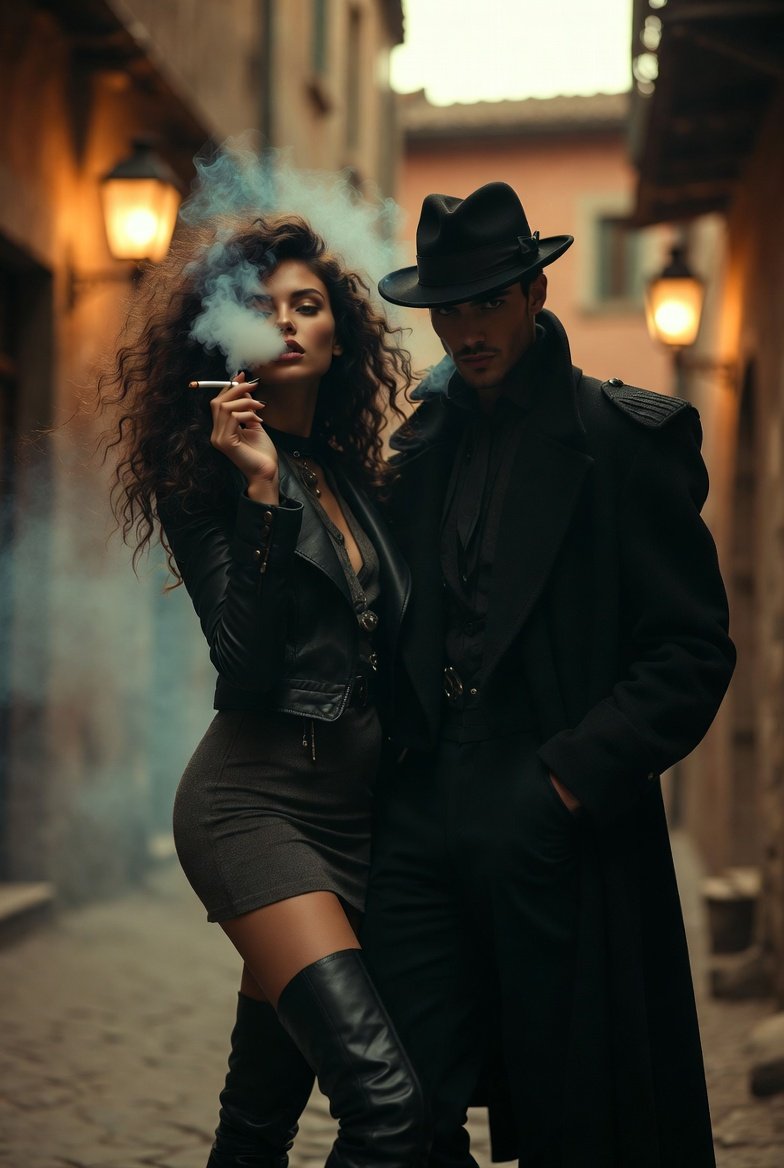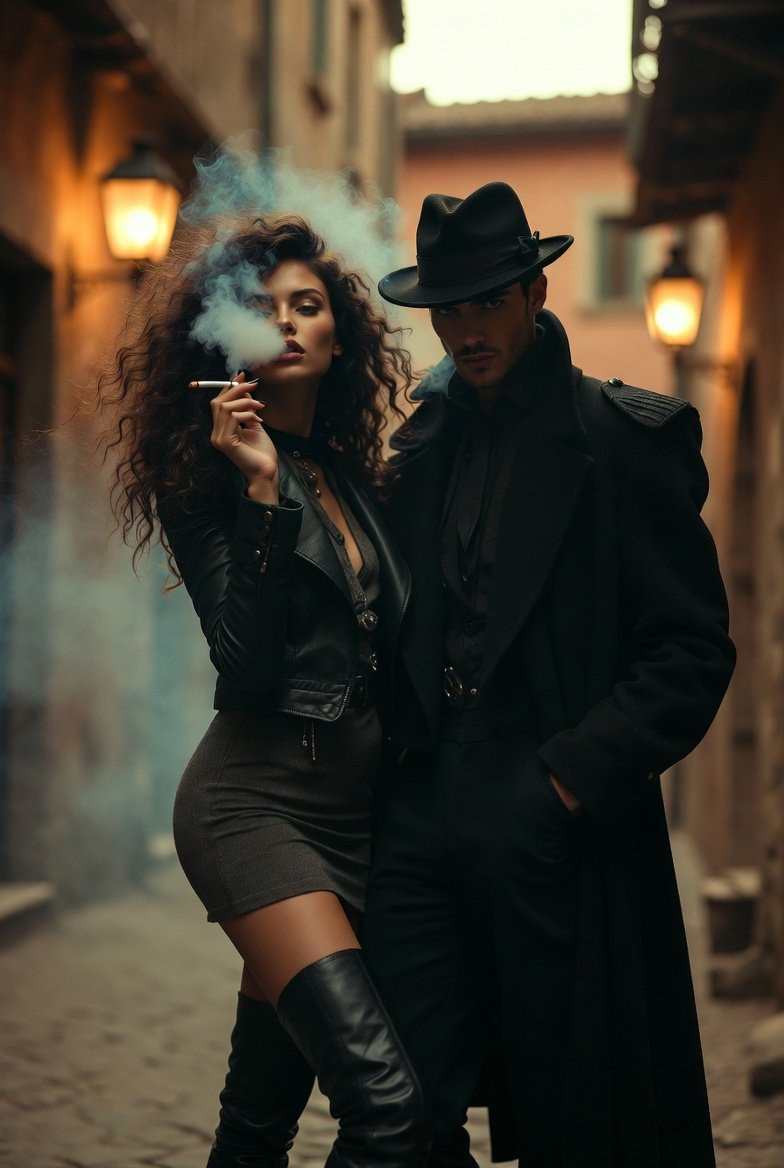
Create a cinematic vintage-romantic portrait featuring a stylish girl in long boots with curly hair
Prompt
{"Objective":"Create a cinematic vintage-romantic portrait featuring a stylish girl in long boots with curly hair smoking, standing beside a mysterious man in a black coat and classic hat. Capture them in an old Rome–like street with warm retro tones.","Scene_Details":{"Main_Subjects":{"Female":{"Gender":"Female","Outfit":"Long leather boots, fitted dress or skirt with a chic jacket, subtle accessories. Slightly rebellious yet elegant.","Hair":"Voluminous curly hair flowing naturally.","Pose":"Standing slightly forward, one leg bent casually, holding a cigarette gracefully while exhaling smoke.","Expression":"Calm, confident, alluring — eyes half-focused as smoke drifts past her face."},"Male":{"Gender":"Male","Outfit":"Long black coat with structured shoulders, dark shirt, and a vintage-style hat.","Pose":"Standing beside or slightly behind the woman, hands in coat pockets or adjusting hat brim.","Expression":"Mysterious, composed, subtle smirk or a soft unreadable expression."}},"Props":{"Main":"Cigarette with visible smoke trail.","Additional":"Optional old-style street lamp, scattered cobblestones, light fog for atmosphere."},"Background":{"Description":"Narrow old Roman street at dusk, warm stone buildings, soft ambient lantern lights, textured walls.","Elements":"Cobblestone ground, arches, rustic windows, light haze for depth."},"Lighting_and_Color":{"Lighting":"Warm, cinematic street lighting — mix of soft golden lamps and subtle shadows. A touch of rim light from behind.","Color_Tone":"Warm amber, muted browns, deep blacks, and gentle smoke hues for a vintage noir feel."}},"Artistic_Style":{"Genre":"Cinematic Vintage Noir Editorial","Composition":"Mid-length vertical frame, couple positioned slightly off-center to show street depth while keeping intimacy.","Texture":"Film-like grain, detailed hair, smoke flow, and leather boot texture."},"Camera_and_Technical_Notes":{"Focus":"Sharp focus on the girl's face, hair, and cigarette smoke, with the man slightly softened but still clear.","Depth_of_Field":"Shallow — blurred background with visible vintage street detail.","Shot_Type":"Medium portrait shot showing upper legs and street environment."},"Mood_and_Emotion":"Mysterious, romantic, cinematic — a blend of vintage charm, quiet intimacy, and stylish attitude.","Intended_Use":"Editorial character concept, cinematic portrait generation, fashion-inspired street visual, AI aesthetic creations."}- Category
- creative_scene
- Model
- Nano Banana Pro
- Creator
- Pixshop
- Source ID
- 8a29d455-67ff-42b5-b312-a168917d48b7
- Published
- Jan 14, 2026
Views3