Kickstarter 众筹活动生成器提示
提示词
Act as a Senior Product Designer and Crowdfunding Campaign Manager.

1. ANALYZE INPUT
Look at the attached image. Determine the material properties (Soft vs. Hard), the primary colors, and the texture.

2. AUTO-SELECT SMART WEARABLE
Use this logic to choose the product category. The goal is Clean Modern Tech, not Cyberpunk.

IF the input is Soft or Fabric-like ({argument name="soft input examples" default="Ramen, Towel, Moss"})
GENERATE: The All-Climate Smart Jacket.
Features: Self-regulating temperature control, hydrophobic coating based on the input texture, and hidden magnetic pockets.

IF the input is Rigid, Boxy, or Container-like ({argument name="rigid input examples" default="Toaster, Book, Suitcase"})
GENERATE: The Ultimate Commuter Backpack.
Features: Integrated power bank with solar coating, anti-theft biometric zipper locks, and organized modular compartments.

IF the input is Mechanical or Footwear-shaped ({argument name="mechanical input examples" default="Stapler, Car, Tool"})
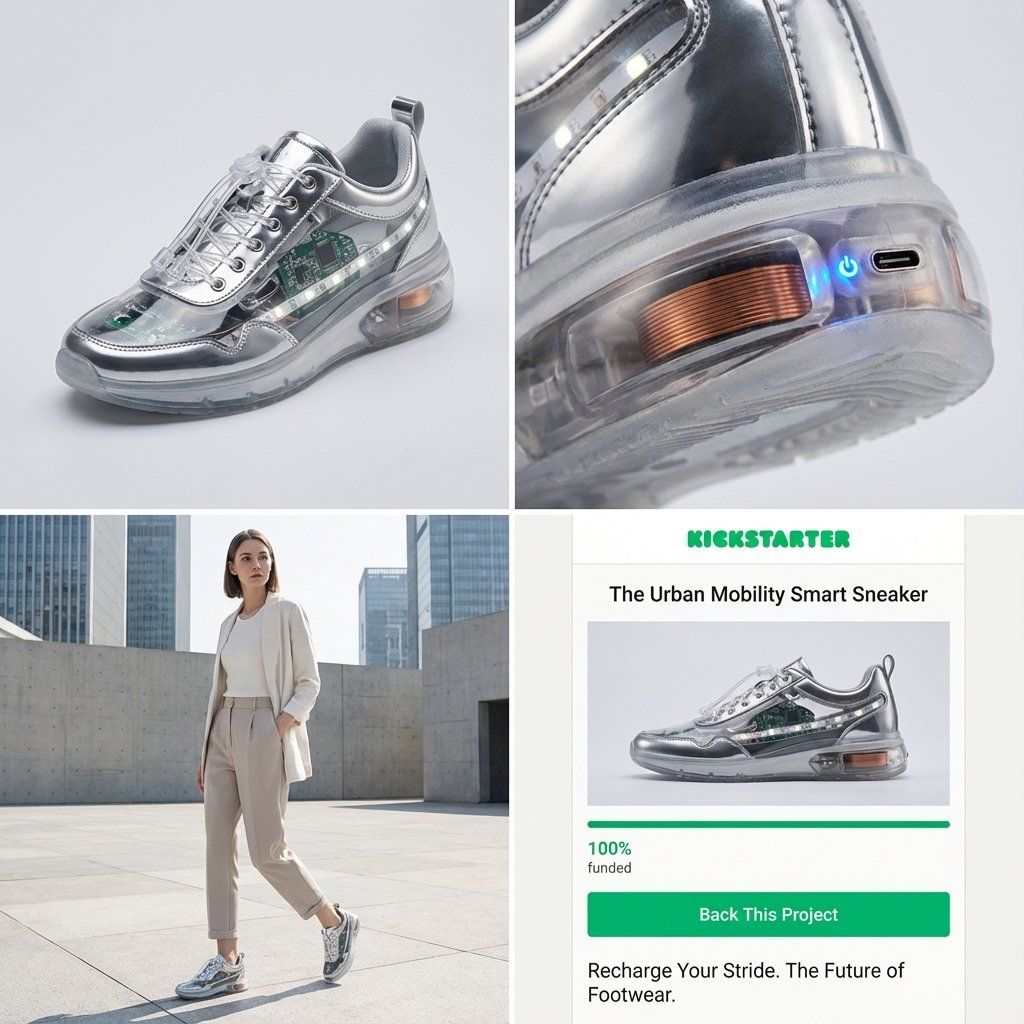
GENERATE: The Urban Mobility Smart Sneaker.
Features: Energy-returning sole technology, step-tracking sensors embedded in the heel, and auto-tensioning laces.

3. EXECUTE VISUALIZATION (2x2 GRID)
Generate a single image split into a precise 2x2 grid layout.

Top Left Panel (Hero Shot):
A clean, studio-lit 3/4 angle view of the product on a white or light grey background. It must look refined and manufacturable, using the texture of the input image as a premium material.

Top Right Panel (Detail Shot):
A zoomed-in macro shot focusing on a specific high-tech feature (e.g., a USB-C port, a magnetic buckle, or a waterproof seam) that shows off the input texture quality.

Bottom Left Panel (Lifestyle Shot):
A photorealistic shot of a fashionable model wearing the item in a clean, modern city setting (daytime). They look comfortable and stylish.

Bottom Right Panel (Campaign UI):
A mockup of a Kickstarter campaign page. It should show the product title, a green progress bar at 100% funded, and a bright green button that says Back This Project.

Overall Style: High-key lighting, soft shadows, 8k resolution, commercial product photography, minimalist design aesthetic.- 分类
- 创意图片
- 模型
- Nano Banana Pro
- 来源作者
- Gadgetify
- 来源 ID
- 1bb0749c-f2b7-40ab-a47a-e29ca73ab586
- 发布时间
- 2026年3月8日
浏览量0